46 VE810 Engraver Manual
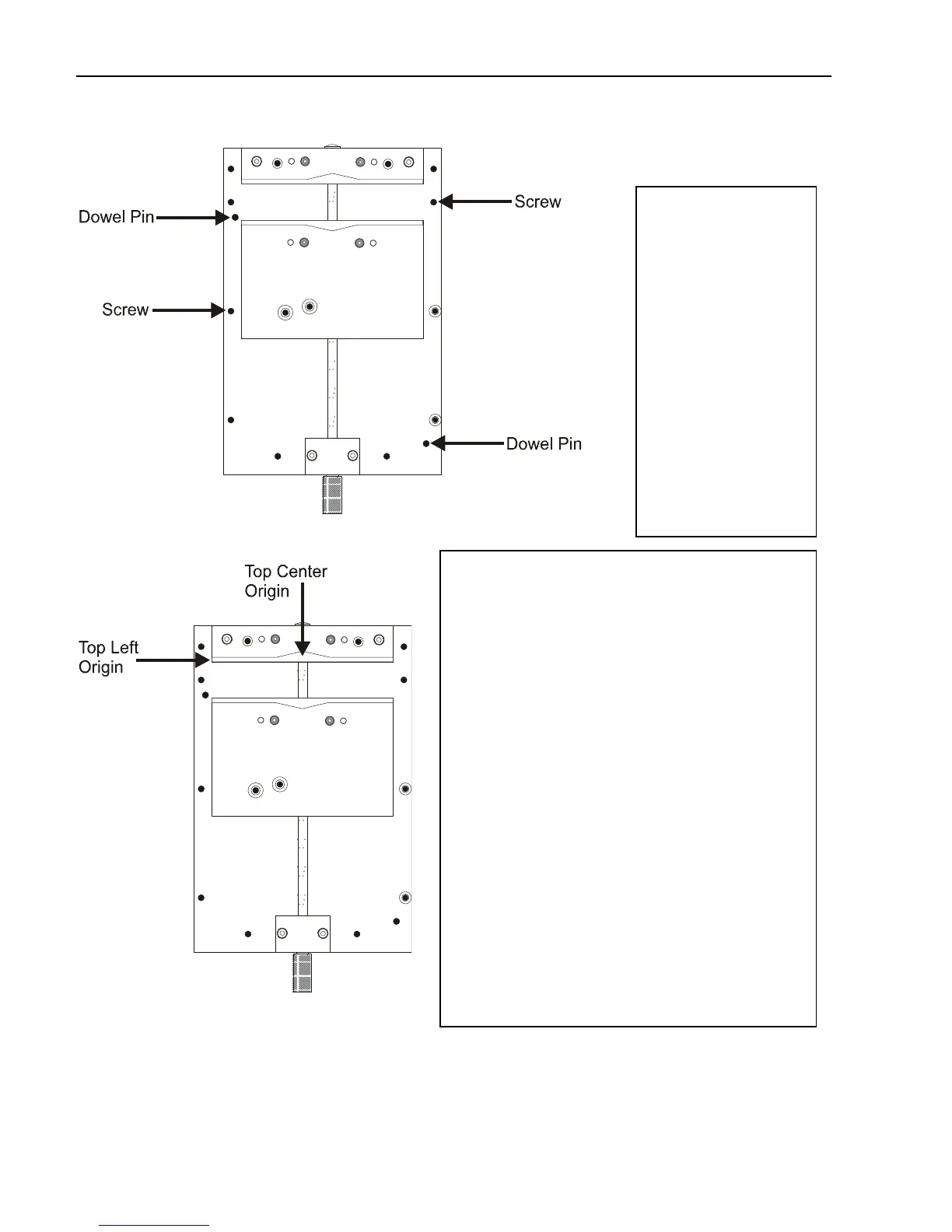
(Figure 4.2) Mounting the Versa Vise
Once the versa
vise is mounted,
you can set up to
engrave using
two different
home points.
One way is to use
a top left origin
and the other way
is to use a top
center origin.
Figure 4.3 shows
the two different
origin points.
(Figure 4.3) Versa Vise home points
If you insert the material in the top left
origin, you will set up to engrave the
same way that is discussed on page 33.
If you set up to engrave as a top center
origin, you will need to make some
changes. The first thing that you need to
do is to place your object into the versa
vise. Once it is in, use the X jog key to
move the spindle over to the top of the
object. Then use the Y jog key to move
the spindle over the top edge of the
material. Then Press SET OFFSET.
When you send the job to the engraver
(F9), you will change the driver select to
VeTCtr.cdf. This will tell the machine that
you are using the top center. Figure 4.4
shows where to change to the VeTCtr
driver.



 To Next Page