VX90 - User Manual
23
3 Return
Touch it to return at the main screen
4 Refraction Measure
To select refraction table
5 Keratometry measure
To select the Keratometry table
6 Print
Touch this button to print one ticket
7 Export
Touch this button to export at an external device
8 Delete
Touch this button to clear the data
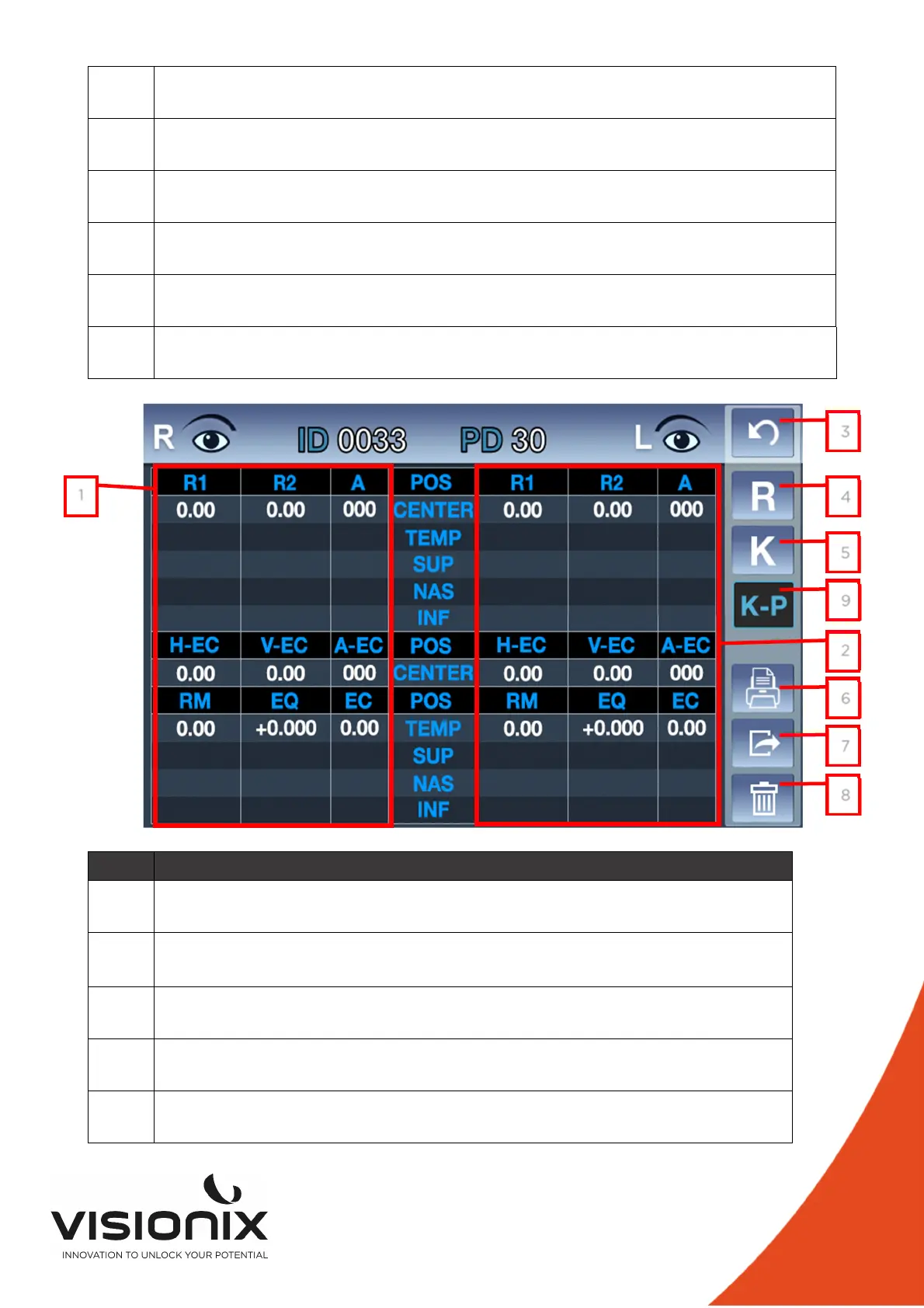
N° Description
1 Right Refraction measure
Display of the all K-P measurement
2 Left Refraction measure
Display of the all K-P measurement
3 Return
Touch it to return at the main screen
4 Refraction Measure
To select refraction table
5 Keratometry measure
To select the Keratometry table
1
3
4
5
2
6
7
8
9



 To Next Page