100
ВАРШ.201219.009РЭ
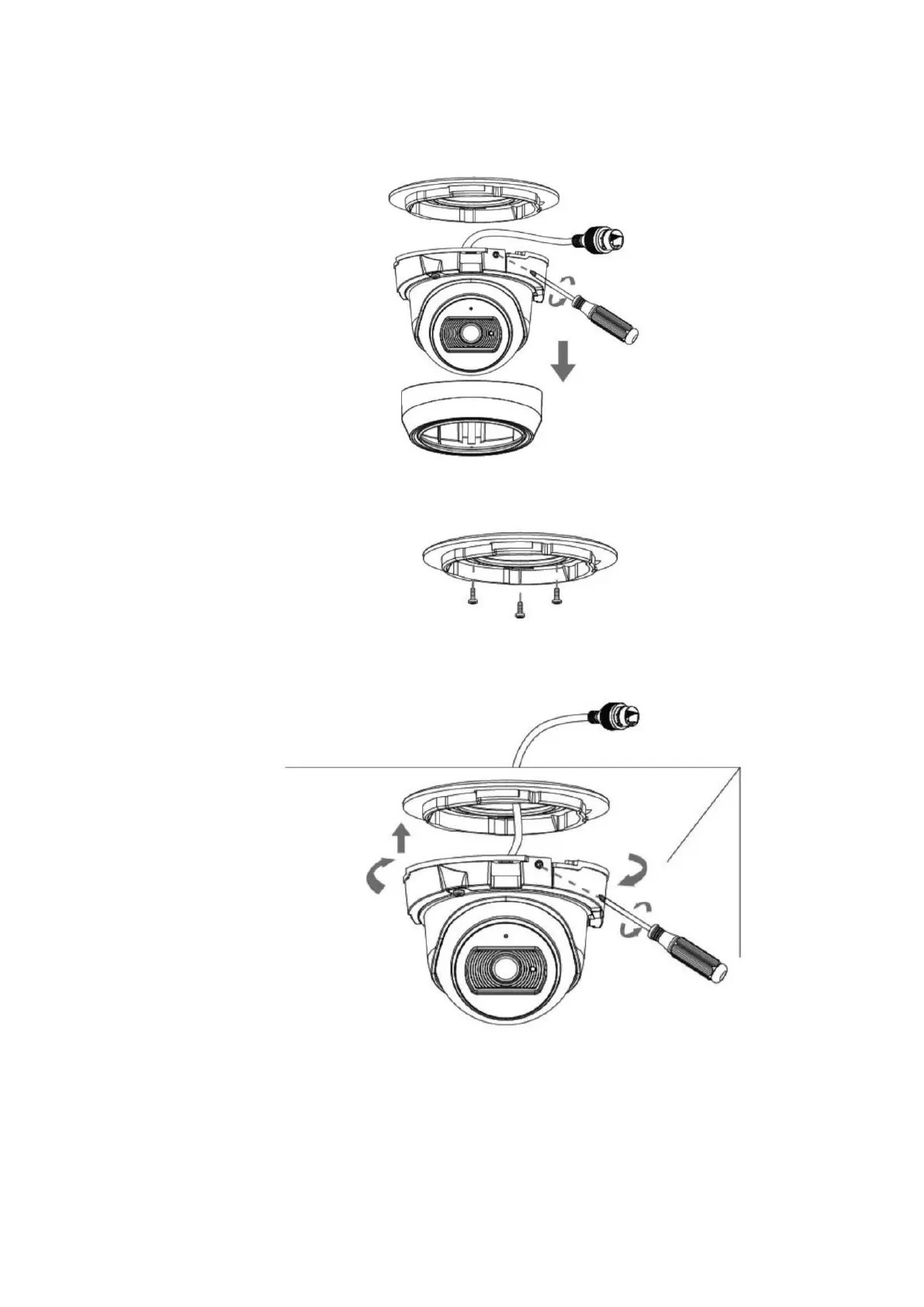
C.6 Mounting the VisorJet Smart Dome mini series, model VJS-D603-2
Step 1: Remove the dome cover, loosen the set screw and remove the bracket;
Step 2: Fix the bracket in the position where the camera is going to be installed.
Step 3: Connect the cable, rotate the camera to the bracket and tighten the set screw;
Step 4: Loosen the clamping screw and adjust the shooting direction, tighten the clamping
screw;



 To Next Page