95
ВАРШ.201219.009РЭ
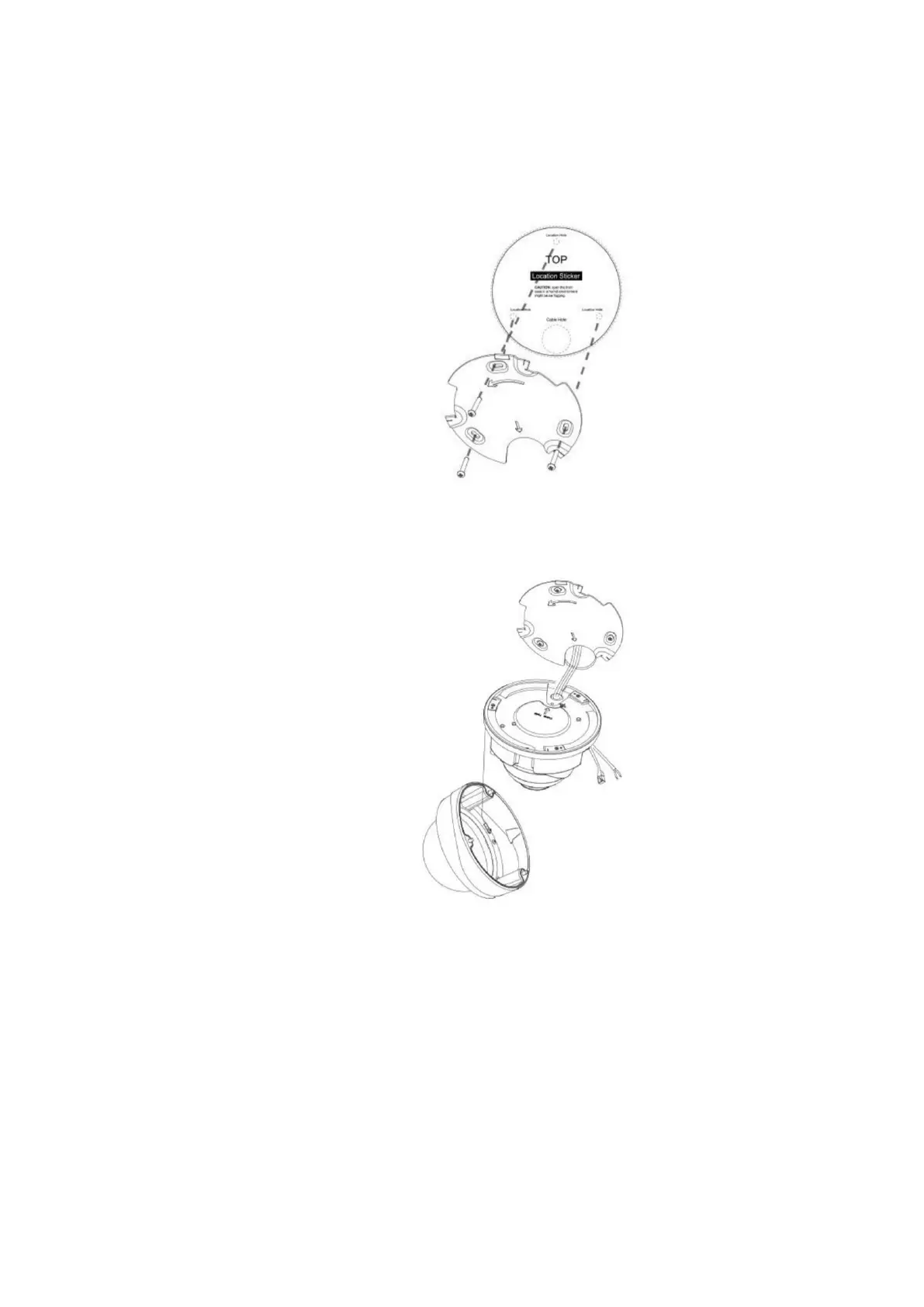
C.3 Installation of the VisorJet Smart Dome series, models VJS-D620-2, VJS-D621-2,
VJS-D620-5, VJS-D621-5.
Step 1: Loosen the screws on the dome cover and remove it. Loosen the set screw and re-
move the bracket, fix the bracket where the camera is to be installed.
Step 2: Loosen the fixing screw and open the camera body. Unscrew the watertight con-
nector in the cable entry hole and then thread the cables through the cable entry hole;
Step 3: Rotate the camera clockwise and then fix the camera to the bracket with the fixing
screw;



 To Next Page