106
ВАРШ.201219.009РЭ
C.11 Mounting the VisorJet Smart Fisheye series, model VJS-F603-12
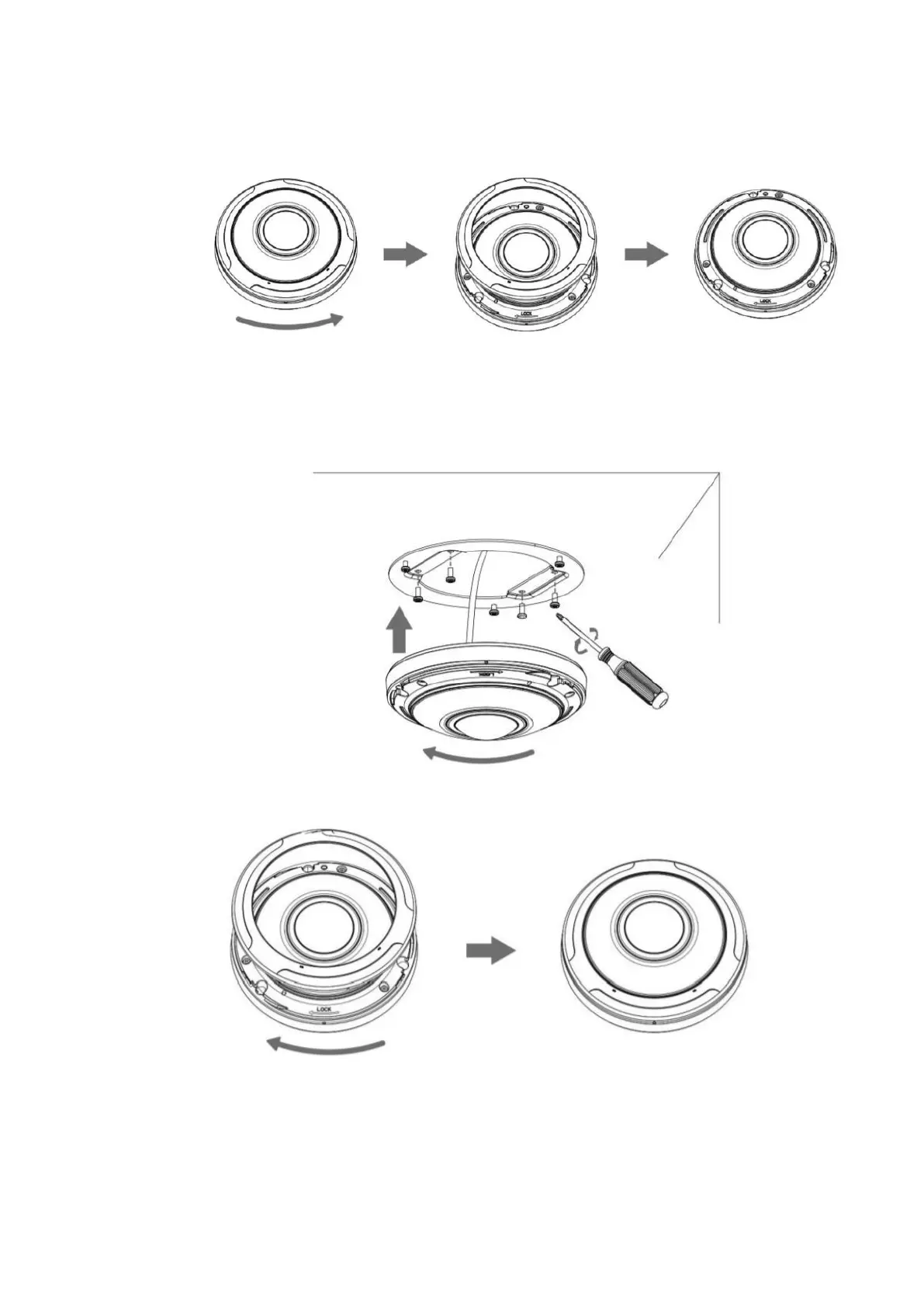
Hold the camera and turn the top cover counterclockwise and then remove it:
Step 1: Attach the bracket to the ceiling or wall where the camera will be installed. Then
fasten the screws. Connect the cables, rotate the camera to the bracket clockwise and tighten the set
screw;
Step 2: Rotate the cover clockwise until the anchor points are aligned.



 To Next Page