99
ВАРШ.201219.009РЭ
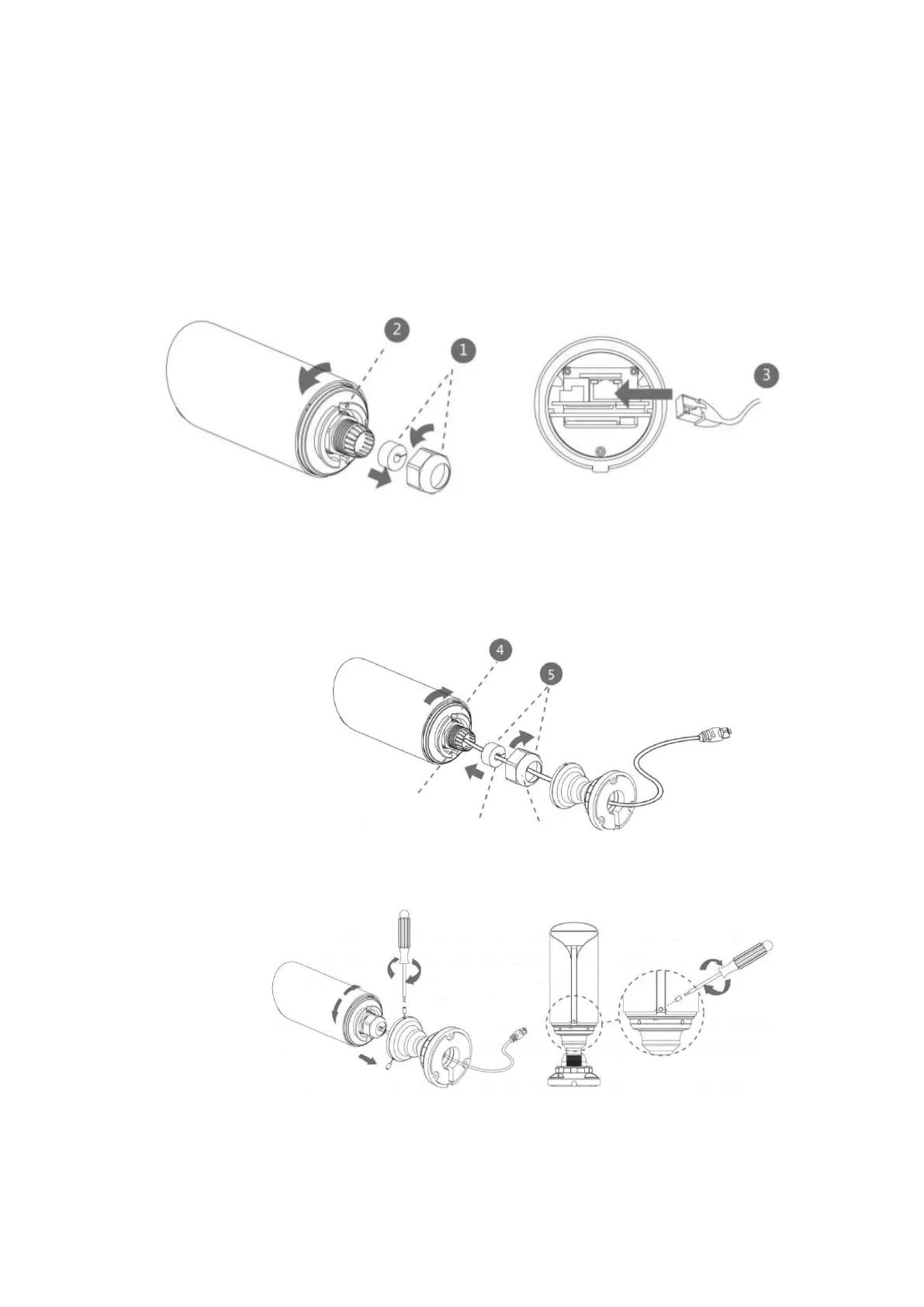
C.5 Mounting the VisorJet Smart Bullet mini series, model VJS-B603-2-LPR
Step 1: Unscrew the plastic connector, and then remove the rubber seal and the cap nut of
the waterproof connector;
Step 2: Unscrew and open the back cover, then insert the microSD / SDHC / SDXC card;
Step 3: Pass the Ethernet cable through the center of the bracket, cap nut, rubber seal and
back cover;
Step 4: Install and tighten the back cover;
Step 5: Tighten the plastic connector, the rubber seal and the cap nut of the waterproof con-
nector;
Step 6: Connect the bracket and the camera, rotate the bracket and fix it with screws;



 To Next Page