105
ВАРШ.201219.009РЭ
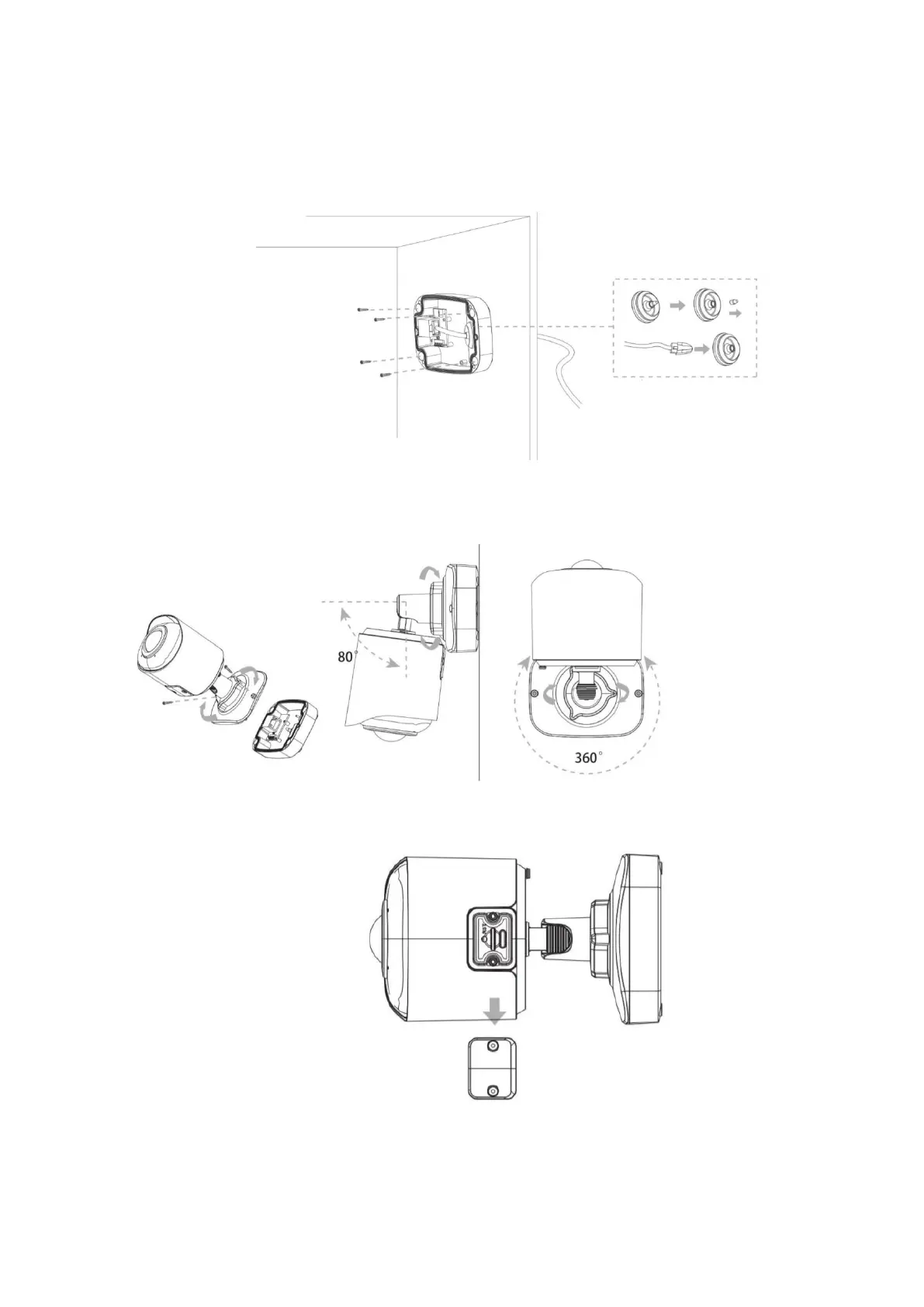
C.10 Mounting the VisorJet Smart Fisheye Series, Model VJS-F603-5
Step 1: Connect the cables to the corresponding interface on the back cover of the junction
box. Then fix the back cover in the position in which it should be installed;
Step 2: When the front cover is securely attached to the back cover, the camera will be
powered from the wall outlet. Adjust the shooting direction and lock by turning the locking ring.
Loosen the screws to access the SD card slot. Fasten the screws after installing the SD card.



 To Next Page