108
ВАРШ.201219.009РЭ
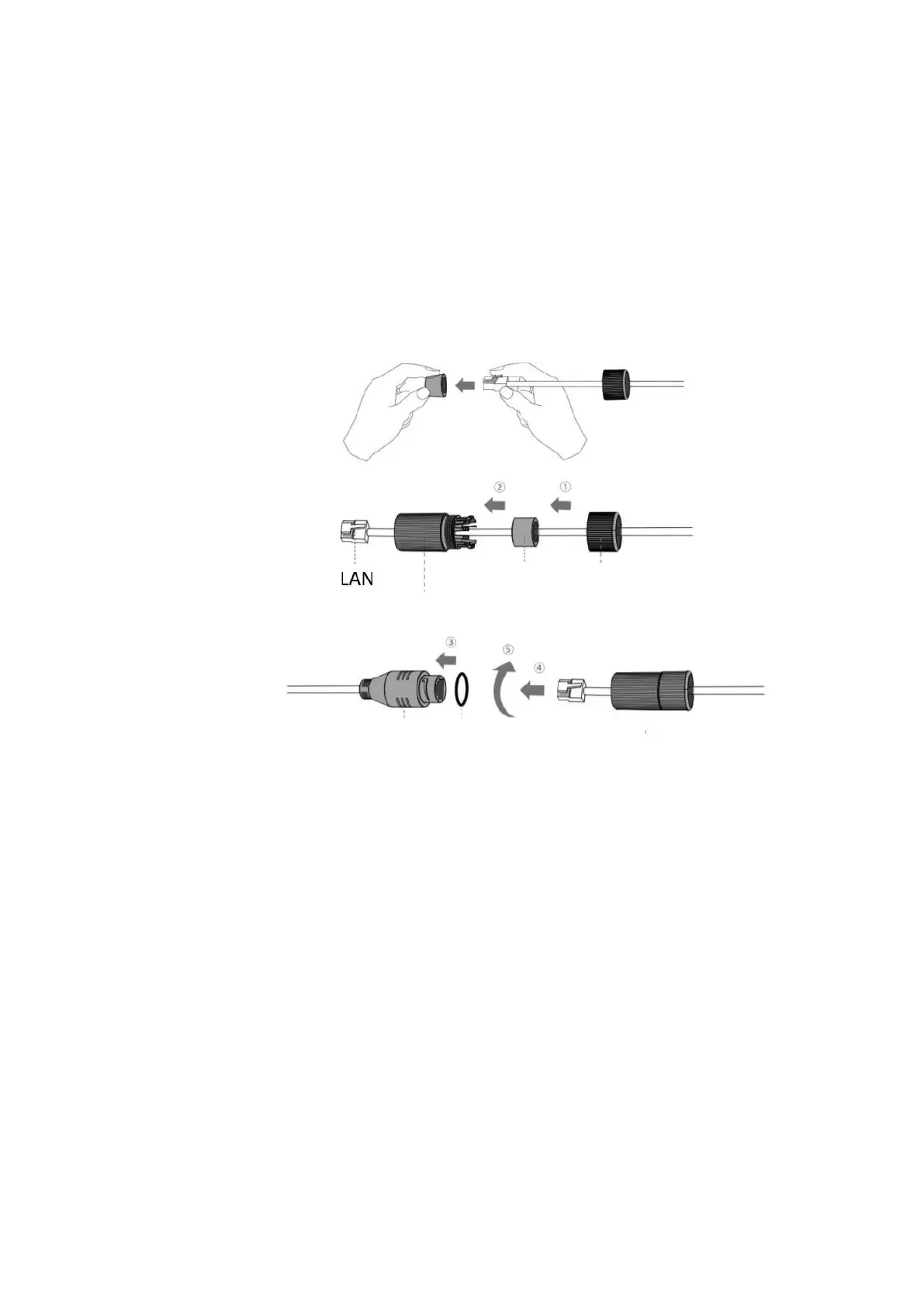
C.13 Mounting the moisture-proof connector
Step 1: Pass the Ethernet cable through the plastic nut, rubber ring and shroud;
Step 2: Insert the rubber ring into the shroud;
Step 3: Screw the nut onto the shroud;
Step 4: Place the O-ring on the network port connector;
Step 5: Connect the RJ45 to the network port connector, tighten the bolt and the connector.
Please wrap the entire Ethernet cable connection tightly with blue tape to better prevent
moisture penetration.



 To Previous Page