Page.13.
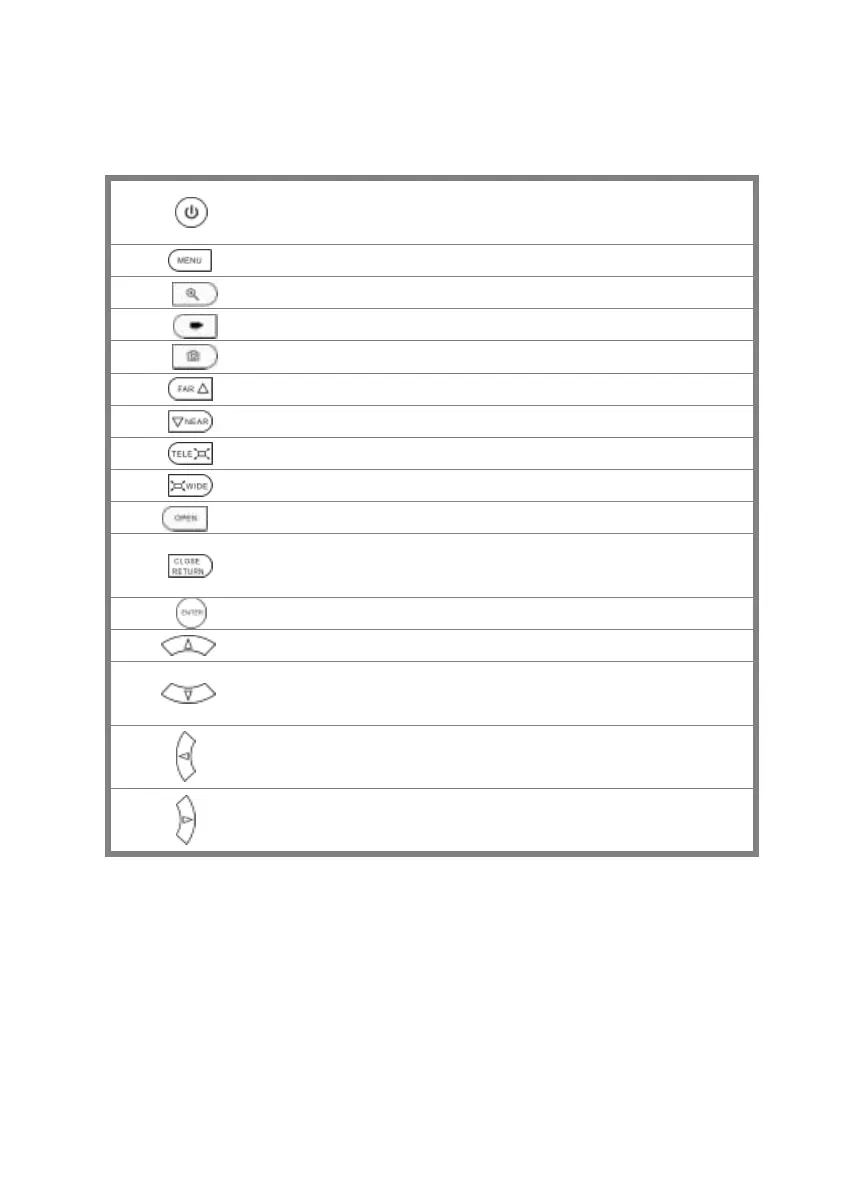
Press more than 2 seconds, turn on or off the device ,short press to turn on
or off the menu display
4xzoom the image displays.
Far focus: Focus the image faraway
Near focus: Focus the image nearby
Open/set ,Confirm the setting of parameters, open or enlarge the aperture
Return/Close : Return or cancel while setting parameters of the menu, close
or decrease the aperture
Upward, set function or add parameter. Tilt the PTZ upward
Downward, set function or reduce the value of the parameter. Tilt the PTZ
downward
Leftward, select the parameter whose value will be changed
Rightward, select the parameter whose value will be changed. Add the
value of the parameter. Pan the PTZ right


 To Next Page