Page.46.
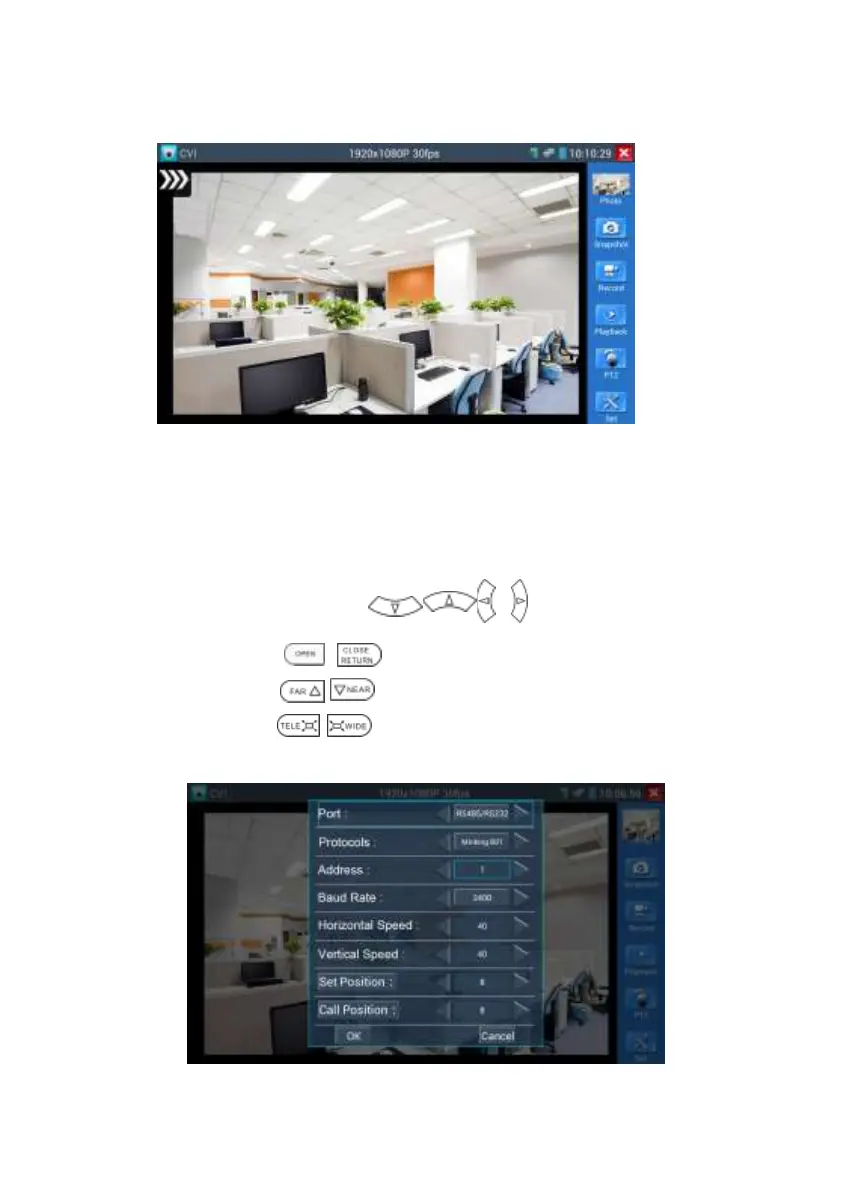
To control PTZ by screen touch:
Tap left, right, upward and downward on the touch screen to control the PTZ rotation direction,
PTZ cameras will rotate accordingly. By two fingers move outward and inward on the touch
screen to zoom in and out the PTZ.
To control PTZ by key buttons
Press arrow keys to control to control the PTZ direction of
rotation
Press the key to switch on or turn off the aperture.
Press the key , adjust the focus manually
Press the key , manually adjust the zoom
1.2 RS485/RS232 control


 To Next Page