Page.64.
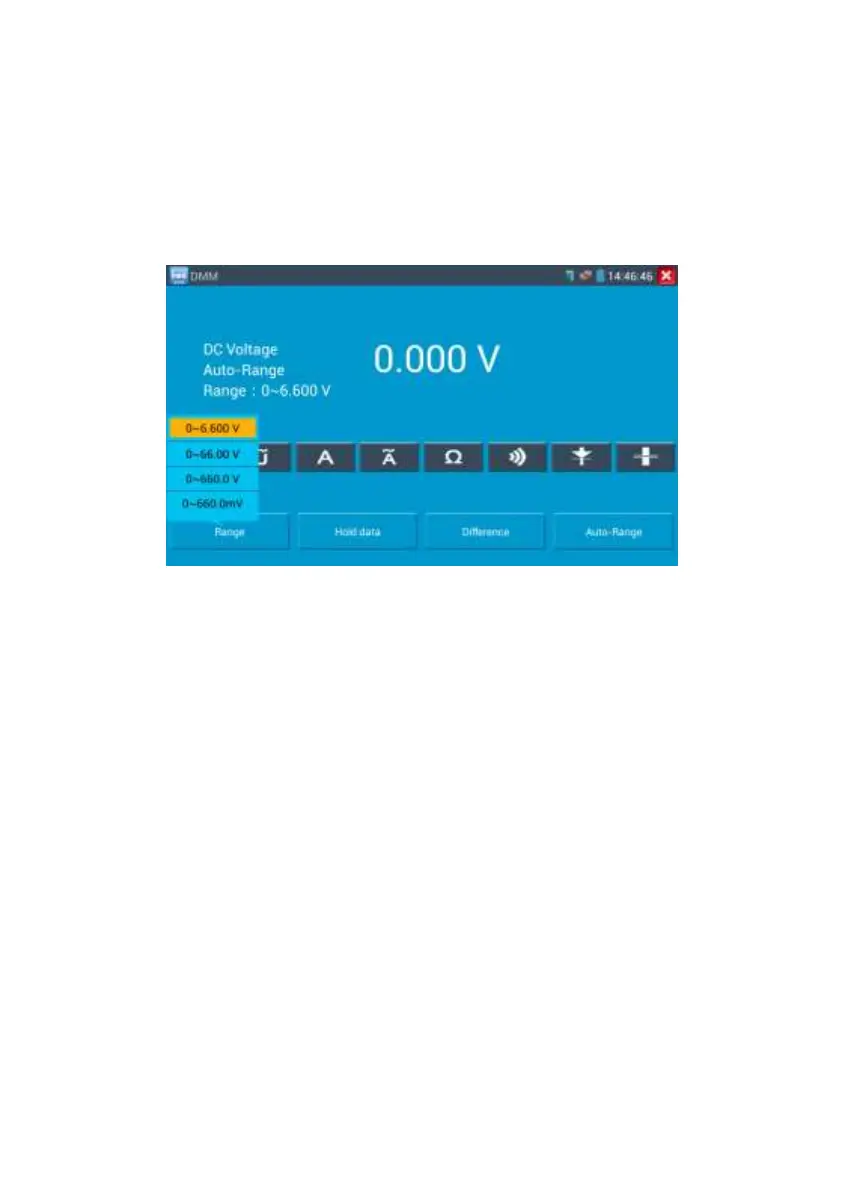
Manual range and Auto range
When testing, click “Range select " to change the value, click “Auto range “to enter Auto
measurement
Data hold
Click “Hold data” to enter, the data be hold, the value is green. Press it again to quit.
Relative value measurement
Click “Relative “to enter, the tester Auto-save the data, the displayed new measurement
and relative value is red colour. Press it again to quit
The hold function and the relative value be combined use, the display value is yellow
The meter protection
Voltage protection
You can’t input the voltage which more than 660V AC, it’s possible to show higher
voltage, but it’s may destroy the inner circuit.
Resistance, Continuity, Diode, PTC component Protection
Wrong input voltage, will Auto enter protection state , It only suitable for short and limit time
work. If input voltage over 600V, will damage the meter.
mA current fuse range: 250V 1A


 To Next Page