EasyManua.ls Logo

VISUAL 200 - 8. INITIAL SETTINGS; 8.1 INITIAL SETTINGS; 8.1.1 Visual 200 (VT-52+) Mode; 8.1.2 ADDS 520+ Mode

Default Icon
73 pages
Print Icon
To Next Page IconTo Next Page
To Previous Page IconTo Previous Page
Loading...
VISUAL
TECHNOLOGY
INCORPORATED,
RAILROAD
AVENUE,
DUNDEE
PARK
,
ANDOVER,
MA
01
810
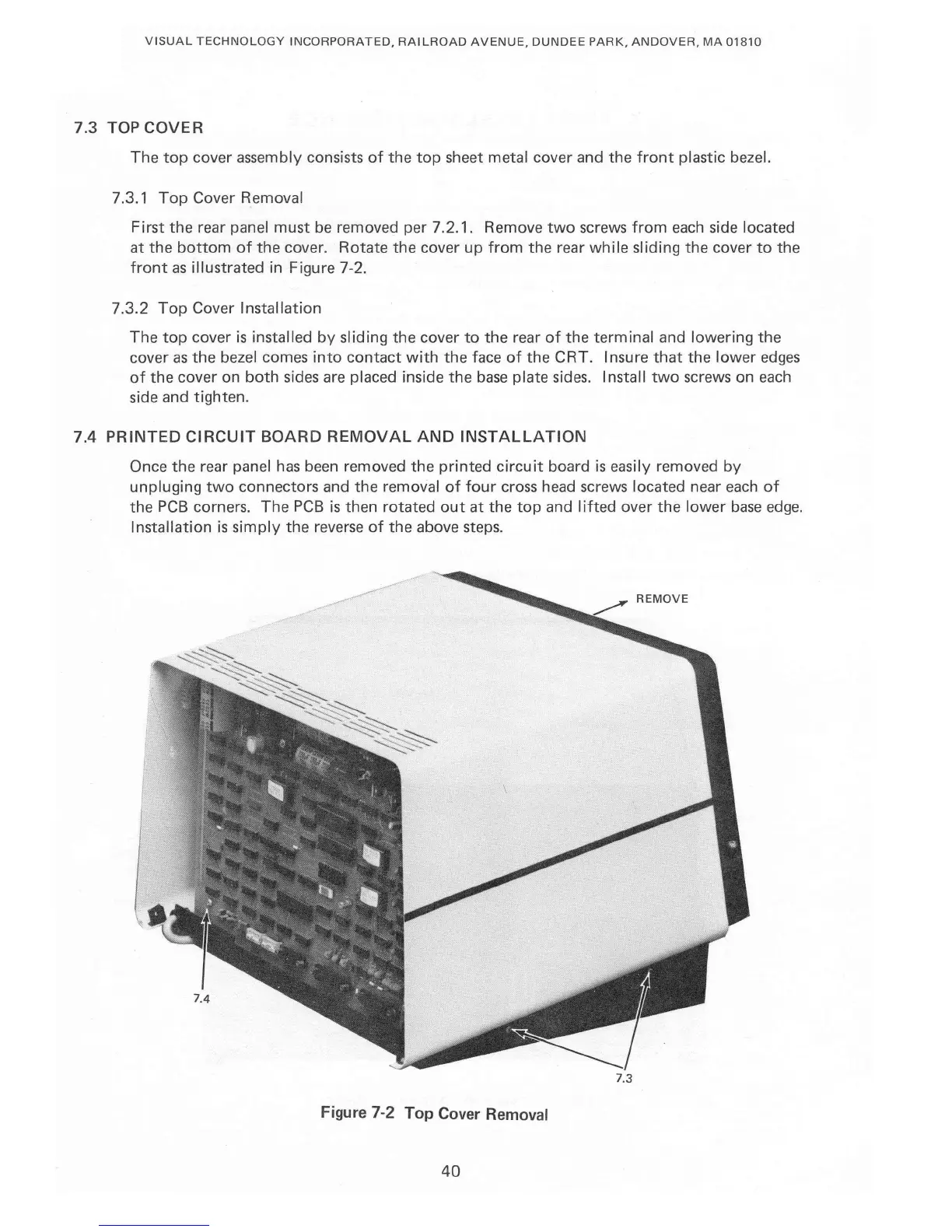
7.3
TOP
COVER
The
top
cover
assembly consists
of
the
top
sheet
metal
cover
and
the
front
plastic bezel.
7.3.1
Top
Cover Removal
First
the
rear panel
must
be
removed
per
7.2.1.
Remove
two
screws
from
each side
located
at
the
bottom
of
the
cover.
Rotate
the
cover
up
from
the
rear while sliding
the
cover
to
the
front
as illustrated
in
Figure 7-2.
7.3.2
Top
Cover Installation
The
top
cover
is
installed
by
sliding
the
cover
to
the
rear
of
the
terminal
and
lowering
the
cover
as
the
bezel
comes
into
contact
with
the
face
of
the
CRT. Insure
that
the
lower edges
of
the
cover
on
both
sides are placed inside
the
base
plate
sides. Install
two
screws
on
each
side
and
tighten.
7.4
PRINTED
CIRCUIT
BOARD
REMOVAL
AND
INSTALLATION
Once
the
rear panel has been removed
the
printed
circuit
board
is
easily removed
by
unpluging
two
connectors
and
the
removal
of
four
cross head screws
located
near
each
of
the
PCB
corners.
The
PCB
is
then
rotated
out
at
the
top
and
lifted
over
the
lower base edge.
Installation
is
simply
the
reverse
of
the
above steps.
7.3
Figure 7-2
Top
Cover Removal
40

Table of Contents