EasyManua.ls Logo

VISUAL 200 - Page 52

Default Icon
73 pages
Print Icon
To Next Page IconTo Next Page
To Previous Page IconTo Previous Page
Loading...
VISUAL
TECHNOLOGY
INCORPORATED,
RAILROAD
AVENUE,
DUNDEE
PARK,
ANDOVER,
MA
01810
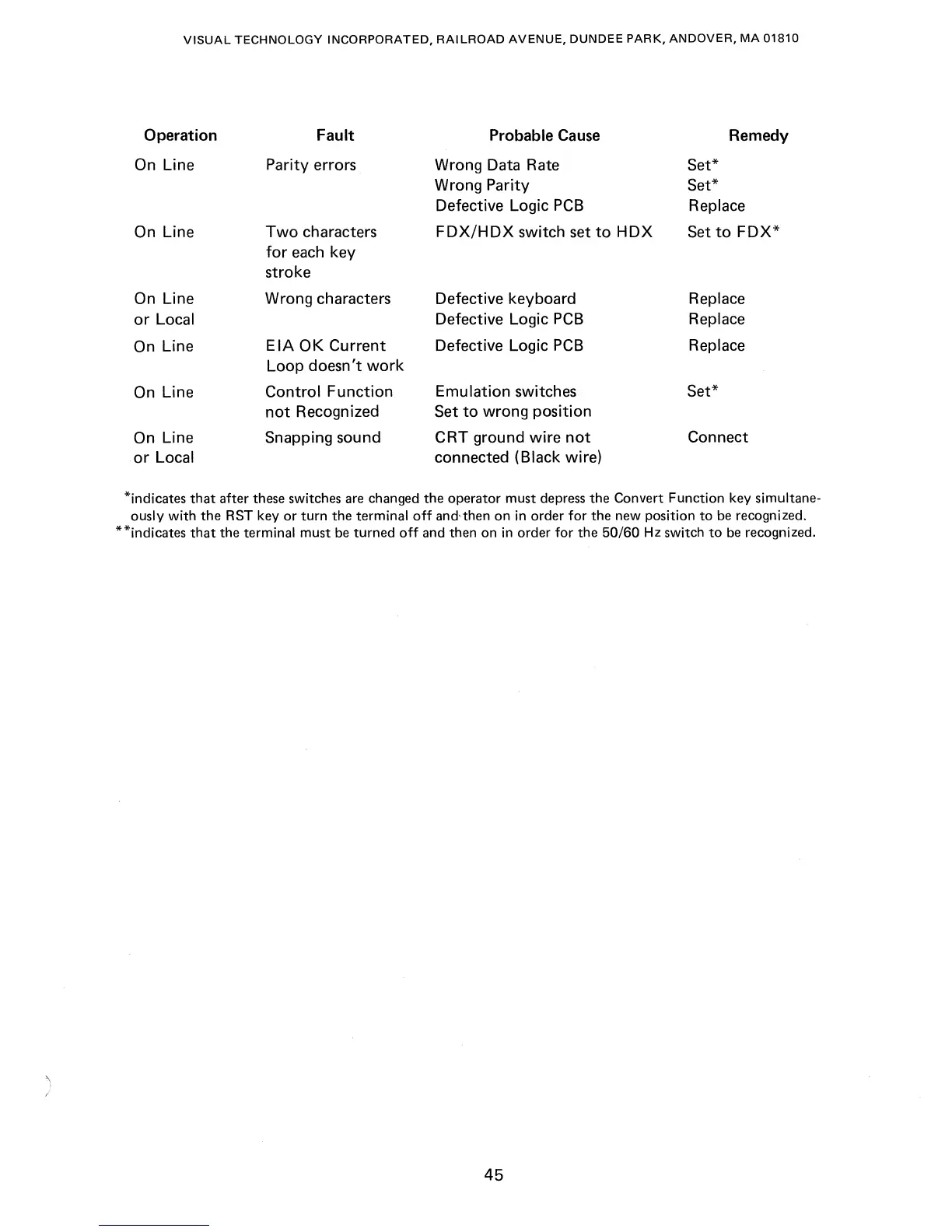
Operation
On Line
On Line
On Line
or
Local
On
Line
On
Line
On
Line
or
Local
Fault
Parity errors
Two
characters
for
each
key
stroke
Wrong characters
EIA
OK
Current
Loop doesn't
work
Control Function
not
Recognized
Snapping sound
Probable
Cause
Wrong Data Rate
Wrong Parity
Defective Logic
PCB
FDX/HDX
switch set
to
HDX
Defective keyboard
Defective Logic
PCB
Defective Logic
PCB
Emulation switches
Set
to
wrong position
CRT ground wire
not
connected (Black wire)
Remedy
Set*
Set*
Replace
Set
to
FDX*
Replace
Replace
Replace
Set*
Connect
*indicates
that
after these switches are changed
the
operator must depress
the
Convert Function key simultane-
ously
with
the
RST key
or
turn the terminal
off
and,then on
in
order for the new position
to
be
recognized.
**indicates
that
the terminal must
be
turned
off
and then on
in
order for the
50/60
Hz
switch
to
be recognized.
45

Table of Contents