Vitrek V4 – Electrical Safety Tester USER MANUAL
13
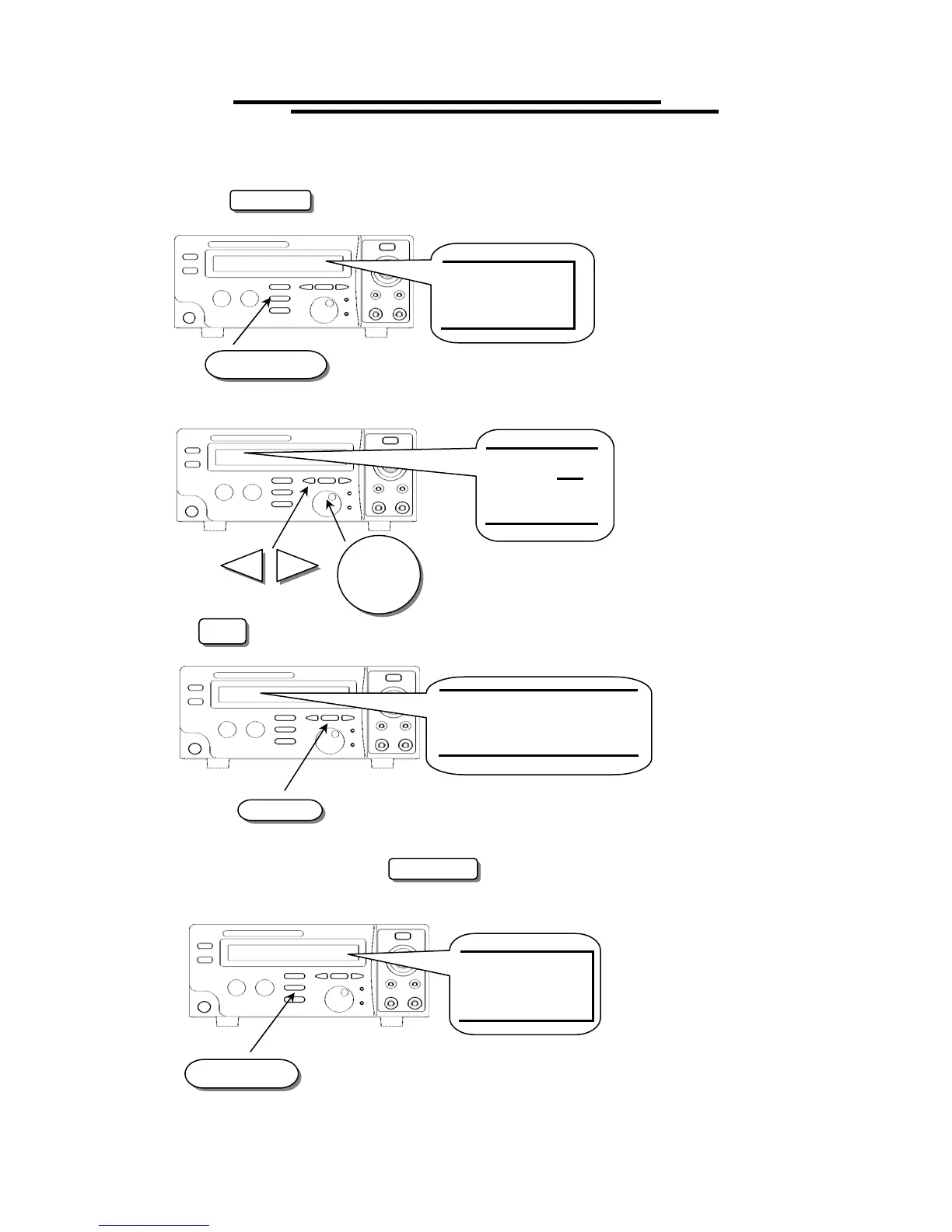
To Edit/Save the Storage Steps
1. Follow the above procedure “To View the Storage Steps “ to select a step.
2. Press the EDIT/SAVE key to enter status EDIT.
3. Use knob to adjust parameter. Use arrow keys to change knob’s resolution.
4. Use FIELD key to change active parameter.
5. Repeat step 3 and 4 to adjust parameter.
6. After setting all parameters, press EDIT/SAVE key to save the step. The status will become SAVE.
After the step is saved, the status will return to EDIT.
7. Repeat the procedure “To View the Storage Steps” to select another step.
EDIT/SAVE
EDIT
AC
W
FIELD
V=2
.00
0kV
EDIT/SAVE
SAVE



 To Next Page