Vitrek V4 – Electrical Safety Tester USER MANUAL
62
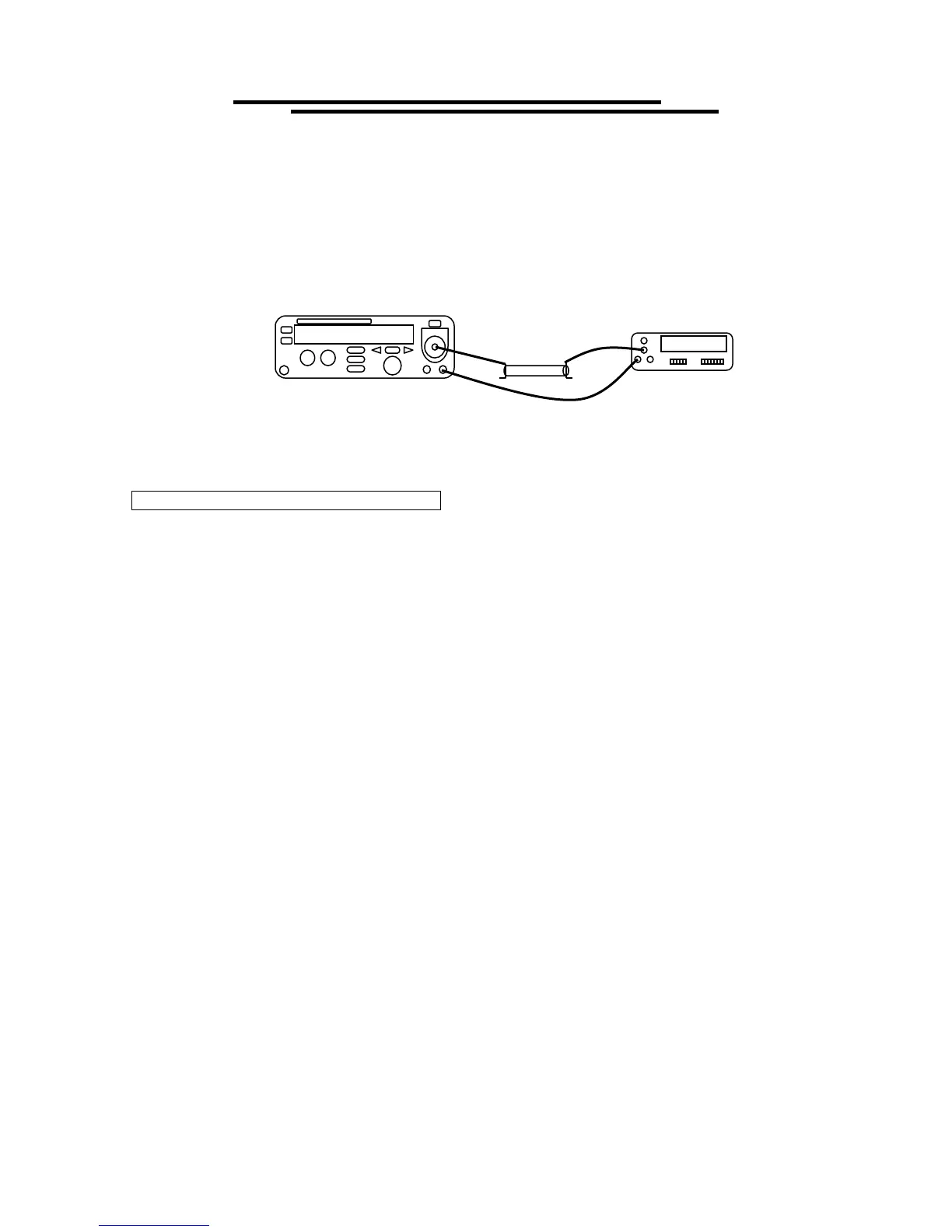
voltage- current adjustment procedure” are similar. Connect a 1.2MΩ /50W resistor with DMM (on the
range of DC current 20mA) and EST in series. Switch the EST to “DCI” module and press “START” key
to calibrate “DC 0.5mA” , “DC 2.5mA” in sequence. (error deviation is ±0.005mA). Wait for 3 seconds
and press EDIT/SAVE key.
2. After calibration of 2 sets current are finished, the LCD monitor will go back the orginal display. Press left
& right arrow key to select the next calibration procedure.
STEP 5: IR ADJUSTMENT (STEP 5: IR)
Select the "STEP 5:IR "modules by pressing the left & right arrow key. Press START key to
begin the voltage calibration procedure.
Select the voltage to calibrate (50V, 100V, 500V, or 1000V) with the left & right arrow keys.
Connect high voltage meter (DC) to HV output and return.
Rotate knob to desired voltage, press EDIT/SAVE key.
LCD monitor will display an " IR 2000M "message.
Connect the 2000 M of "HIGH RESISTANCE BOX (SR-2)" with EST.
Press START key to begin calibration procedures. When the entire calibration procedure is finished, the LCD
monitor will display an "IR 50 M" message.
Connect the 50 M " HIGH RESISTANCE BOX (SR-2)" with EST.
Press START key to begin calibration procedures. When the entire calibration procedure is finished, the
LCD monitor will display an "IR 100 M" message.
Connect the 100 M " HIGH RESISTANCE BOX (SR-2)" with EST.
Press START key to begin calibration procedures. When the entire calibration procedure is finished, the LCD
monitor will display an "IR 2.5 M" message.
Connect the 2.5 M " HIGH RESISTANCE BOX (SR-2)" with EST.
Press START key to begin calibration procedures. When the entire calibration procedure is finished, the LCD
monitor will display a "calibration voltage 100V" message.
If desired, the procedure can be performed again, with one of the other voltage options (50V, 100V, 500V,
1000V)
DMM
1.20MΩ



 To Next Page