EN-14
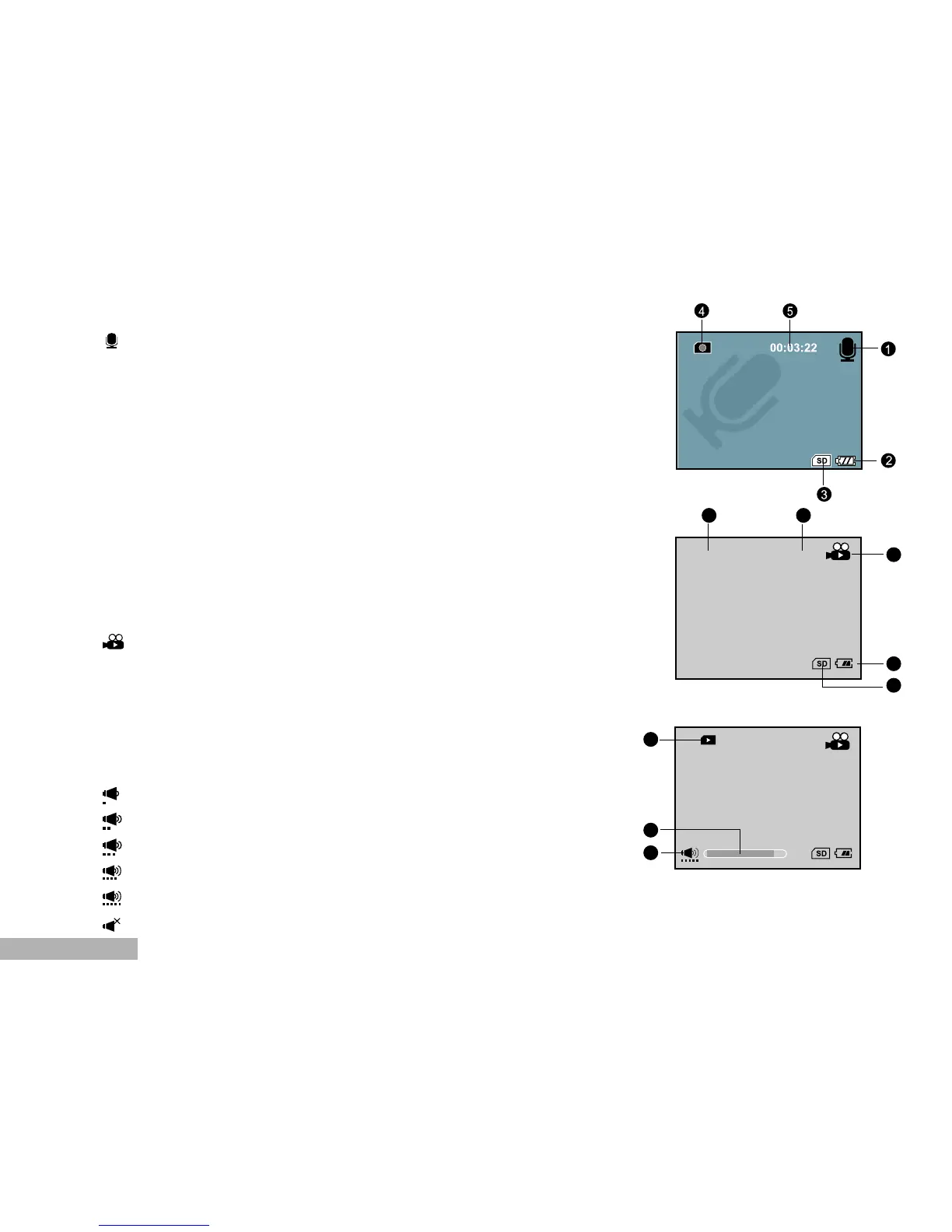
Audio Recording Mode
1. Audio recording mode
2. Remaining battery status
3. SD memory card indicator (if present)
4. Recording indicator
5. Available recording time (Before recording)/
Elapsed time (While recording)
Video (Movie) Playback
1. Folder and file name
2. Duration of current video
(Before playback)/
Elapsed time (During playback)
3. Video playback mode icon
4. Battery power indicator
5. SD memory card indicator
6. Playback indicator
7. Video status bar
8. Sound level (speaker volume)
Low volume
Mild volume
Medium volume
High volume
Fully volume
Mute (no sound)


 To Next Page