DLP Projector – User’s Manual
– 35 –
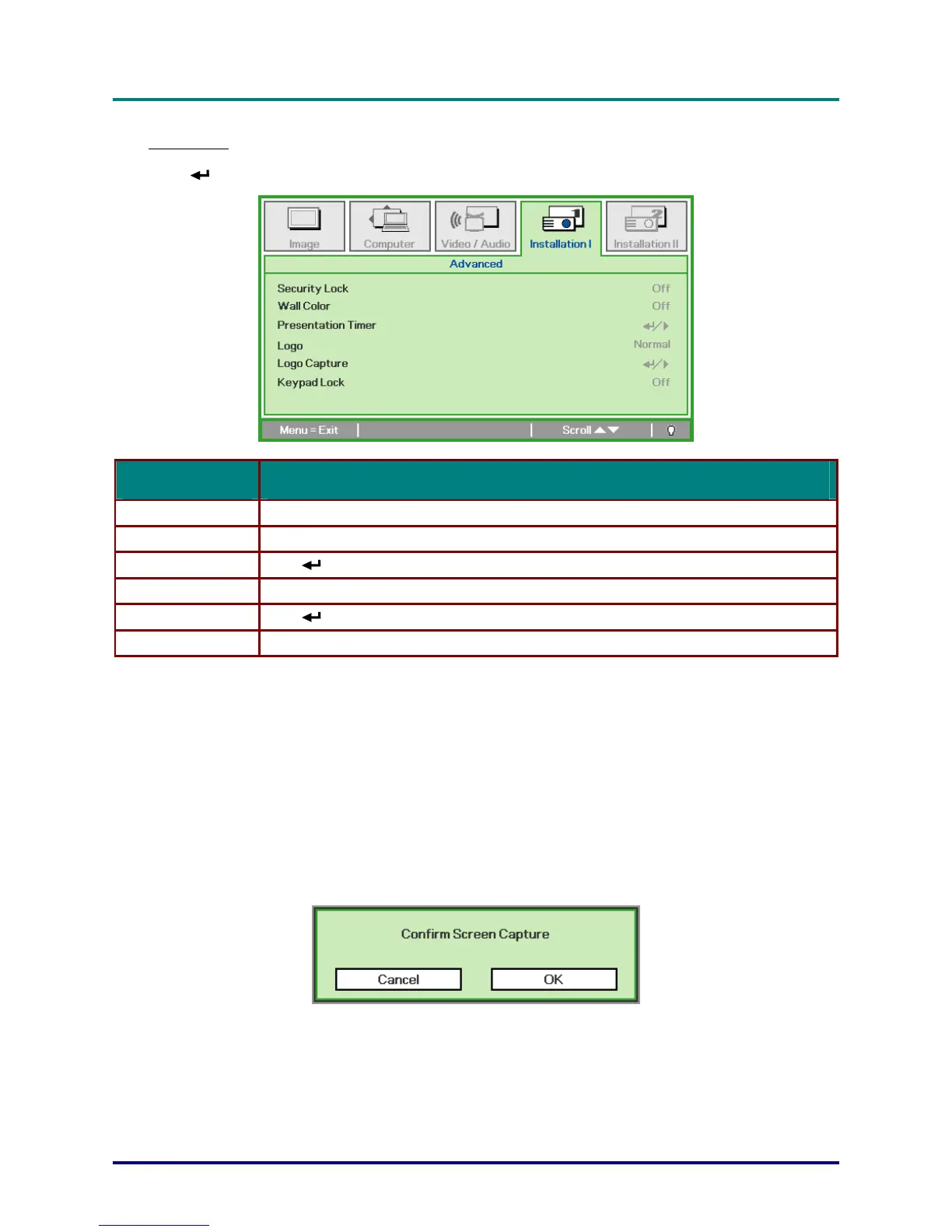
Advanced
Press (Enter) / ► to enter the
Advanced
sub menu.
ITEM DESCRIPTION
Security Lock Press the cursor ◄► button to enable or disable security lock function.
Wall Color Press the cursor ◄► button to select different wall color settings.
Presentation Timer Press (Enter) / ► to enter the Presentation menu. See Presentation Timer on page 38.
Logo Press the cursor ◄► button to select the screen to display during startup.
Logo Capture Press (Enter) / ► to capture a displayed screen to use as the startup screen.
Keypad Lock Press the cursor ◄► button to enable or disable keypad lock function.
Logo
Select the screen to display during startup.
Normal—the supplied default startup screen.
User—customized screen capture using the
Logo Capture
function.
Logo Capture
1. Display the desired screen on the projector.
2. Select
Logo Capture
from the
Advanced
menu. A confirmation screen displays.
3. Select OK. Screen capture in progress will display. When finished, Screen capture Succeeded
will display. The captured screen is saved as User in the logo menu.



 To Next Page