VIVOTEK - A Leading Provider of Multimedia Communication Solutions
108 - User's Manual
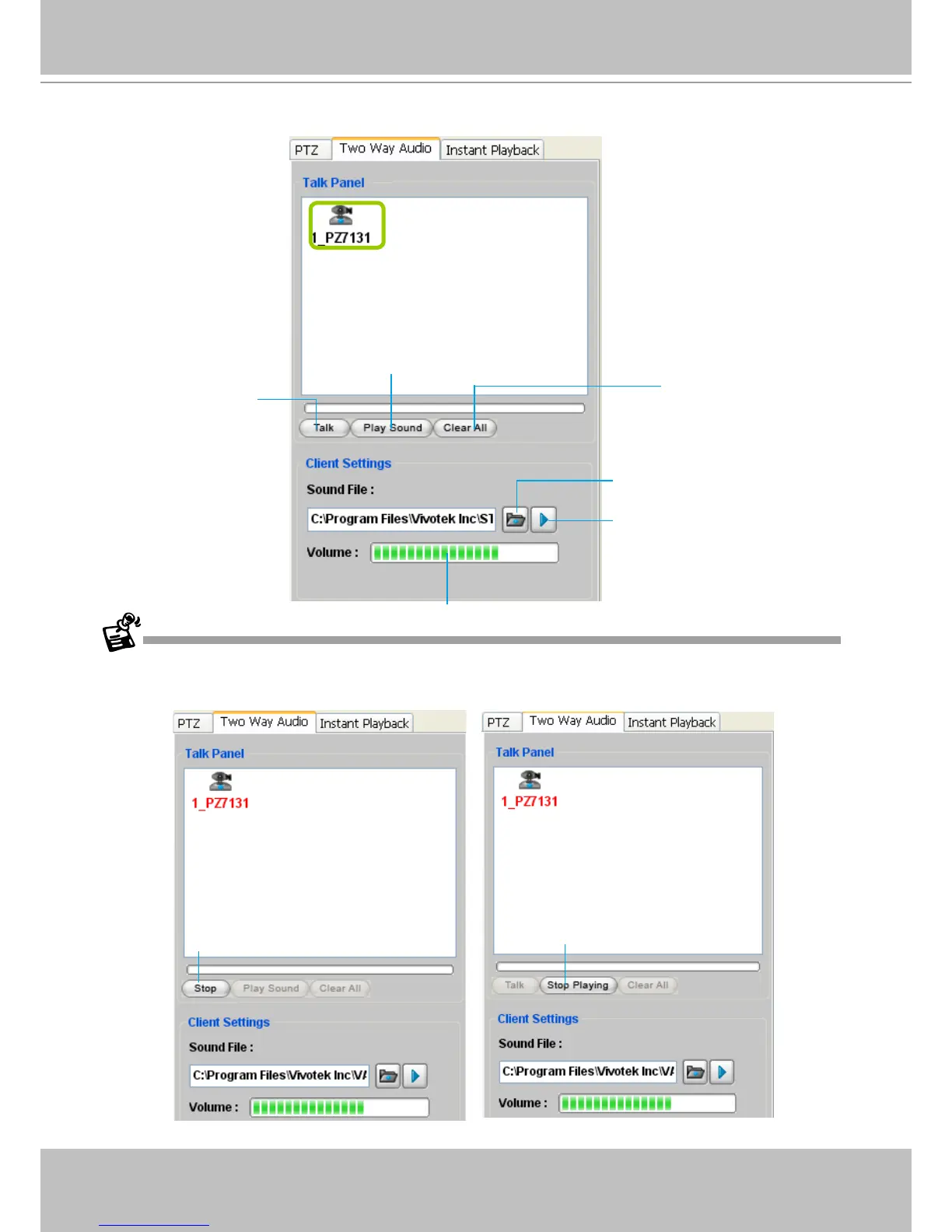
An icon with the camera name will be displayed in the Talk Panel.
Please note that you cannot Talk and Play Sound at the same time.
When you are talking or playing sound, you cannot add other cameras to the Talk Panel. If you want to add more
cameras to the Talk Panel, please Stop Talking and Stop Playing first.
Click to stop talking
Click to stop playing
Remove all cameras
from the Talk Panel
Click to play sound from the camera
Click to talk
Click to adjust volume
Click to play the selected
sound on the client side
Select sound from the
le list



 To Next Page