VIVOTEK - A Leading Provider of Multimedia Communication Solutions
User's Manual - 29
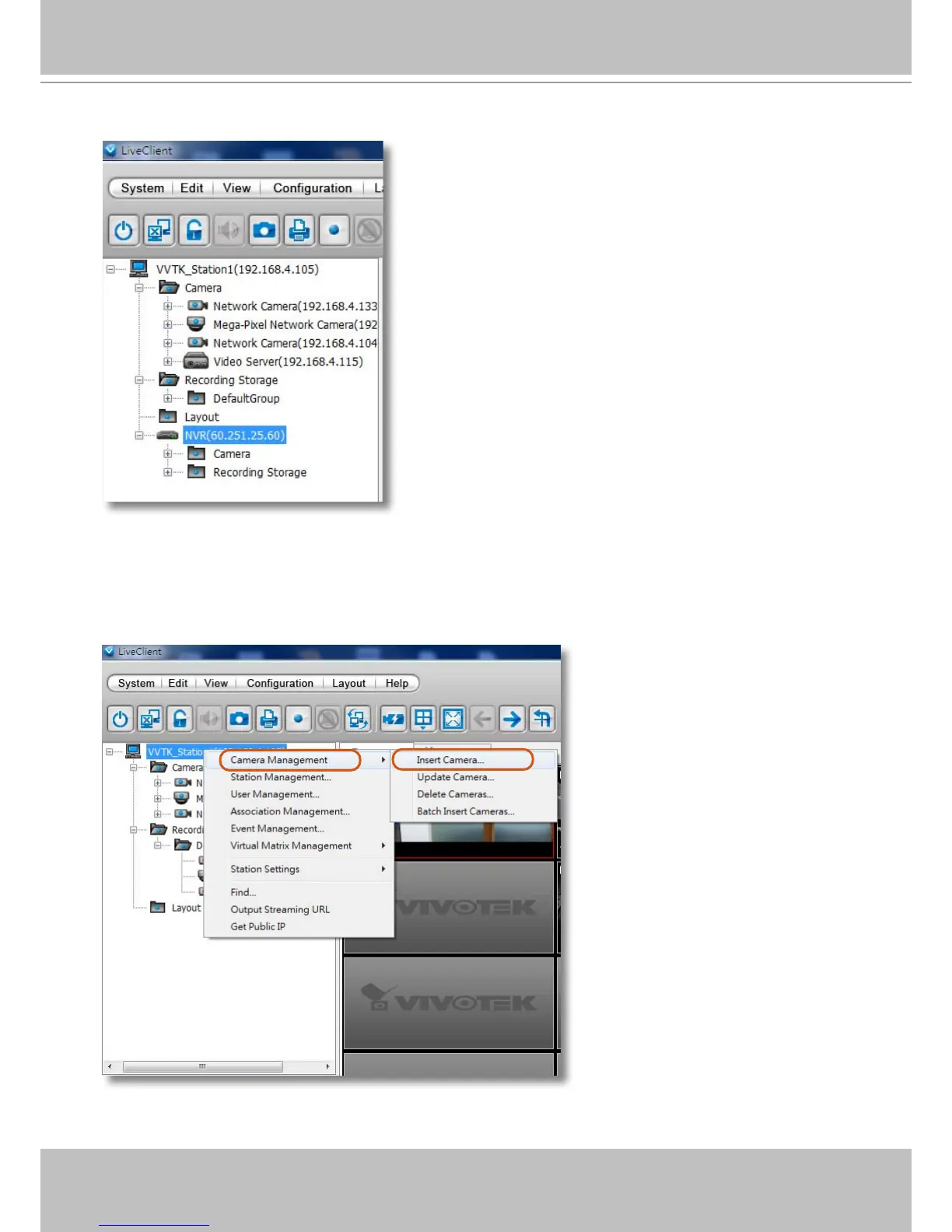
5. The NVR will appear in the navigation panel along with its subordinate cameras.
Insert a Video Server
1. Left-click on your VAST station, and then right-click to display the Camera Management
command. Let your cursor stay on the command for a second and then move to the Insert
Camera command. Click on the command to open its conguration window.



 To Next Page