VIVOTEK - A Leading Provider of Multimedia Communication Solutions
28 - User's Manual
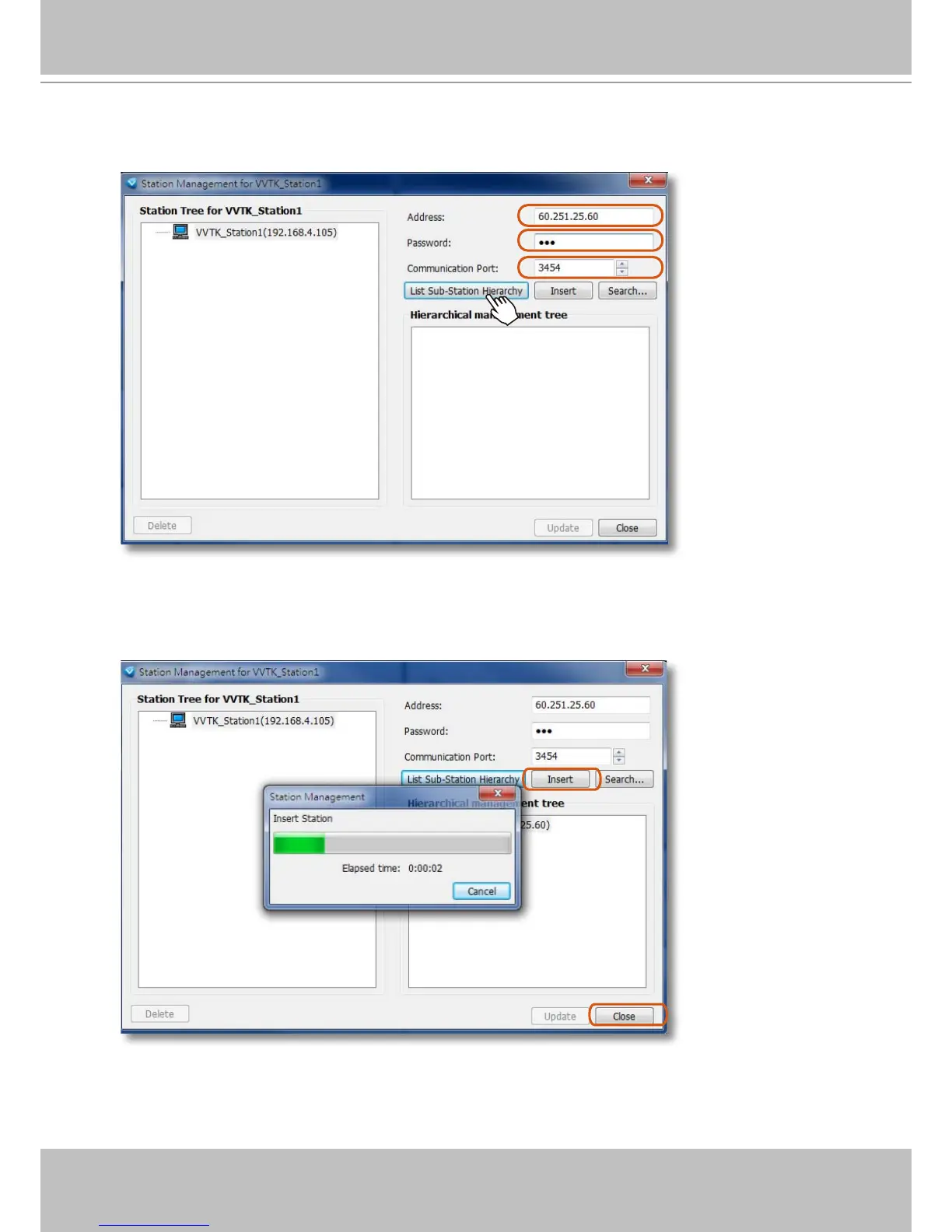
3. The Station Management window will prompt. Enter the Address, Password, and check if the
Communication Port match that you set for the NVR. Click on the List Sub-Station Hierarchy
button.
After a brief delay, the NVR server will be listed in the column. You may also use the Search
button to locate similar devices if they are reacheable in your local area network.
4. You can then click the Insert button to add the NVR server to your configuration. When
done, click the Close button.



 To Next Page