VIVOTEK - A Leading Provider of Multimedia Communication Solutions
User's Manual - 11
VAST Server
Activating the VAST Server
VAST Server is a service program that will run automatically when your VAST station starts.
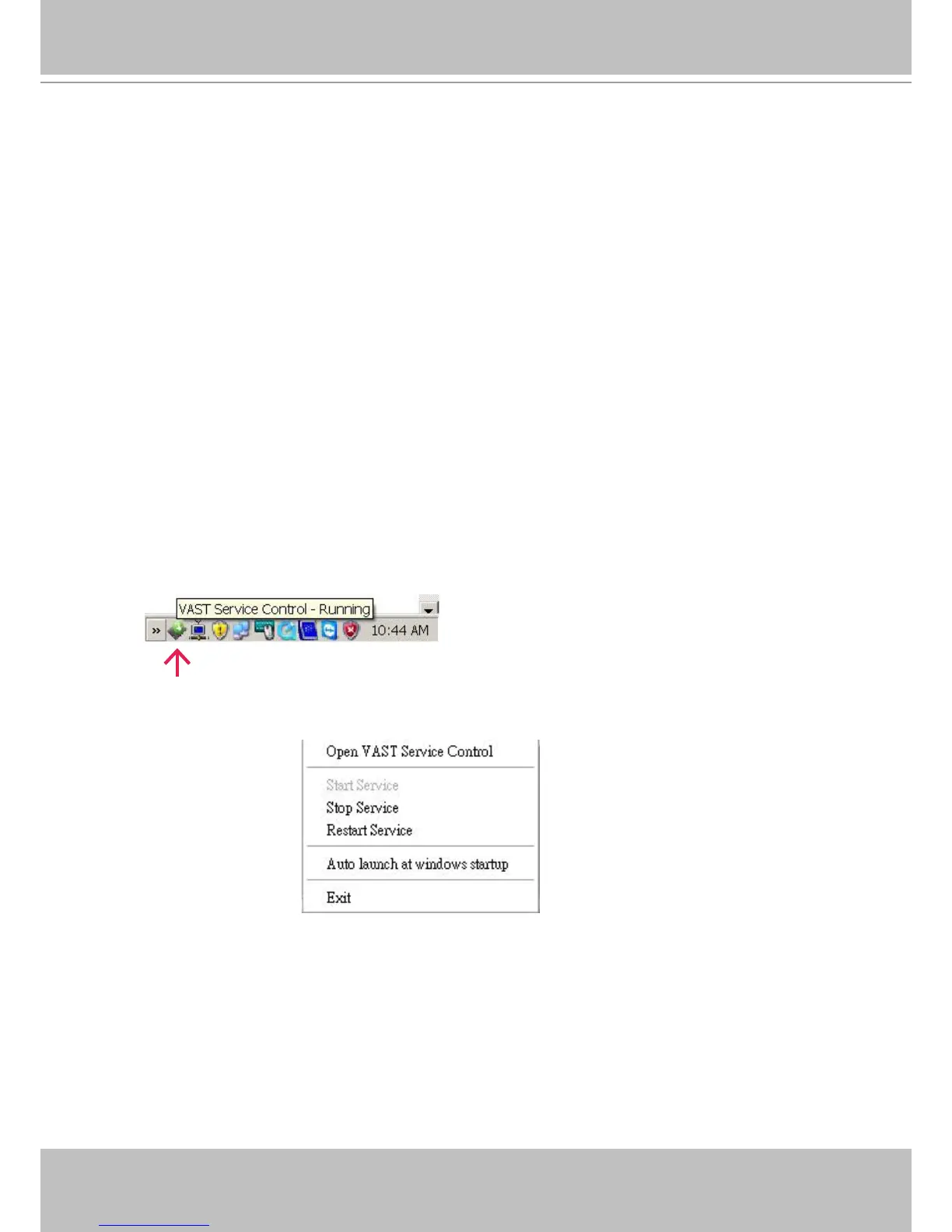
Users can also deselect the Auto launch option at windows startup on the VAST Service Control
program tray. The program tray icon can be located on Windows tool bar.
How to Congure the Server
Please follow the steps below to congure the VAST Server:
1. Find a local/remote computer that has installed VAST LiveClient.
2. Activate VAST LiveClient and login to the target VAST Server.
3. Congure the server using the VAST LiveClient user interface.
How to Stop/Reboot the Server
Please follow the steps below to stop/reboot the server:
1. Click on the VAST Service Control program tray icon in the toolbar.
2. There are 3 options: Start Service, Stop Service, and Restart Service. It’s selectable by a right-click on
the Service Control program tray icon.



 To Next Page