VIVOTEK - A Leading Provider of Multimedia Communication Solutions
168 - User's Manual
How to Backup Recorded Video
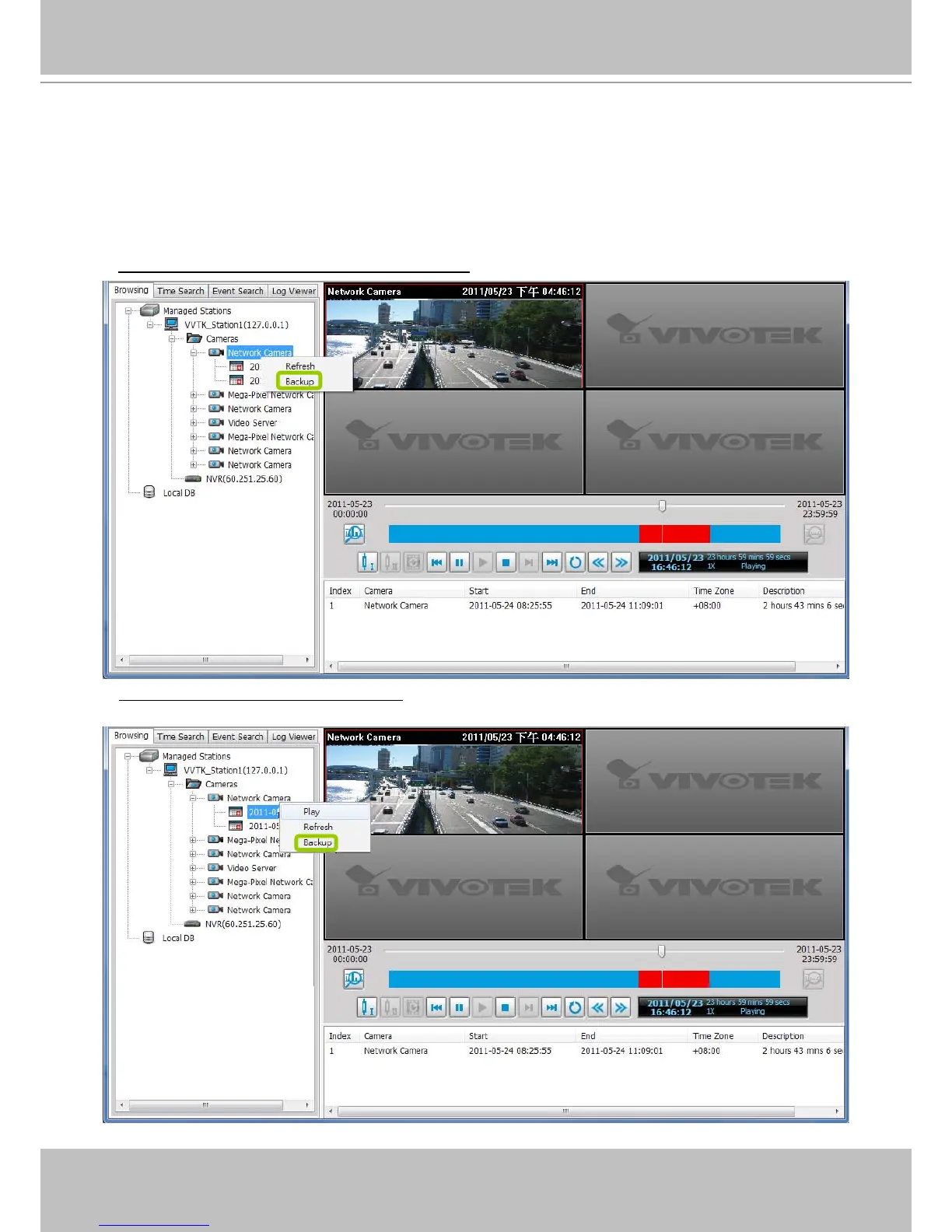
In addition to the Schedule Backup function of VAST LiveClient introduced on page 61, the
VAST Playback also features to backup recorded video clips from the local database. Please
open the Browsing page and follow the steps below to backup recorded video:
a. Select the target les.
To backup all recorded video of a selected device: Right-click the device and click Backup.
To backup all recorded video of the day: Right-click the option “date” and click Backup (or select the
date and click the Backup button below).



 To Next Page