VIVOTEK - A Leading Provider of Multimedia Communication Solutions
142 - User's Manual
Defog
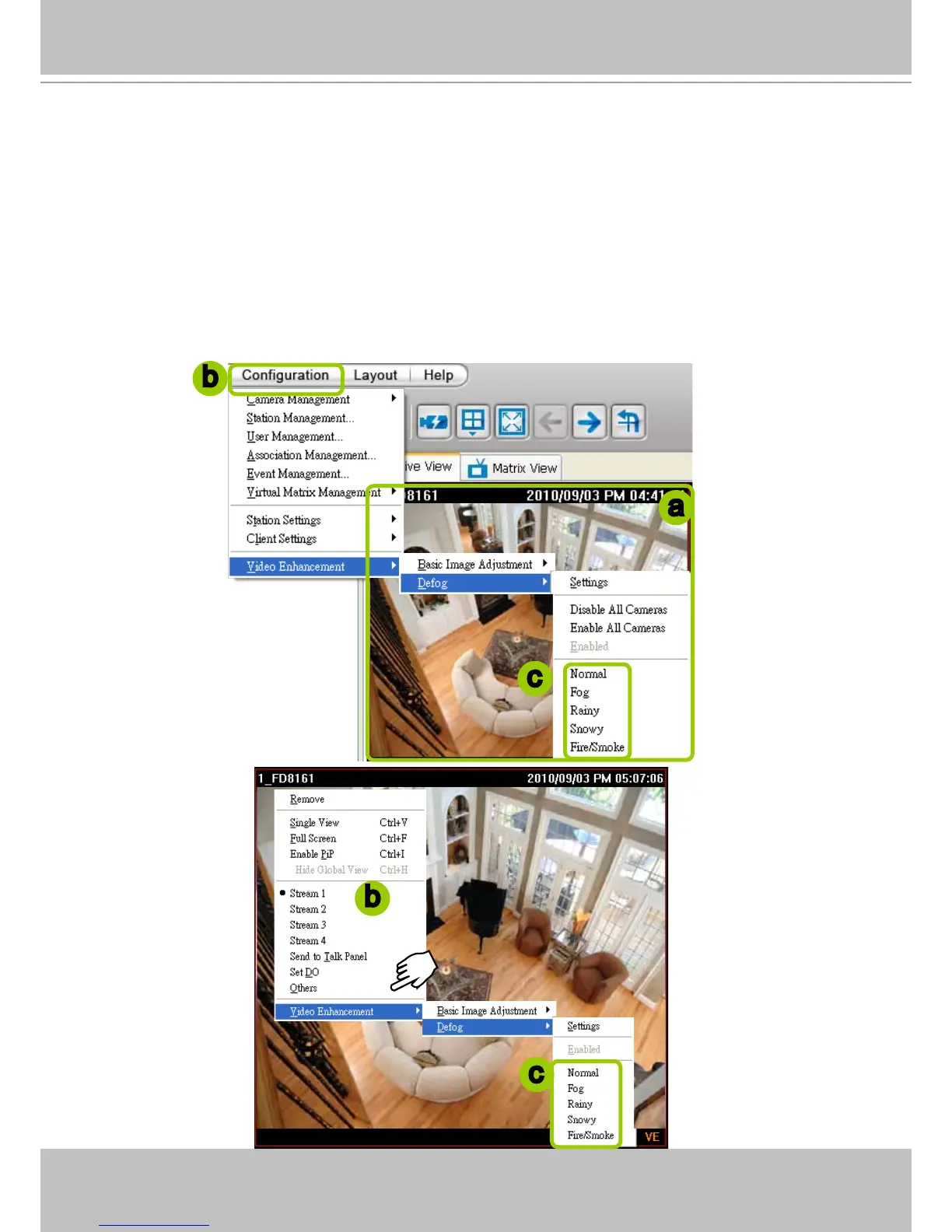
This function allows you to congure post-image defog.
Apply a Preset Defog Prole
Please follow the steps below to set post-image defog settings:
a. Select the target video cell.
b. Click Conguration > Video Enhancement > Defog or
right-click the video cell and select Video
Enhancement > Defog.
c. There are some preset proles for you to apply to the target video cell. You can select one from the list
accoding to the environment.
a
b
b
c
c



 To Next Page