VIVOTEK - A Leading Provider of Multimedia Communication Solutions
190 - User's Manual
Import and Export Utility
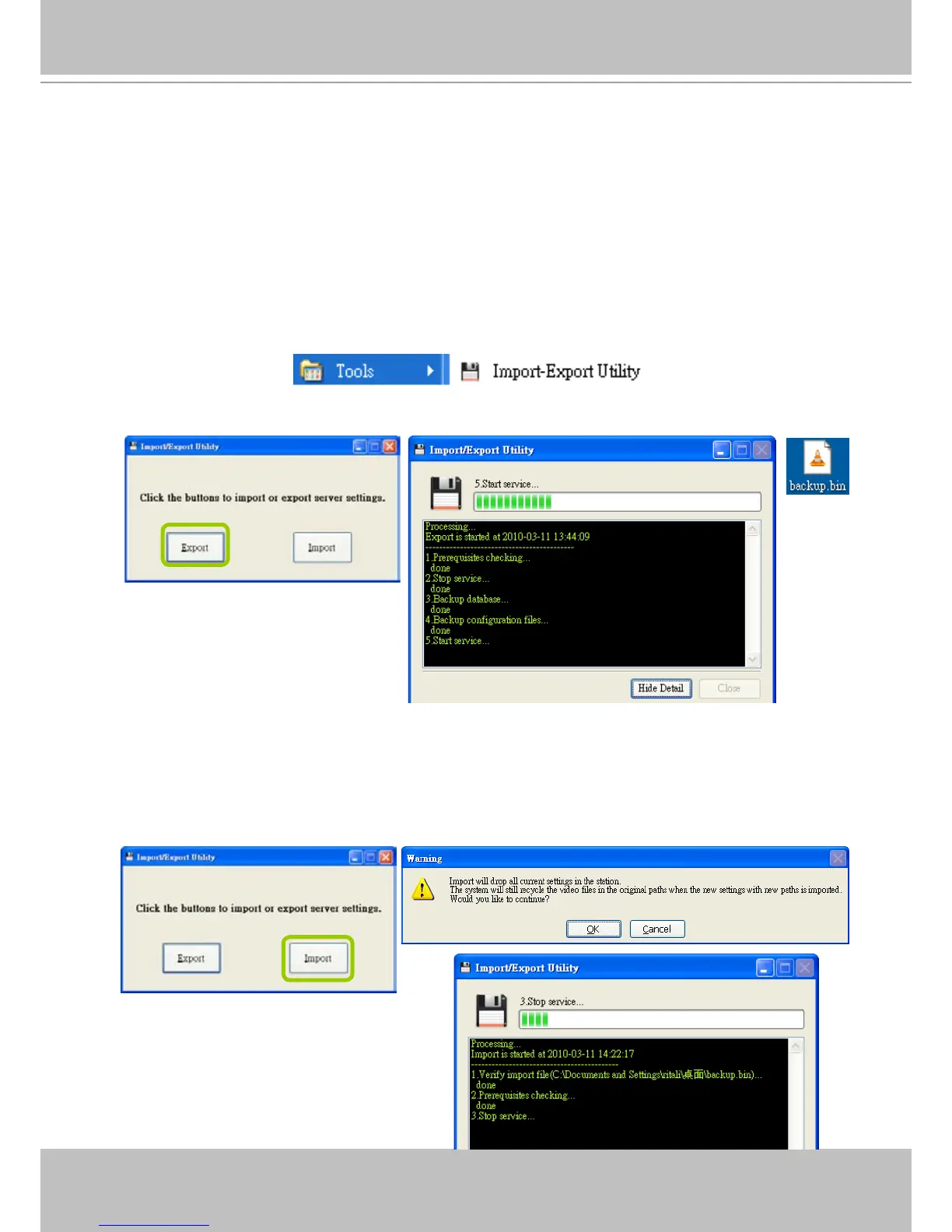
VAST supports import and export utility for user to keep record of all server settings. You can
use the export le to copy the conguration on another host.
Export Utility
Please follow the steps below to export the server settings:
a. Under Microsoft Windows, choose "Start > All Programs > VIVOTEK Inc > VAST > Tools > Import-
export Utility."
b. The Import/Export Utility window will pop up. Click Export and select a target folder. The system will
start to export a .bin le.
Import Utility
Please follow the steps below to import the server settings:
a. Under Microsoft Windows, choose "Start > All Programs > VIVOTEK Inc > VAST > Tools > Import-
export Utility."
b. The Import/Export Utility window will pop up. Click Import and select the export le. The system will
start to import the le.



 To Next Page