VIVOTEK - A Leading Provider of Multimedia Communication Solutions
User's Manual - 27
Insert NVR (Network Video Recorder)
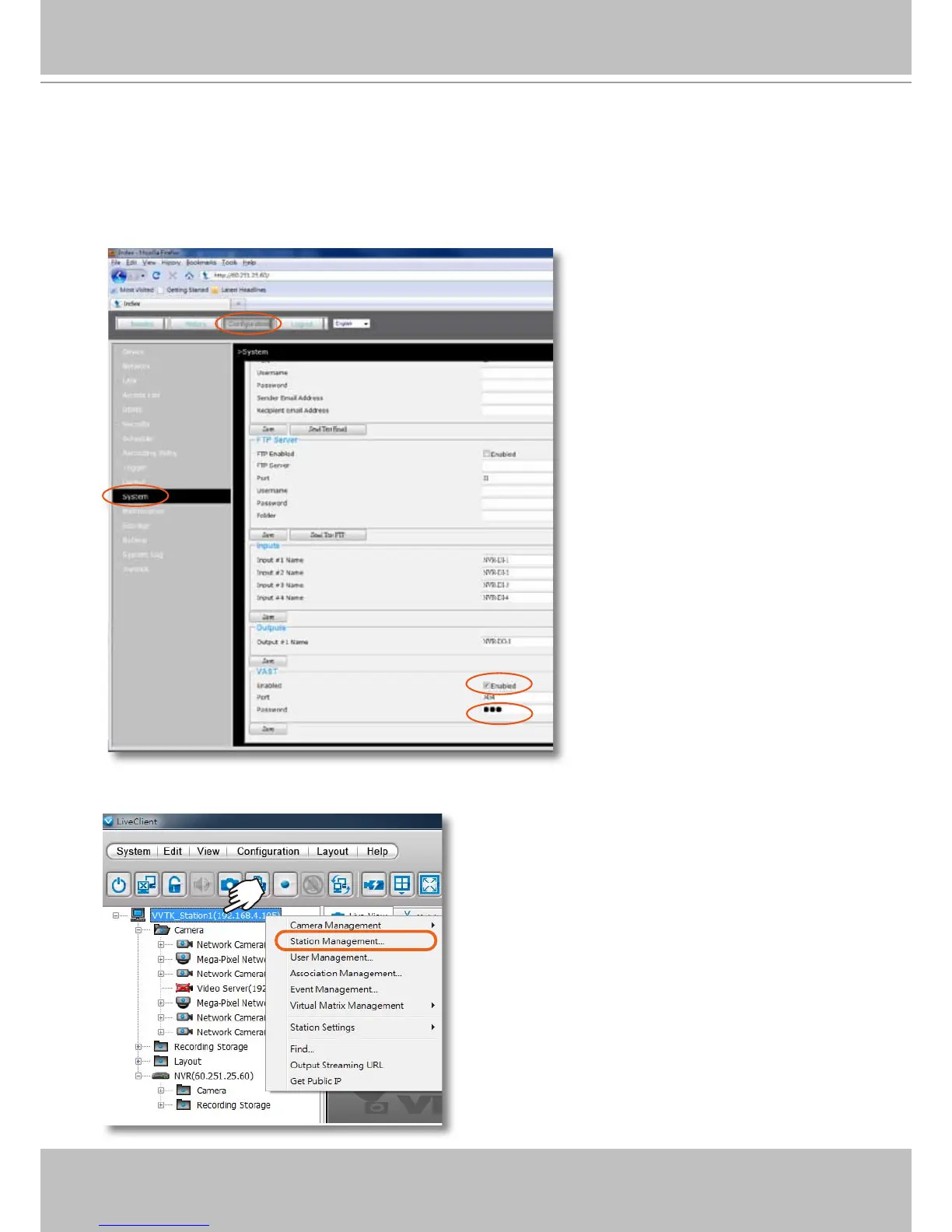
1. Before you can include an NVR system into your current conguration, you should enable
the corresponding configuration on a web management session with the NVR system. In
Conguration > System > VAST, click on the Enabled checkbox and enter a password for
authentication.
2. Return to your VAST management screen. Left-click to select your VAST station on the navigation
panel, and then right-click to display and select "Station Management..."



 To Next Page