VIVOTEK - A Leading Provider of Multimedia Communication Solutions
User's Manual - 133
Buttons Conguration
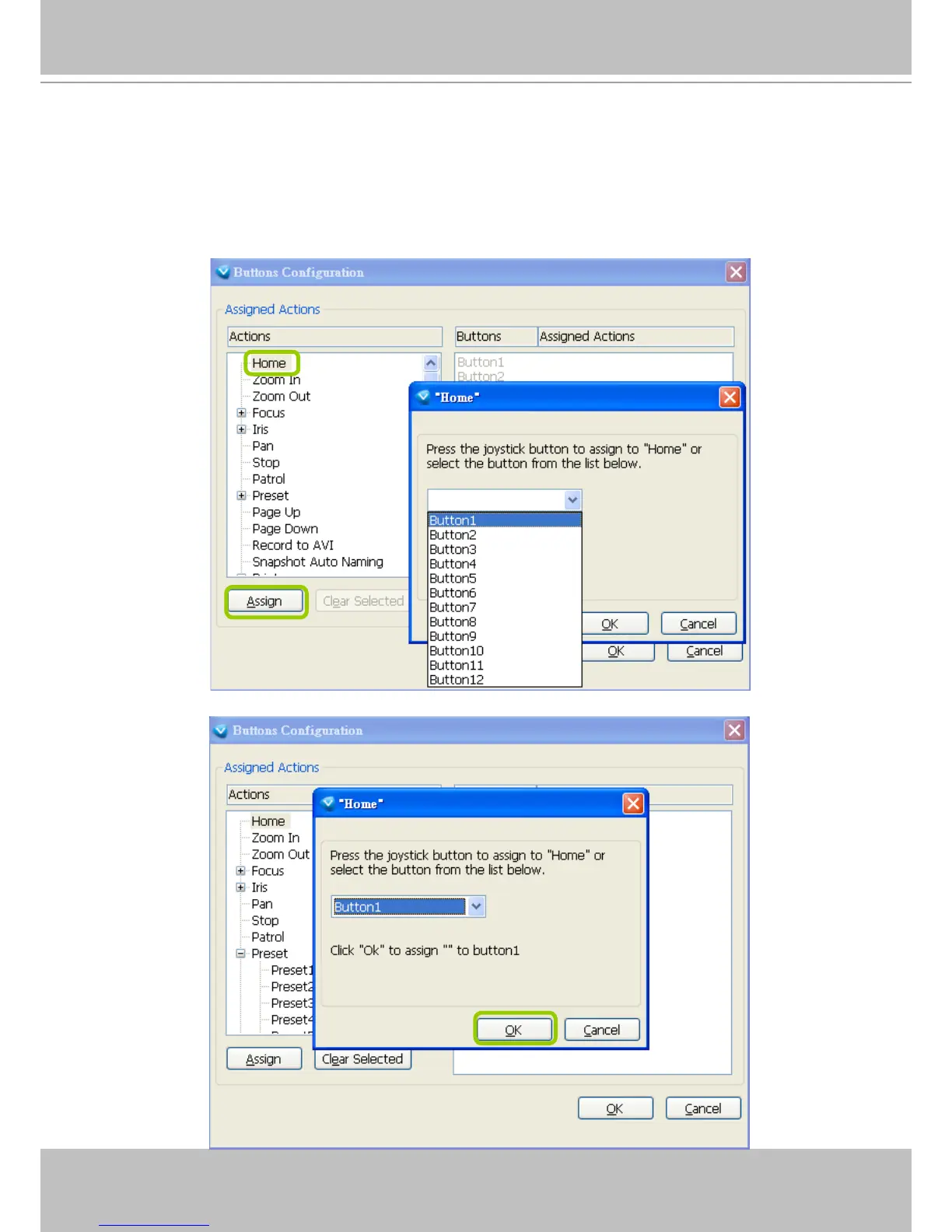
In Button Conguration window, the left column shows the actions you can assign, and the right column
shows the functional buttons and assigned actions. The number of buttons may differ from different
joysticks.
Please follow the steps below to congure your joystick buttons:
a. Choosing one of the actions and click Assign will pop up a dialog. Then you can assign this action to
a button by pressing the joystick button or select it from the drop-down list.
For example: Assign Home (move to home position) to Button 1.
b. Click OK to conrm the conguration.



 To Next Page