VIVOTEK - A Leading Provider of Multimedia Communication Solutions
170 - User's Manual
How to View Backup Files
The VAST Playback also allows users to playback backup les, including Schedule Backup by
VAST LiveClient and Recorded Data Backup by VAST Playback.
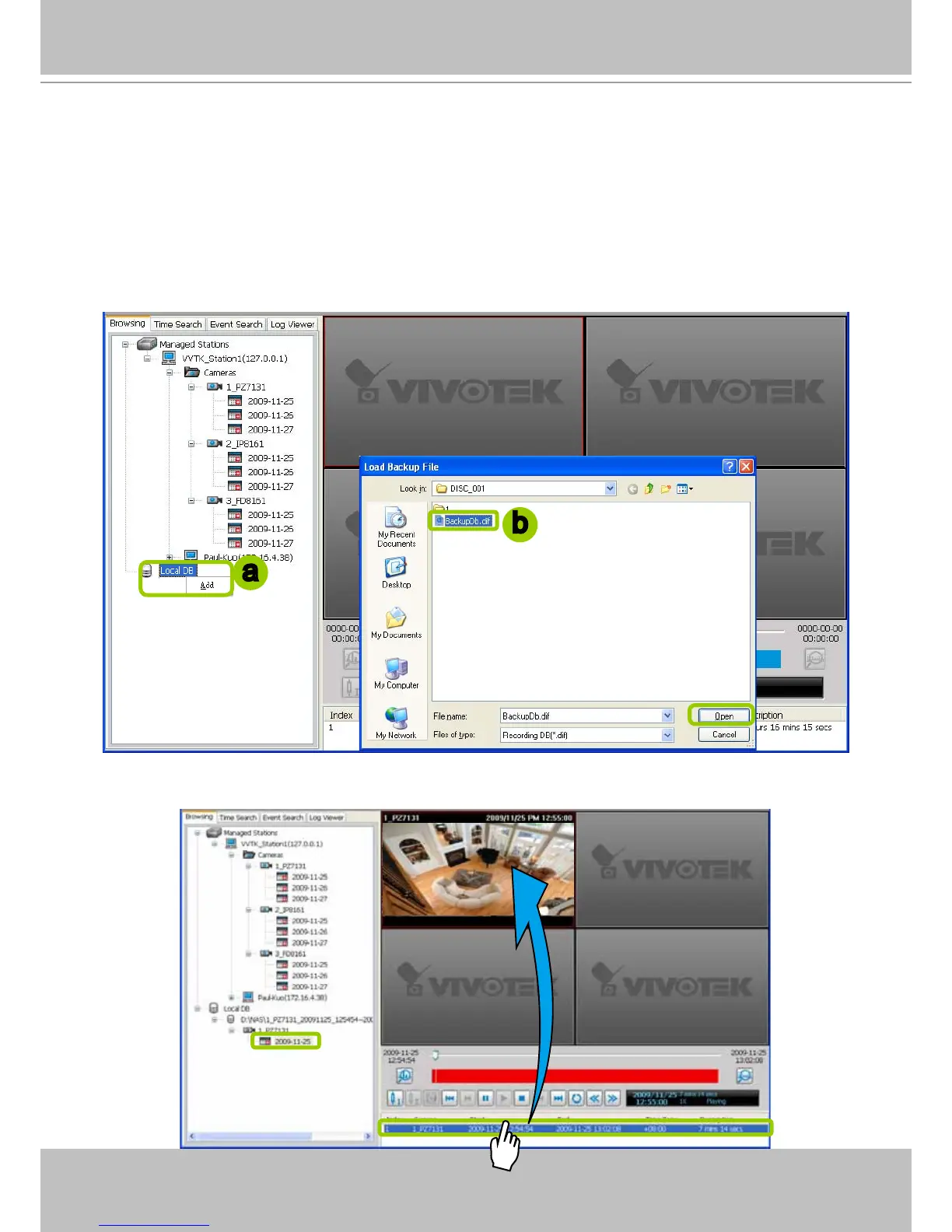
Please follow the steps below to view backup les:
a. Right-click Local DB and click Add.
b. A Load Backup File window will pop up as shown below. Select the *.dif le to upload.
c. The following is an example of uploaded le, and you can double-click it or drag-and-drop it to a
video cell to playback.
a
b



 To Next Page