VIVOTEK - A Leading Provider of Multimedia Communication Solutions
User's Manual - 53
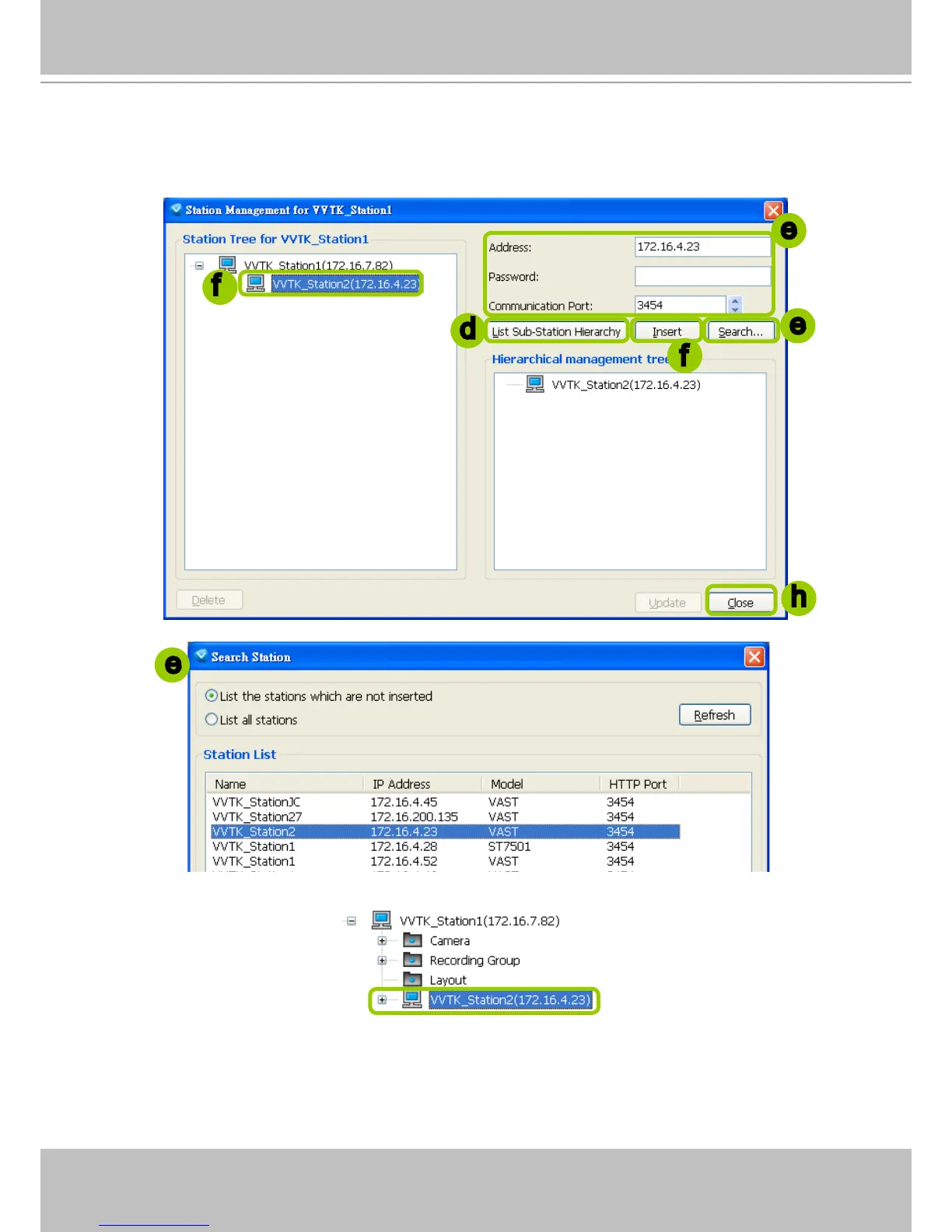
f. When all settings are done, click Insert to add the sub-station to the target station. The sub-station will
be displayed under the left station tree.
g. To insert additional sub-stations to the target station, repeat the above steps.
h. When completed, click Close to exit the Station Management window.
i. Back to the main window, you will find the newly-inserted stations displayed under the hierarchical
management tree.
e
d
f
f
h
e
e



 To Next Page