VIVOTEK - A Leading Provider of Multimedia Communication Solutions
User's Manual - 63
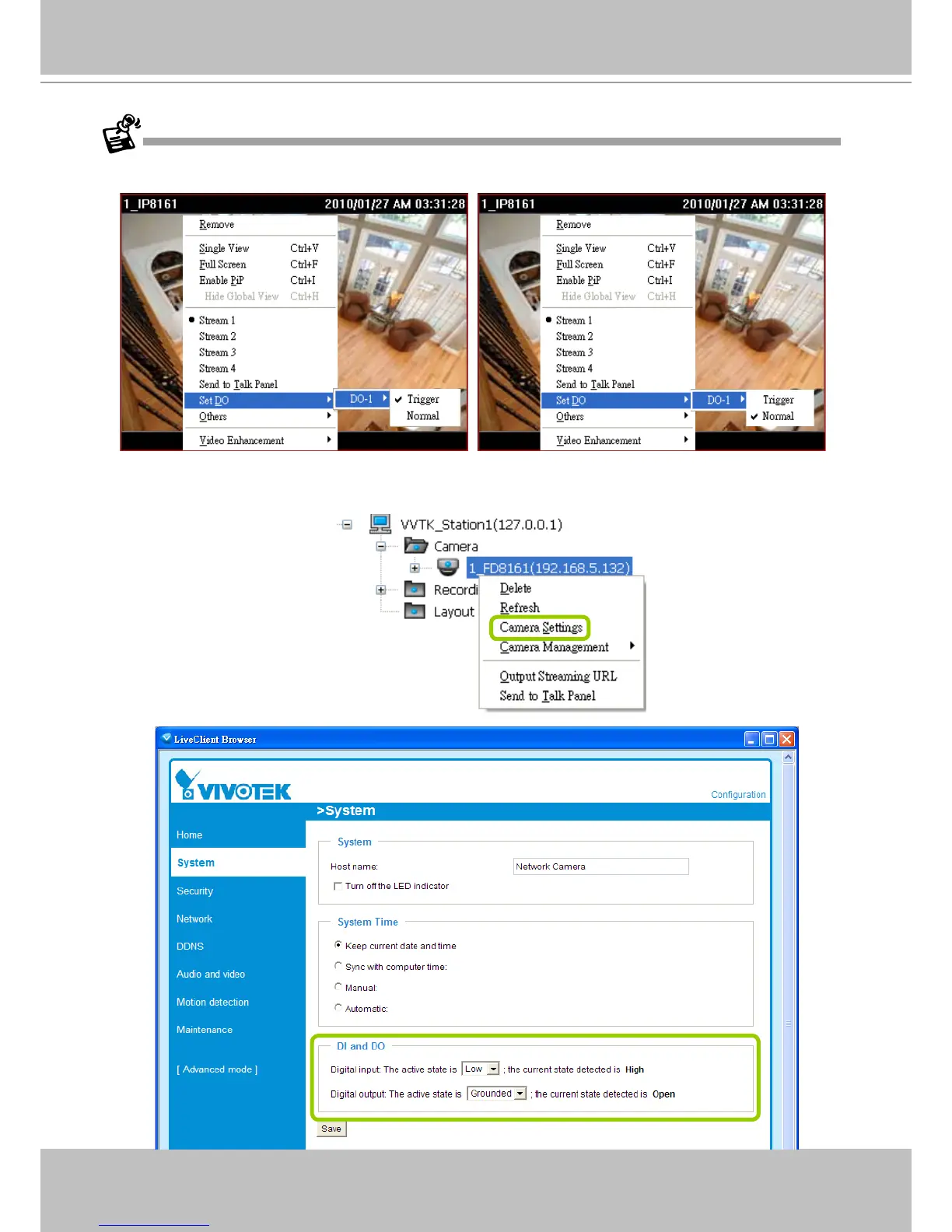
To manually enable DI/DO settings, please right-click the video cell and select Set DO to enable (Trigger) or
disable (Normal) the digital output of the linked device.
Before you congure the DI/DO Settings for VAST, please enable DI/DO settings on your network device and set
up the camera correctly on the conguration page. You can right-click the device and click Camera Settings to
open the conguration page.



 To Next Page