EN | 1918 | EN
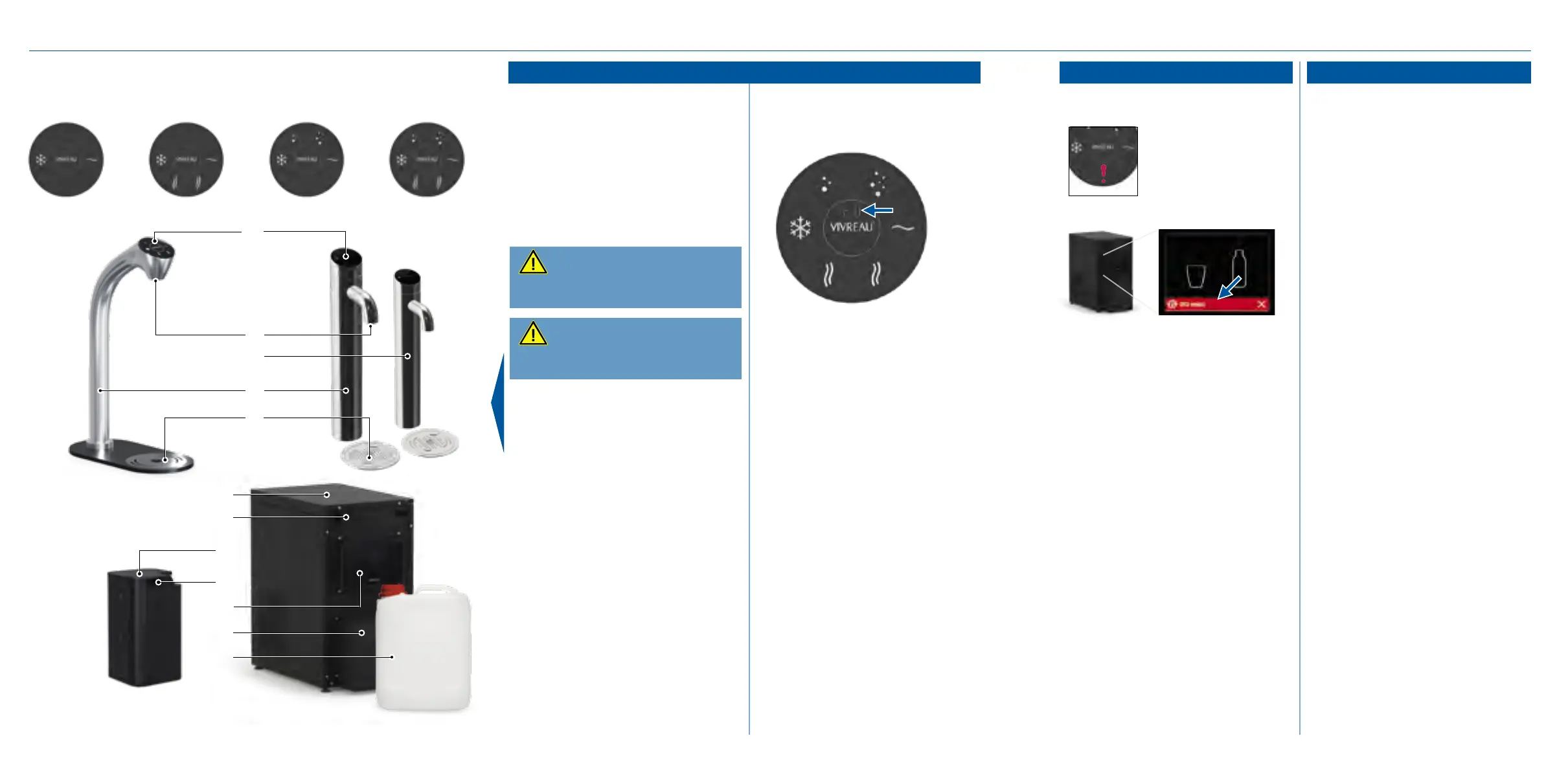
The undercounter display (10) will
show information and solutions:
• Empty drainage system
Drip tray or waste water container
is full
• Replace CO
2
bottle
CO
2
bottle is empty or CO
2
pres-
sure is low
• Call service
Please call customer service (see
back page)
For further information about the
warnings and errors please refer to
the chapter “Troubleshooting”, see
page 32. If the problem persists,
please contact customer service
(see back page).
On the tap display:
Error: Look at the under-
counter display (10) for
further details.
On the undercounter display:
Using the device
The display of the undercounter
unit enters standby mode when
not in use for more than 5 minutes
(default setting).
To activate the display, touch any-
where on the display. The display
will awake automatically.
If the display does not wake up
please call customer service (see
back page).
The timer for the standby mode
can be adjusted in the menu by the
operator or a service technician
(see back page).
Errors and warnings Display standby
Please observe the foldout page!
Dispensing water
Dispensing hot water:
1. Set a vessel suitable for hot
liquids under the tap outlet.
2. Touch hot water buttons one
after another (rst left, then
right) within 3 seconds.
3. Release the button to stop
dispensing hot water.
Warning:
Risk of scalding due to hot
water. Keep extremities away from
tap outlet.
Caution:
Don’t touch the tap outlet.
Danger to health due to lack of
hygiene!
With preset portions:
1. Press VIVREAU button on the
display.
2a. Press VIVREAU button once to
activate the glass portion size.
2b. Press VIVREAU button twice to
activate bottle portion size.
3. Press the button of the desired
water type only once briey.
Dispensing will stop automatically
when the preset quantity has been
reached.
Pressing any water type button will
stop dispensing immediately.
Note: Portion setting is not available
for hot water.
1.1.
I. Extra Tap System
1
2
4
5
8
7
6
11
12
3
A B C D
9
10


 To Next Page