20 | EN EN | 21
Standby Night mode
The menu is accessible by entering a pin code.
The menu is entered via downward swipe with two ngers on the display. Pin
code (1966) has to be entered. If the pin code does not work, please contact
customer service (see back page).
• Device type
• Device serial-no
• Software version
• Electronic hardware revisions
Detailed information about the device containing:
Status information
• Cold water: cold / colder / coldest
• Hot (°F): 155°/ 157°/ 159°/ ...+2°.../ 197°/ 199°/ 201°
Size A
(glass)
Size B
(bottle)
Set
Portion
Set
Portion
Units
Brightness
Statistics
Status
Portion
sizes
System
Setup
Off
One
time
Repetitive
°F
gal
°C
litre
DD.MM.
YYYY
hh:mm
Date Time
Buttons
Display
Energy saving
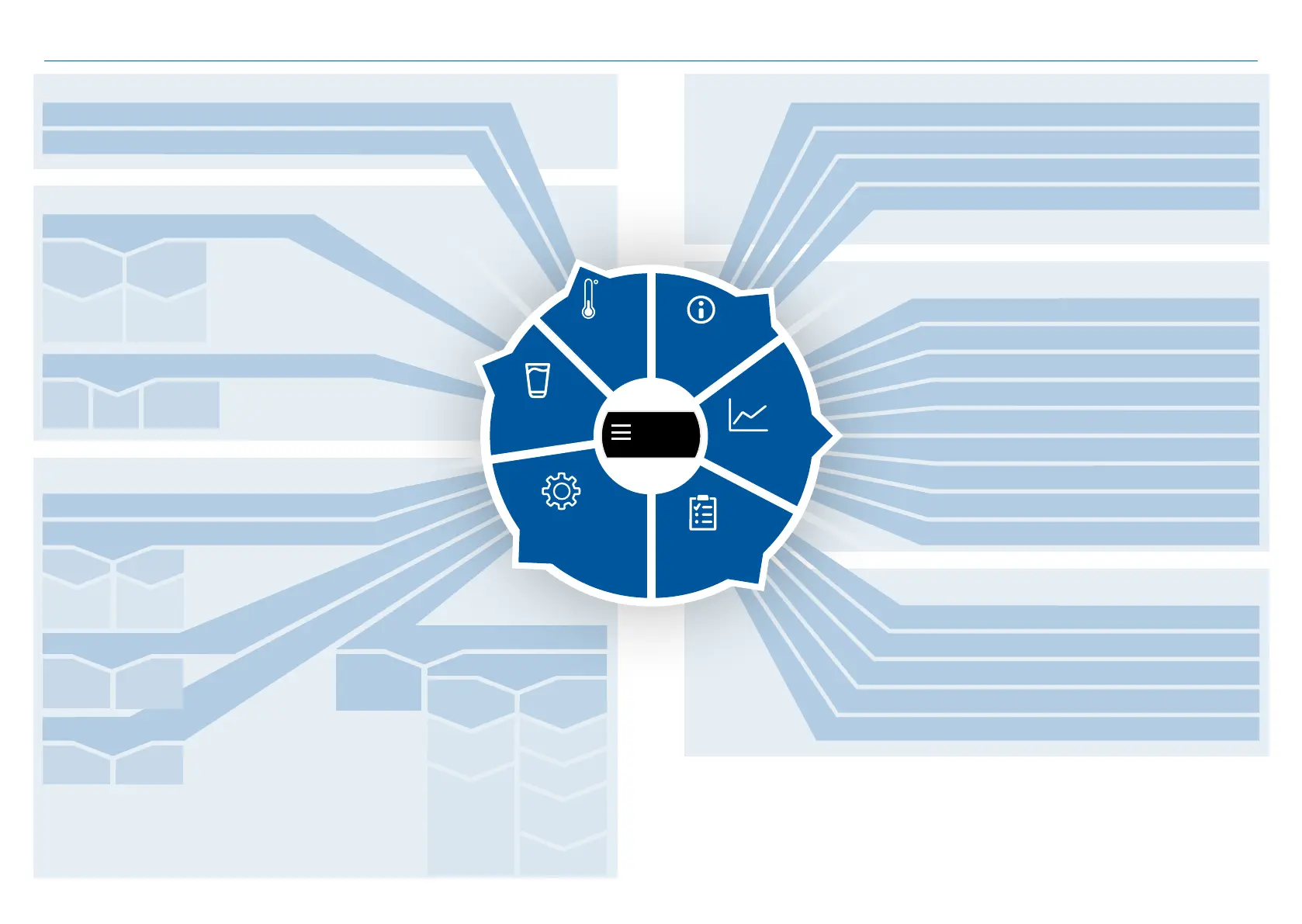
Available water temperature setting modes
Portion sizes
System Setup
Statistics on water consumption
• Operating hours in h
• Unchilled still consumption in l
• Chilled still consumption in l
• Sparkling consumption in l
• Semi-sparkling consumption in l
• Hot consumption in l
• Filter capacity (cold) in l
• Filter capacity (hot) in l
• Last cleaning mode
• Actual boiler temperature
• Actual cooler temperature
• Actual ThermalGate™ status
• Carbonator upper / lower level (On/Off)
• Boiler upper / lower level (On/Off)
Portion status
Preset dispensing portion sizes
Language
Date & Time
BoilerScreen
Start hh:mm
End hh:mm
Operation
weekdays
Start/Stop
in h
hh:mm
Boiler
temperature
135°F-185°F
(10°F steps)
Menu structure
Only for operator or service technician
Menu
Temper-
ature
Infor-
mation


 To Next Page