VIZIO VM60P HDTV User Manual
Version 3/26/2007 34
www.VIZIO.com
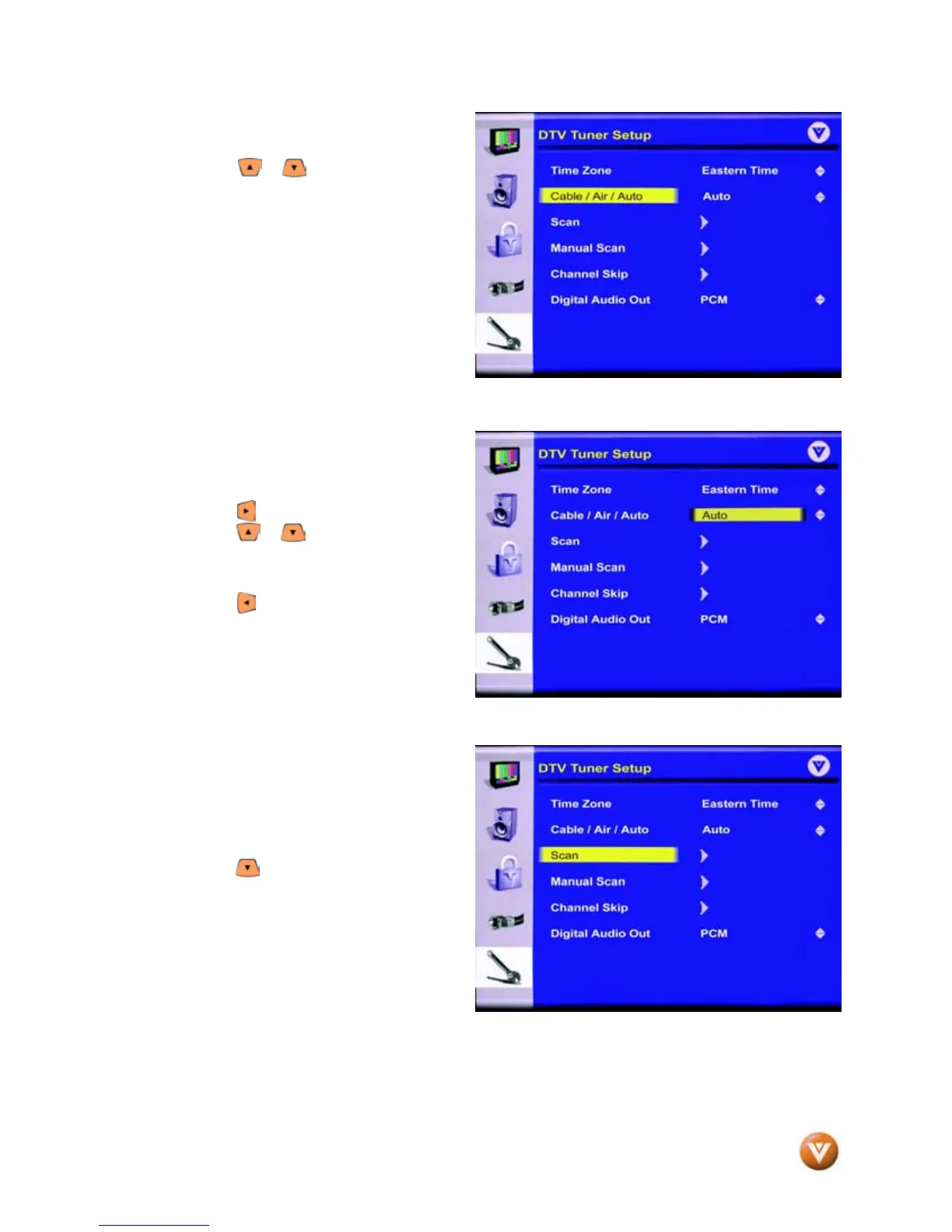
7. Press the or button on the remote
control to select Cable/Air/Auto.
The default selection is Auto.
This means that the TV will scan for
antenna and cable channels and takes the
most time. If you have an antenna
connected choose Air, or if you have cable
connected choose Cable, and the TV will
take less time in searching for channels.
8. Press the button to select this option.
Using the or button, select Cable if
you are using cable out of the wall, Air if
you are using an antenna.
Press the button to save and exit this
option.
9. Press the button to highlight Scan.
Press the OK button to activate. Note:
This will take a few minutes to complete.



 To Next Page