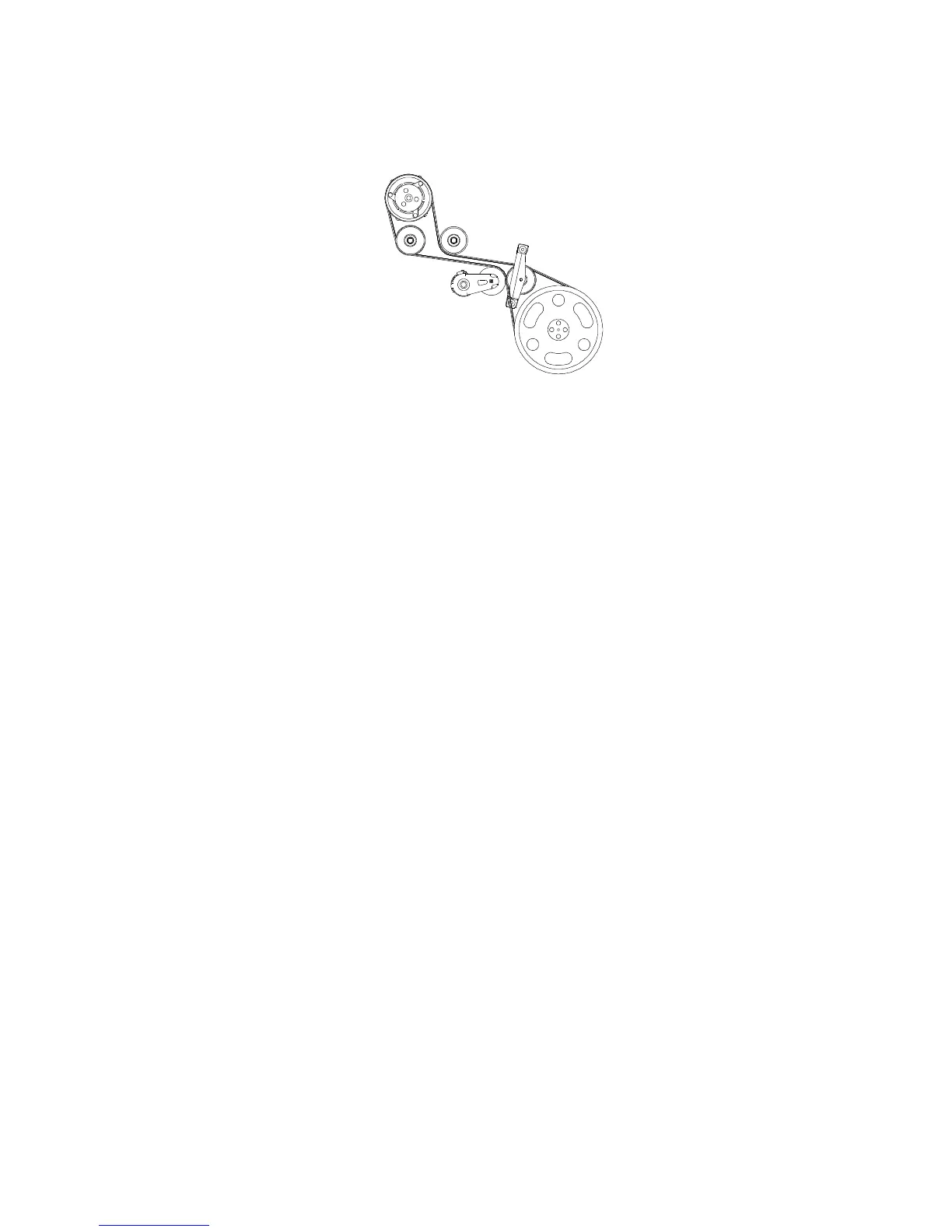
□ Route the VMAC belt around compressor, idler, tensioner and
crank pulley. See belt routing diagram (Figure 3.16 – VR70 Belt
Layout).
Figure 3.16 – VR70 Belt Layout
□ Remove OEM bolts and install idler bracket (part number
horizontal when installed) over the OEM tensioner using
replacement M8x 200mm bolts provided. Use Loctite and
torque to specifications. (VMAC belt must be routed prior to
installation of this bracket).
□ Tension VMAC belt and ensure it is seated properly on all idlers
and clears all hoses.
□ Install fan spacer and fan. Use supplied fan wire spacer
between fan wire bracket and engine using supplied M8x170mm
bolt. Use Loctite and torque to specifications.
□ Reconnect fan wire.
□ Cut rectangle out of soft rubber section on back of fan shroud.
Section should be 1/2" deep 4" long (Figure 3.17).



 To Next Page