Audio mode 23
111.5U6.N31.23
4. Track in the first subfolder F1.1.1 of the sub-
folder F1.1
5. Track in the second subfolder F1.2 of the
folder F1
6. Track and in the second folder F2
Play lists are treated like folders in the playback
sequence.
MEDIA main menu
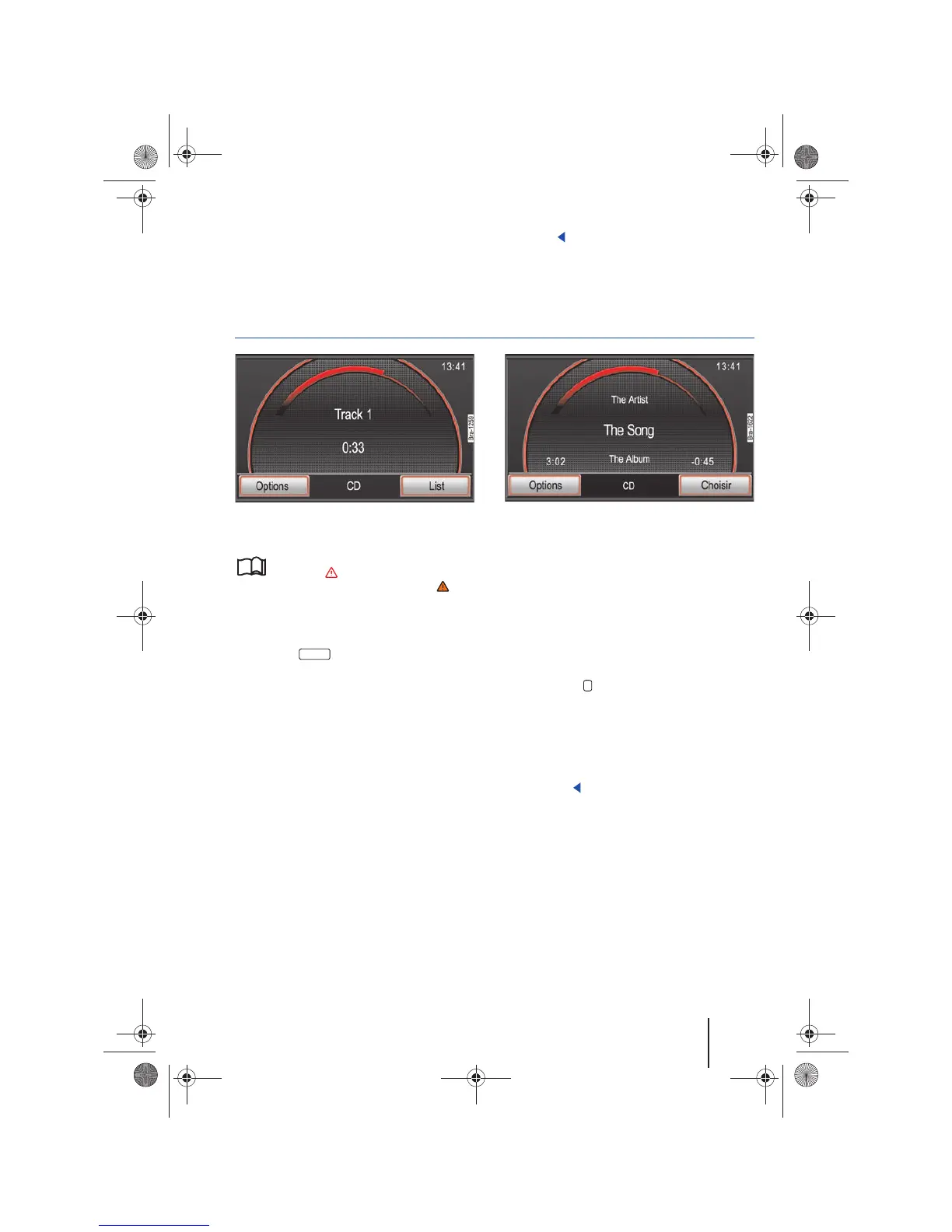
Fig. 20 MEDIA main menu: Audio CD track display.
Fig. 21 MEDIA main menu: Audio data CD track dis-
play.
Please first read and observe the safety in-
structions on page 3 and the introduc-
tory information and safety instructions on
page 21.
In the MEDIA main menu, different media sources
can be selected and played.
• Press the button.
The last media source played will resume playing.
In the MEDIA main menu, the current media
source is indicated in the center of the bottom line
on the screen.
If no media source can be selected, you cannot
open the MEDIA main menu.
Displaying track information
In the center of the screen, the track and track
number are displayed by default, according to the
sequence on the data medium ⇒ fig. 20.
For audio files also containing track information
(CD text, ID3 tag for MP3 files), the track name is
displayed in the center, under the artist name and
above the album name ⇒ fig. 21.
If you press the ⇒ page 6, fig. 1 button, fur-
ther track information (such as the file path) will
be displayed.
At the bottom left and right of the screen, the
runtime and remaining runtime of the track are
displayed in minutes and seconds. For files with
variable bitrate (VBR) the remaining time cannot
be displayed.
A
6
A
7
A
8



 To Next Page