RNS 310, RNS 315
Calling
Introduction
In this section you’ll find information on the fol-
lowing:
Accepting, ending or rejecting calls . . . . . . . . . . . .
Entering and calling phone numbers . . . . . . . . . . .
Making a call from the phone book . . . . . . . . . . . .
Making a call from the call list . . . . . . . . . . . . . . . . .
During a phone call . . . . . . . . . . . . . . . . . . . . . . . . . .
Making and receiving additional calls . . . . . . . . . .
Starting a telephone conference . . . . . . . . . . . . .
Accepting, ending or rejecting calls
Please first read and note the introductory
information on page 64.
When there is an incoming call, the number
calling will be displayed on the screen of the radio
navigation system
If a phone number is saved under a name in the
address book, the name will be displayed rather
than the number.
An incoming call can be answered, ended or re-
jected using the radio navigation system phone
control.
• Press the function button to accept an in-
coming call.
• Press the function button to end a call.
• Press the function button to reject an in-
coming call.
Entering and calling phone numbers
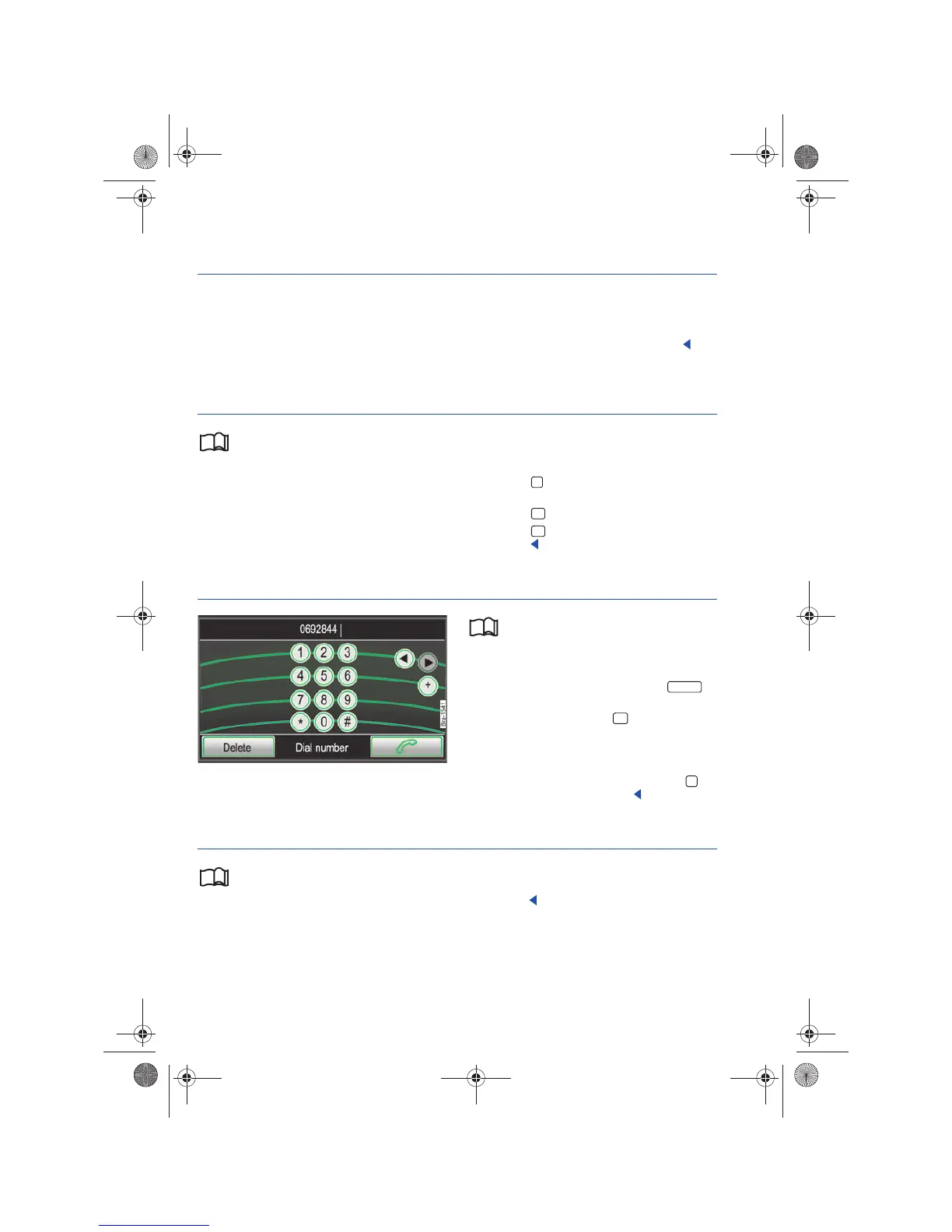
Fig. 75 Enter a phone number.
Please first read and note the introductory
information on page 64.
A phone number can be entered manually via the
PHONE main menu.
• Press the PHONE button to open the
main menu.
• Press the function button in the PHONE
main menu.
• Enter the desired number by typing the num-
bers into the input screen.
• After entering the full number, press the
function button to begin the call.
Making a call from the phone book
Please first read and note the introductory
information on page 64.
• Open the PHONE main menu.
• Browse the address book and mark the desired
entry by turning the tuning knob ⇒ page 6, fig. 1
.
• Press the tuning knob to begin a call.
• OR: Press the tagged telephone book entry to
begin a call.
64
64
64
65
65
66
66
PHONE



 To Next Page