Audio mode 27
111.5U6.N31.23
Selecting a media source
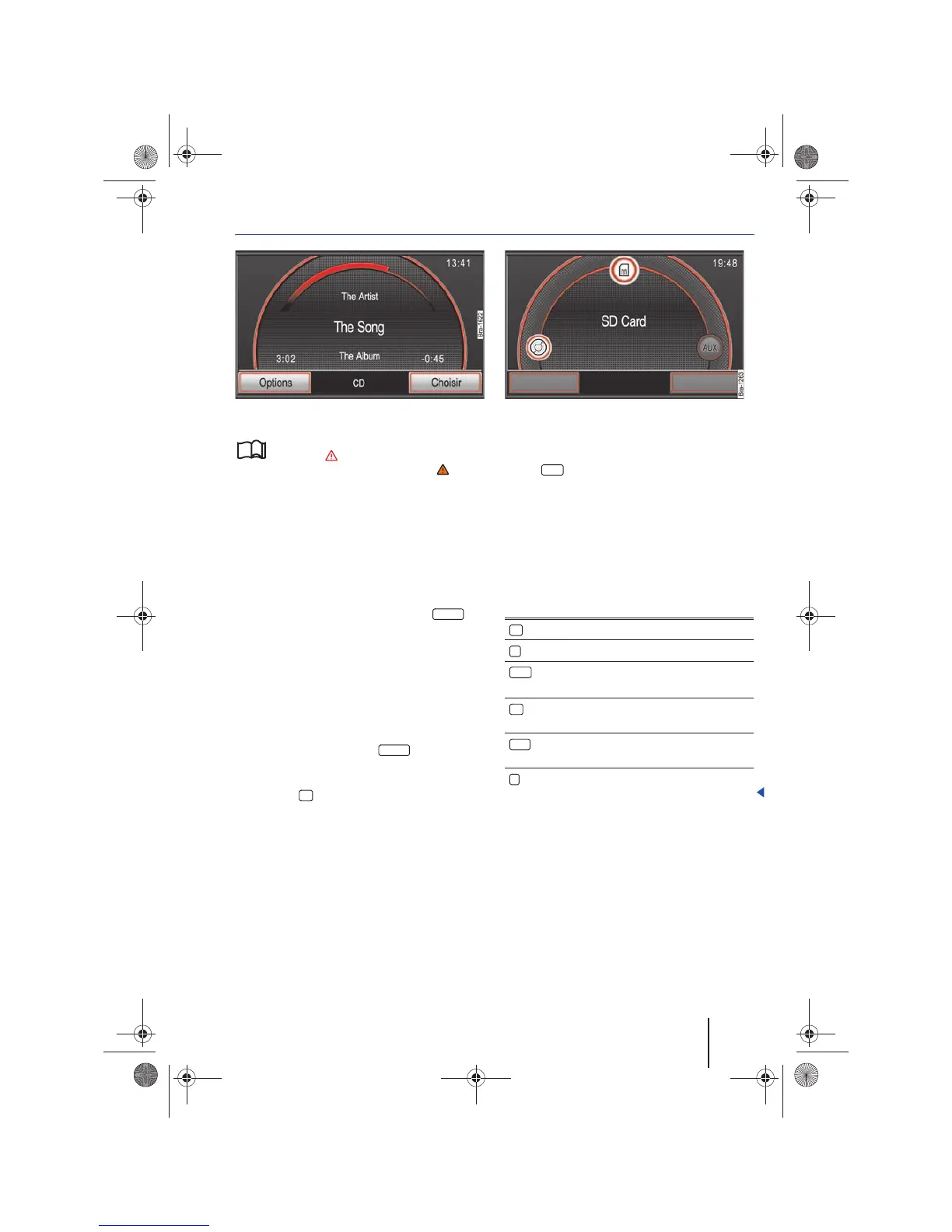
Fig. 26 MEDIA main menu.
Fig. 27 Media selection menu.
Please first read and observe the safety in-
structions on page 3 and the introduc-
tory information and safety instructions on
page 21.
In the MEDIA main menu, the current media
source is indicated in the center of the bottom line
on the screen ⇒ fig. 26. Other inserted or con-
nected media sources must be selected via the
Media selection menu.
Opening the Media selection menu and selecting
a media source
• In the MEDIA main menu, press the
button. The Media selection menu is opened
⇒ fig. 27.
• Access the desired media source by pressing
the appropriate icon.
• OR:Turn the tuning knob ⇒ page 6, fig. 1 in
order to tag available media sources one after the
other, and access these by pressing the tuning
knob.
• OR: Repeatedly press the button to
browse through available media sources consecu-
tively.
• Press the button in order to close the pop-
up window without making changes.
A media source not currently selectable is dis-
played as inactive, for example the function
button ⇒ fig. 27.
If a previously played media source is selected
again, the playback continues at the last played
position. Exception: Audio source connected to
the AUX IN socket ⇒ page 25 or in Bluetooth audio
mode ⇒ page 26.
Selectable media sources in the Media selection
menu
MEDIA
10
MEDIA
Function button: Media source
CD: Internal CD Drive ⇒ page 24.
SD Card: Inserted memory card – ⇒ page 24.
: 3.5 mm multimedia jack in AUX-IN input
socket ⇒ page 6, fig. 1 ⇒ page 25.
CD changer: Additional external CD changer
connected ⇒ page 34.
: Data medium connected to MEDIA-IN
multimedia interface ⇒ page 31.
BT audio: Bluetooth audio source connected
⇒ page 26.
AUX
AUX



 To Next Page