RNS 310, RNS 315
Saving destinations manually
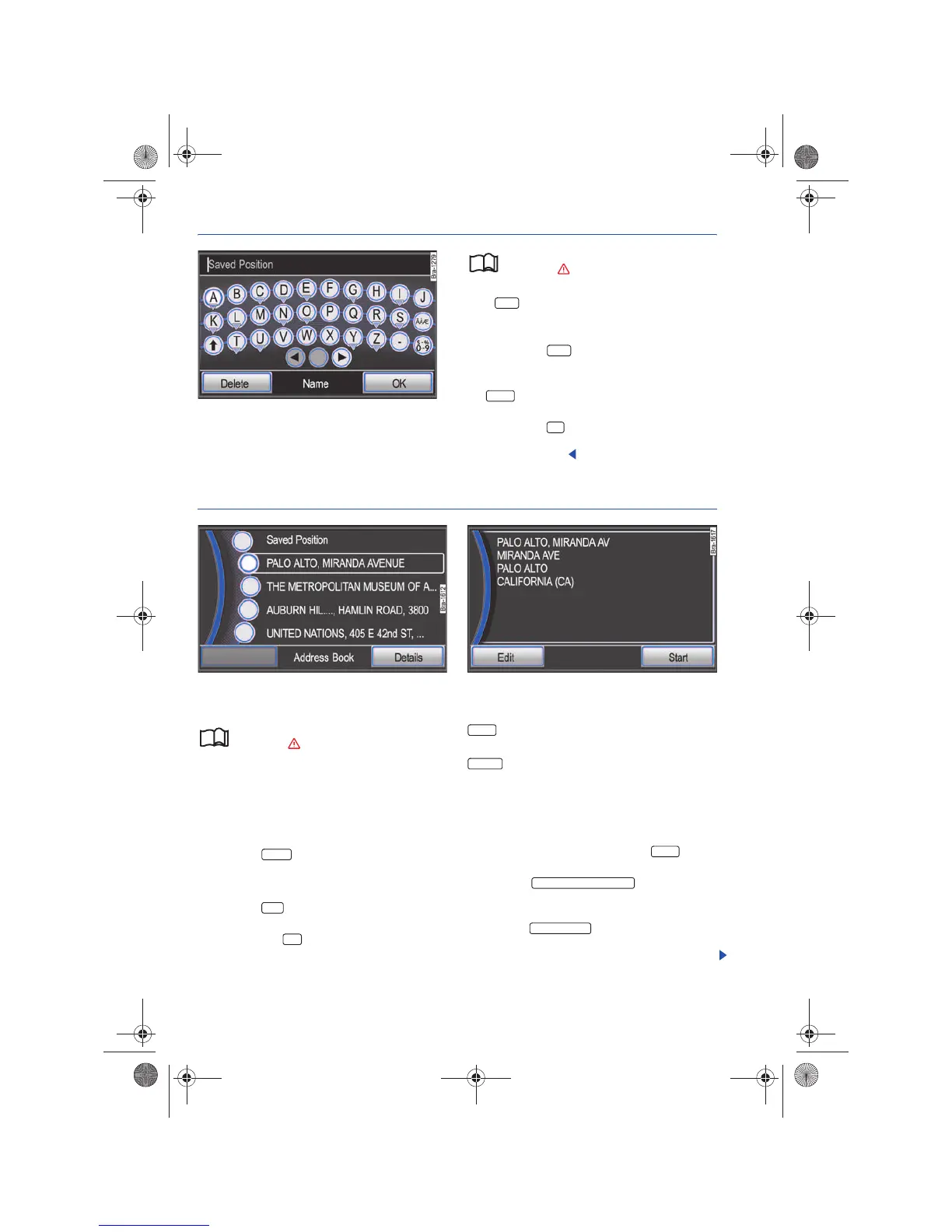
Fig. 54 Input screen for defining individual names.
Please first read and observe the safety in-
structions on page 3 and the introduc-
tory information on page 45.
If the function button is shown, the displayed
destination can be stored in the destination
memory.
• Pressing the function button opens an
input screen to define a name ⇒ fig. 54.
• If you want to define a specific name, first press
the function button and then enter that spe-
cific name ⇒ page 40.
• Pressing the function button saves the des-
tination under the displayed name to the
Destination memory.
Deleting or renaming address book entries
Fig. 55 Address book with manually stored destina-
tions.
Fig. 56 Details view of a destination saved in the ad-
dress book
Please first read and observe the safety in-
structions on page 3 and the introduc-
tory information on page 45.
• Open the Address Books list via the Navigation
main menu ⇒ page 37. Opens list of manually
stored destinations ⇒ fig. 55.
• Tag a destination by turning the tuning knob
⇒ page 6, fig. 1 .
• Press the function button.
The destination is opened in the Details view will
be opened ⇒ fig. 56.
• Press the function button in order to start
route guidance to the displayed destination.
• OR: Press the function button to open a
pop-up window with further options.
: Deletes the destination from the Address
book.
: Opens a dialog window to change the
name ⇒ page 40.
If a Saved Position is displayed in the Address
Book⇒ page 47.
Deleting saved destinations
• In any navigation menu, press the button
in order to open the Navigation setup menu.
• Open the function button
and select the destinations which are to be deleted
in the following menu.
• Press the function button to delete
all destinations from the Address Boom and Last
Destinations lists.
Store
Store
Delete
OK



 To Next Page