Audio mode 29
111.5U6.N31.23
If a MEDIA-IN multimedia interface is installed
and an iPod
®1)
or iPhone
1)
is connected to it, a
special iPod selection menu is displayed in the top
selection level (root folder) ⇒ page 32, fig. 35.
Selecting tracks and CDs from an external
CD changer ⇒ page 34.
Changing playback mode ( function key)
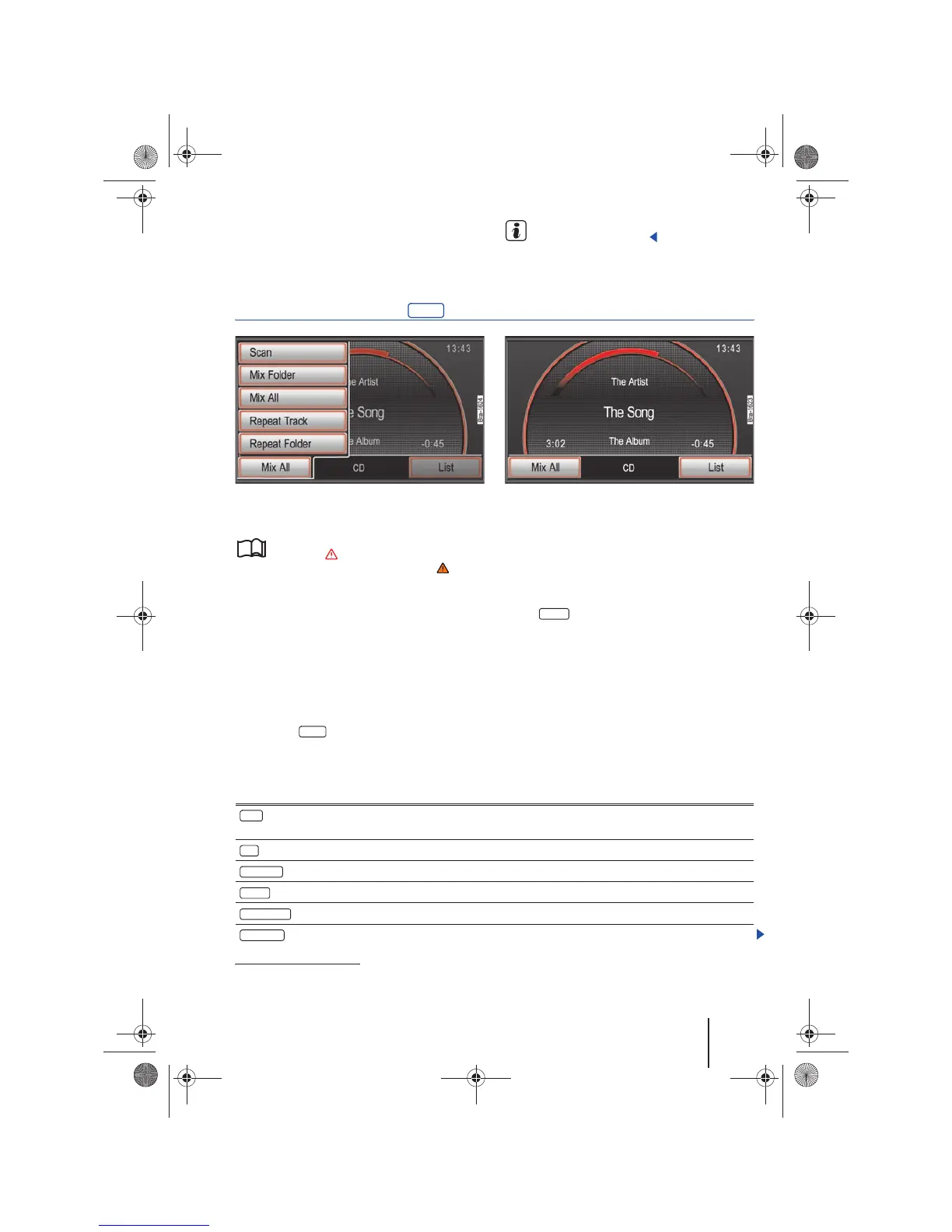
Fig. 30 MEDIA main menu: Extras function button in
MP3 mode.
Fig. 31 MEDIA main menu with selected playback
mode.
Please first read and observe the safety in-
structions on page 3 and the introduc-
tory information and safety instructions on
page 21.
Depending on settings, Subfolders are included in
the selected playback mode ⇒ page 30. These set-
tings must be undertaken prior to selecting a play-
back mode.
Starting and ending a playback mode
The playback mode selection depends on the se-
lected media source and the type of audio files
played.
• Press the function button in the MEDIA
main menu during playback .
• Select one of the playback modes offered in the
pop-up window by turning and pressing the
tuning knob ⇒ page 6, fig. 1 .
• The pop-up window will close. The selected
playback mode is displayed in the function button
(fig. 31 ).
• Brief pressing of this function button ends the
playback mode and continues the normal play-
back of the current track.
Note the playback sequence of files and folders
⇒ page 22
Scanning can be activated or deactivated by
pressing the tuning knob ⇒ page 6, fig. 1 .
Selectable playback modes
1)
iPod
®
and iPhone
®
are protected trademarks of Apple Inc.
Extras
Extras
A
10
Mix all
A
10
Function button: Effect
: The first 10 seconds of each track in the current folder or media source will be played one after the
other. The scan will start with the next track.
: The tracks of an audio CD are played back in random order.
: The tracks of the current folder are played in random order.
: The tracks of the current data medium are played in random order.
: The current track is repeated.
: At the end of the current audio CD, all of the tracks will be repeated from the beginning.
Scan
Mix
Mix folder
Mix all
Repeat track
Repeat CD
28
Navigationssystem_111.5U6.N31_23.book Seite 29 Donnerstag, 22. April 2010 5:16 17



 To Next Page