RNS 310, RNS 315
Selecting stored destinations
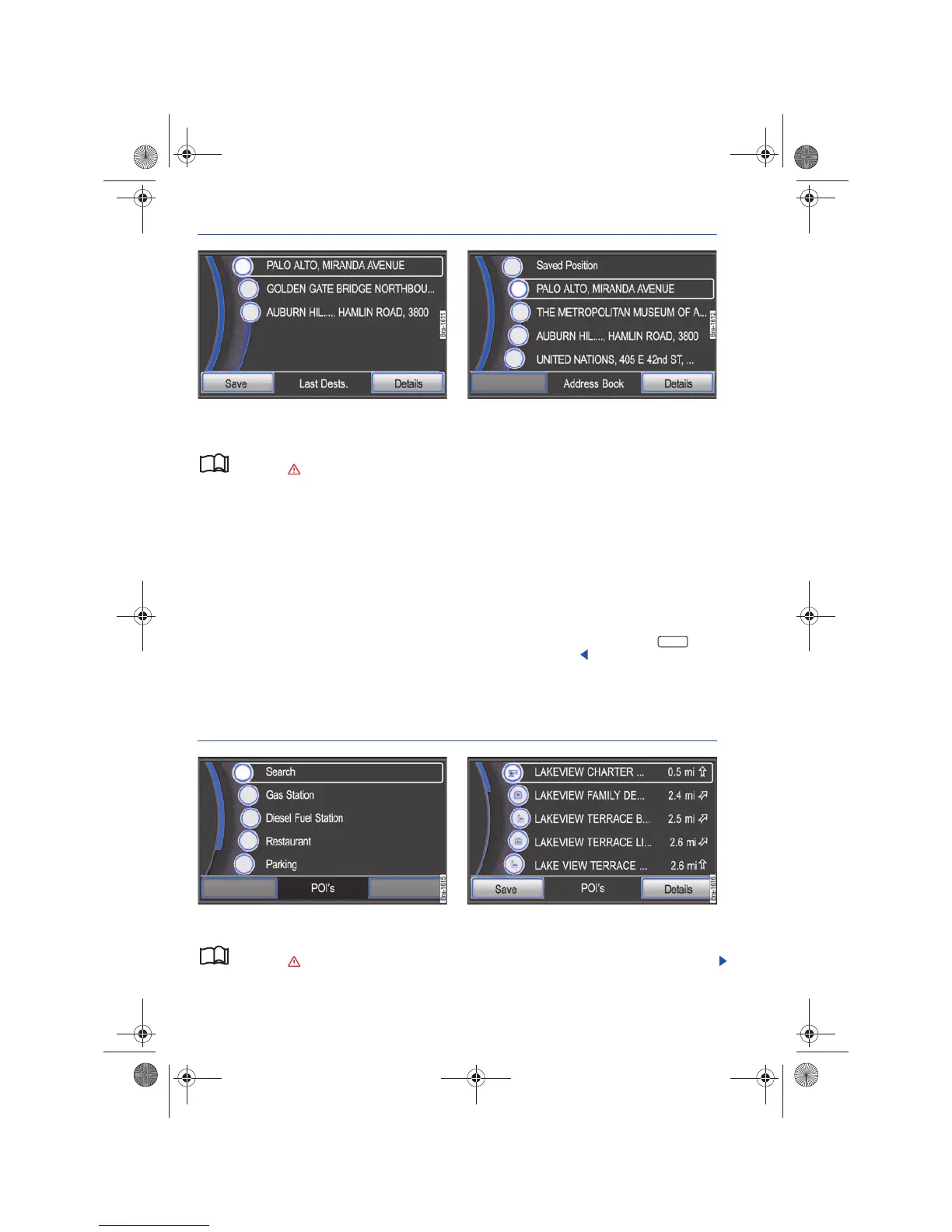
Fig. 48 List of automatically stored recent destina-
tions.
Fig. 49 List of destinations manually stored in the des-
tination memory.
Please first read and observe the safety in-
structions on page 3 and the introduc-
tory information on page 41.
You can start route guidance to a saved home ad-
dress or to an automatically or manually saved
destination.
Starting route guidance to a stored home address
• Open Home Address in the Navigation main
menu to enter destination details ⇒ page 37, and
to start route guidance to the stored home address.
Save or editing the home address ⇒ page 45
Starting route guidance to a stored destination
Destinations which were entered for route guid-
ance are automatically saved in the Last
Destinations list ⇒ fig. 48.
Manually saved destinations are stored in the
Address Book ⇒ fig. 49.
• Open the Last Destinations or Address Book lists
in the Navigation main menu to enter a destina-
tion ⇒ page 37.
• Tag a destination in the list by rotating the
tuning knob ⇒ page 6, fig. 1 and start route
guidance by pressing the knob ⇒ fig. 49.⇒ page 11
• OR: Browse the list by moving the scroll marker
across the screen and start route guidance by
pressing the destination ⇒ page 8.
A destination tagged in the list display can be dis-
played in greater detail by pressing the func-
tion button.⇒ page 44
Selecting a point of interest
Fig. 50 Select point of interest category. Fig. 51 Point of interest search results.
Please first read and observe the safety in-
structions on page 3 and the introduc-
tory information on page 41.
• Select Point of Interests in the Navigation main
menu to enter a destination ⇒ page 37.



 To Next Page