Model DMTC22KW
Domestic Charger AC 22kW
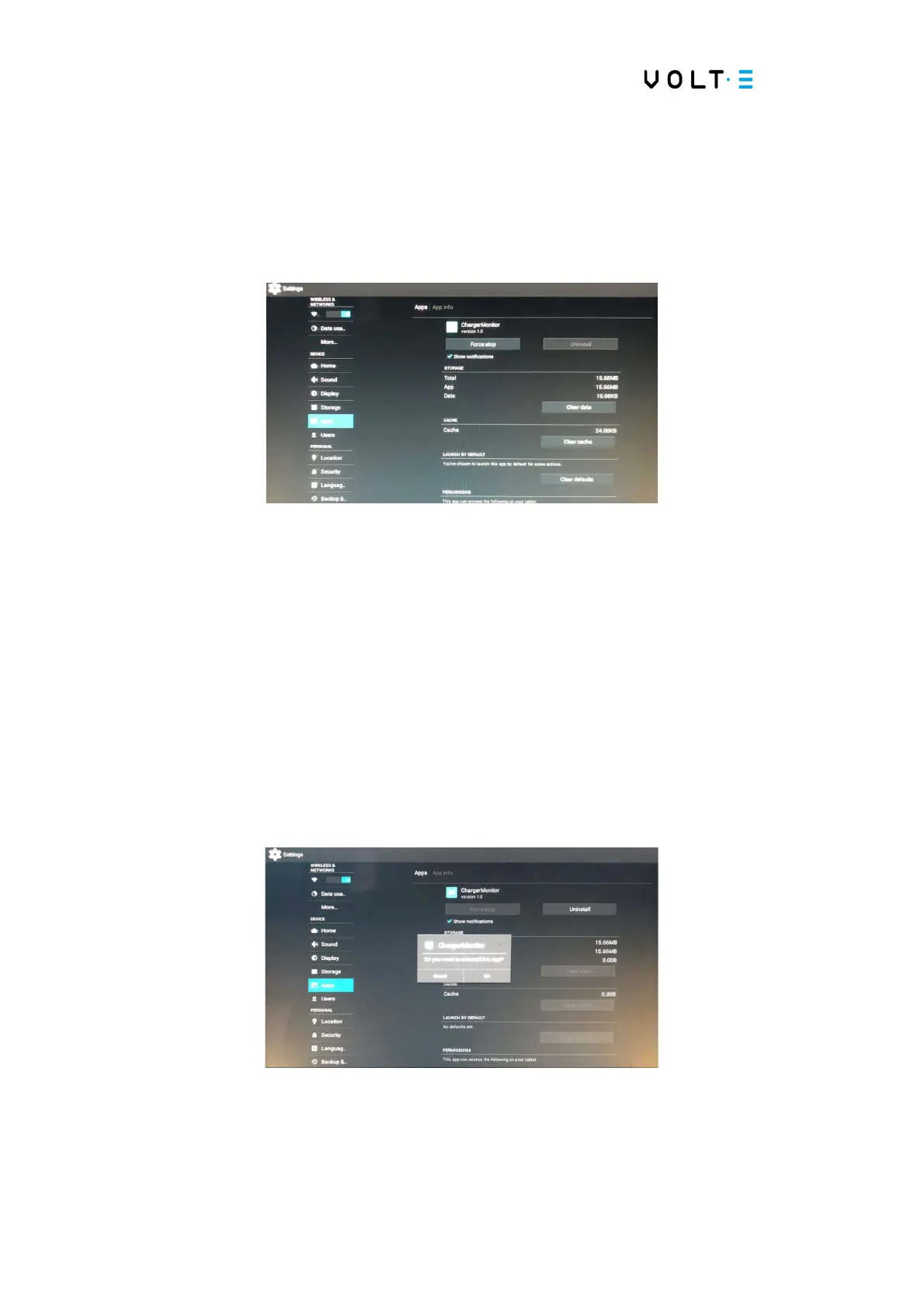
⇒ Click on Android Setting;
⇒ Follow the steps below:
⇒ On the left side of the screen, press the “Apps” option;
⇒ Then, press the following options that will appear on the screen: "Force
Stop", "Clear Data", "Clear Cache" and "Clear Defaults";
⇒ After following these steps, press the “Uninstall” option and the following
menu will appear on the screen (if the “Uninstall” option cannot be selected,
enter a menu on the left and click on APPS again to select “Uninstall”);
⇒ Select the “Ok” option and the application will be uninstalled;
⇒ Then turn the Station off and on again;


 To Next Page