Model DMTC22KW
Domestic Charger AC 22kW
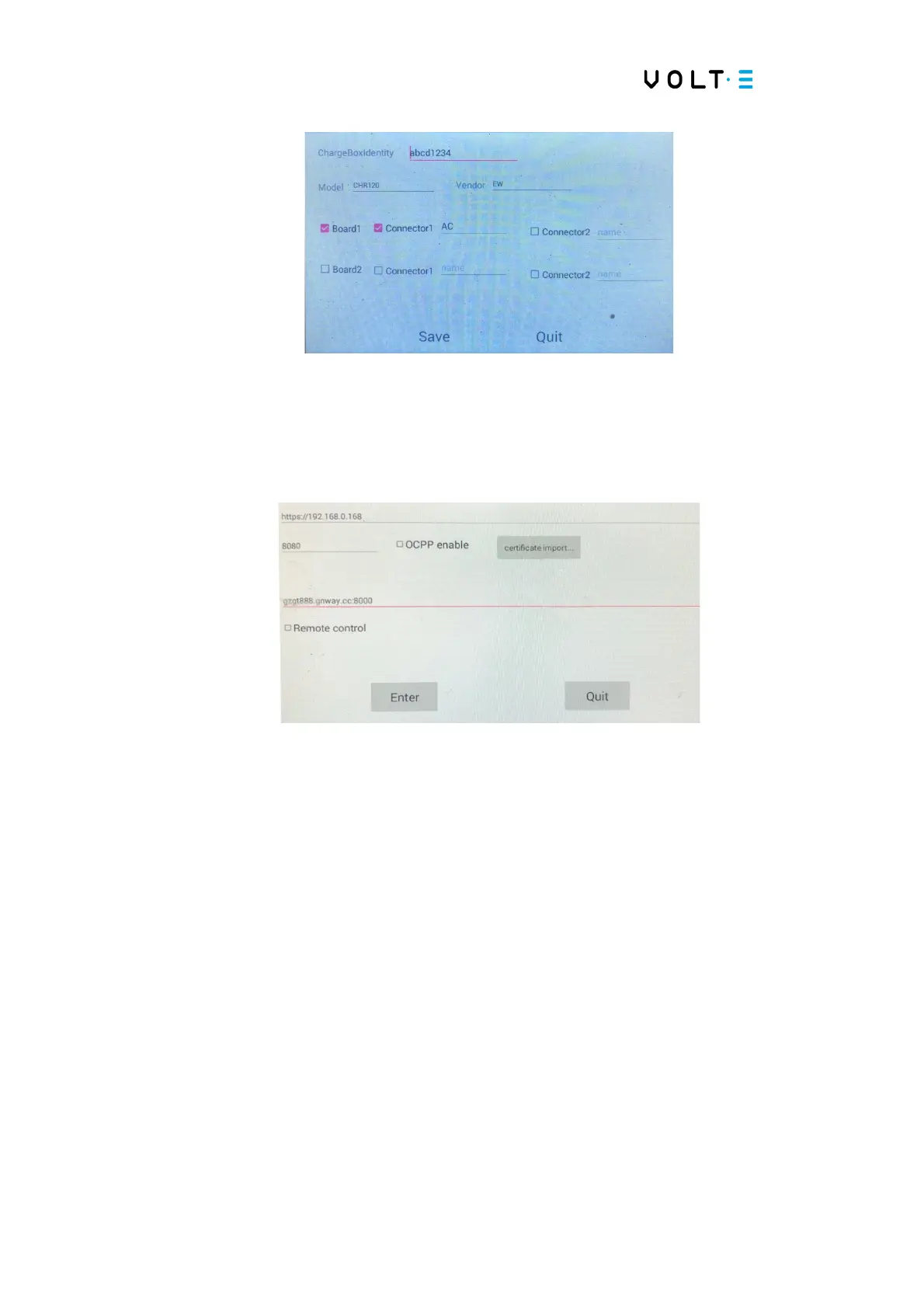
→ Change “abcd1234” to the correct “charge box identity” and do “Save”;
→ Select “Server Settings”;
→ Click on the default communication address and change
https://192.168.0.168 to the address of the OCPP server.
→ Activate the OCPP “enable”, selecting □;
→ Do not change ANYTHING on the “Remote Control”, nor on its address;
→ Click "Enter" to save.
6.6. Ethernet Connectivity – Cable RJ45
When necessary, it is possible to connect the equipment to a local network through a
cable local network, connected to a router or LAN switch. The steps necessary to
establish Ethernet connectivity are described below:


 To Next Page