Model DMTC22KW
Domestic Charger AC 22kW
6.8. Connectivity 3G/4G UMTS
If it is necessary to ensure connectivity of the station, in an environment where there
is no possibility of connecting to a local network, by wireless or cable, it will always be
possible to connect the station via mobile network. This type of connectivity is
mandatory in OPC's scenarios, in which it is necessary to establish a connection with
the national service management service provider MOBI.E. The UMTS mobile network,
with specific parameters, is the way to guarantee the stations access to this private
network, which is not accessible through the normal internet network.
This chapter intends to demonstrate how to configure the mobile network at the
station.
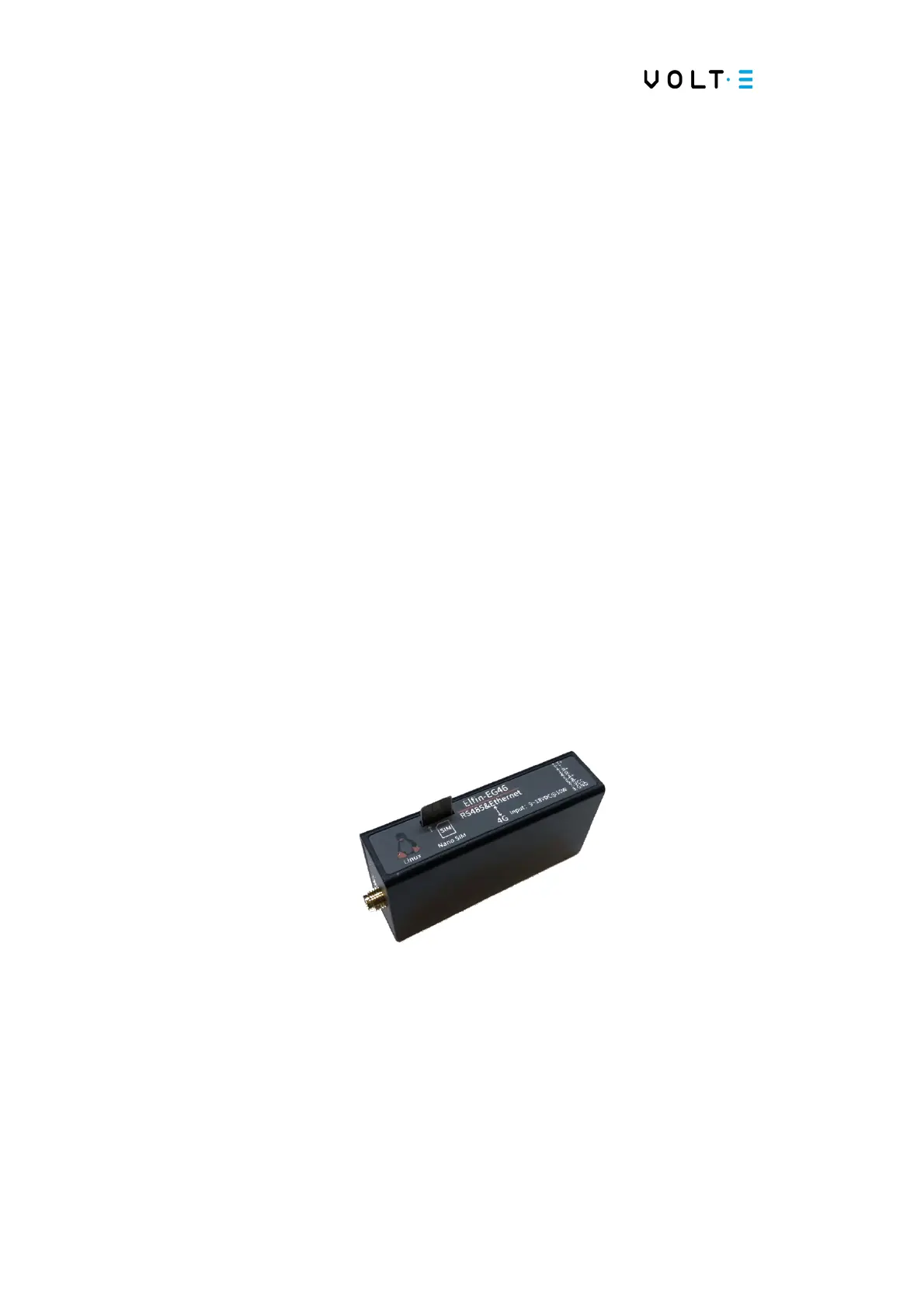
⇒ Identify the 4G module inside the station:
→ Open the Station
→ Search on the left side, behind connector 1;
→ You will find a black ELFIN box, with an RJ45 connection and an antenna
connection. Like the one shown in the following figure;
→ Place the SIM card inside the module. - Using the respective slot, as shown in the
figure;
→ Put the module back in the equipment - Place the module inside the equipment in
the place where you removed it. Reconnect the RJ45 cable and the 3G / 4G network
antenna cable;


 To Next Page