Model DMTC22KW
Domestic Charger AC 22kW
6.Configurations
The following will demonstrate how to perform certain settings on the Loader. In
addition to the step by step to install and uninstall the Android app.
6.1. Uninstall application (for basic software and OCPP
management software)
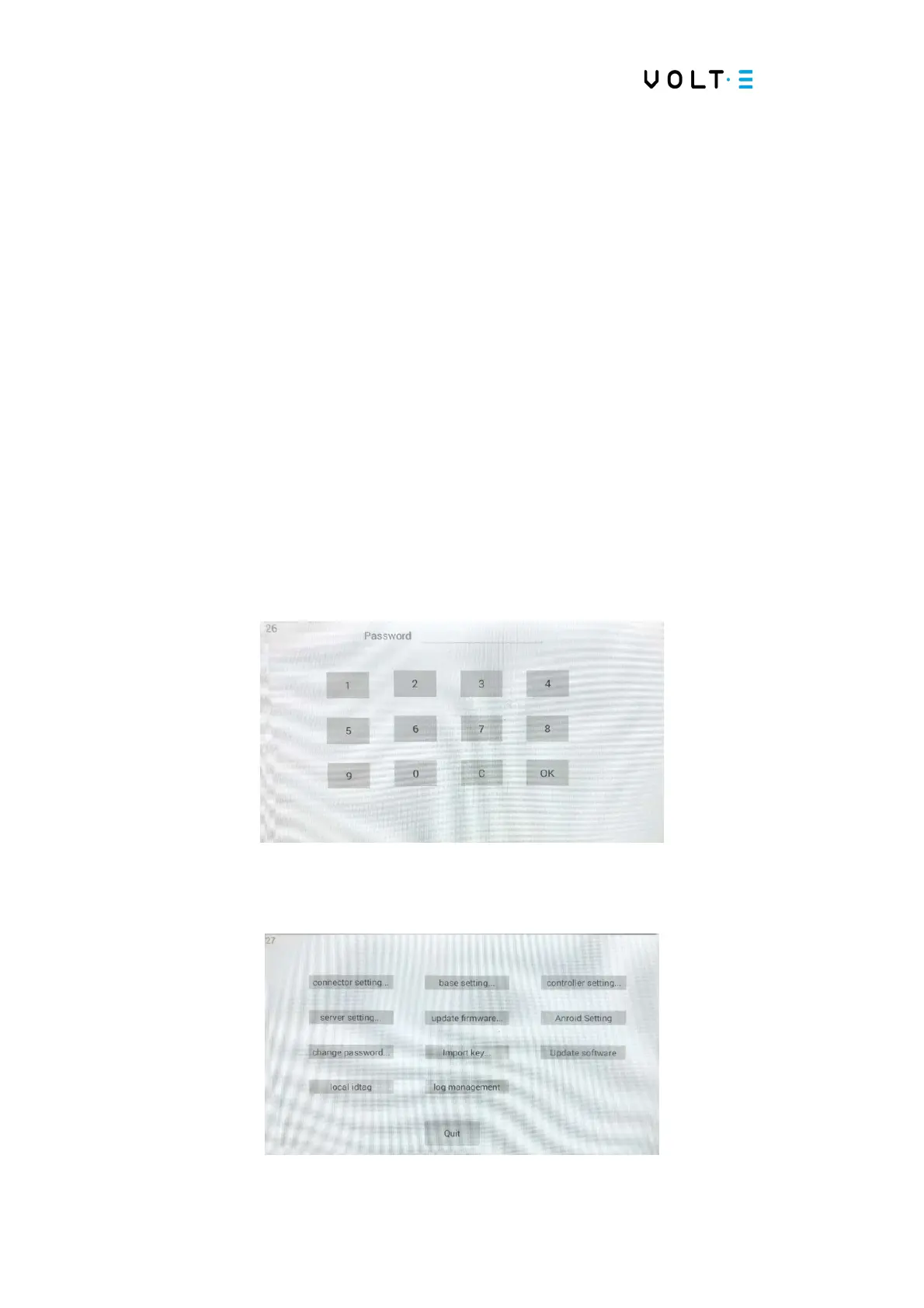
To uninstall the Charging Station, you need to enter the hidden menu. To enter the
hidden menu, return to the standard home menu and click 2x in the lower left corner
and enter the default password. The default password is “436174”. You can change
this password later.
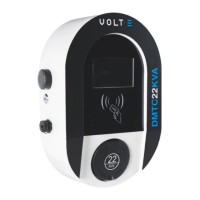
⇒ In the hidden menu you can find the following table of configuration options:


 To Next Page