46
CARRYING OUT MEASUREMENTS9.
Never exceed the max. allowable input values for overvoltage category III or IV (residential
or industrial area). Do not touch circuits or parts of circuits if there could be voltages
higher than 25 VACrms or 35 VDC in them. This could be life-threatening! Before starting
a measurement, check the connected test leads for damage such as cuts, cracks, or
pinching. Replace defective test leads immediately with new ones; do not use defective
test leads! This is life-threatening!
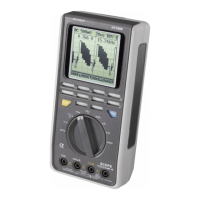
You can switch the display from 40,000 counts to 4000 counts in the following way:
Hold down the blue button while turning on the device. This function is automatically deactivated when
the device is shut off. The resistance measuring range is factory-set to 4000 counts and cannot be
changed.
a) DC voltage measurement
Proceed as follows to measure DC voltages:
Connect the black test lead to the COM jack and the red test lead to the •
VΩ jack so that they are lying flat on the measuring device.
Set the range selector switch (5) to the “V • ” or “mV ” position (for
VC940: “V ” or “mV ”).
Connect the two probe tips to the measurement object (battery, circuit, •
etc.).
The respective polarity of the measured value and the measured value are •
shown on the main display (12).
The active measuring range is shown on the left subdisplay.•
The DC voltage range “V DC” exhibits an input resistance of approx. 10 MΩ. If a minus sign (“-”) appears
in front of the measured value for a DC voltage, the measured voltage is negative (or the test leads are
reversed).


 To Next Page
 Loading...