17
TAMD72P: Electronic Diesel Control (EDC) control
panel for single control point
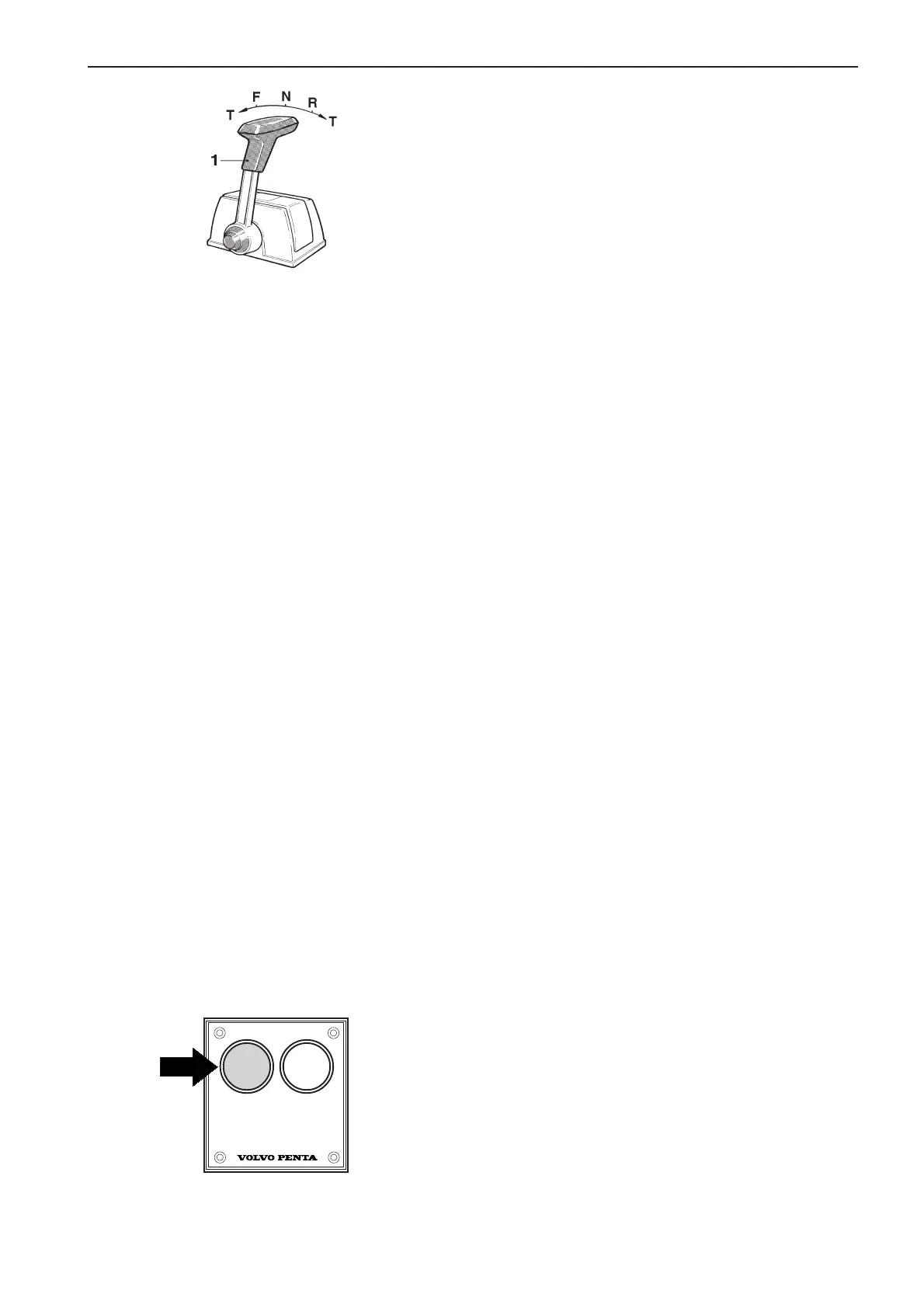
Single lever control – VP EDC (electronic)
1. Select Neutral on the control lever unit.
2. Check the key switch is in the 0 position.
3. Press the green “Neutral” button on the EDC
system control panel. Keep the button pressed
and turn the key switch to position “I” (operating
position).* Keep the button pressed in (at least 3
seconds) until the yellow indicator lamp begins to
flash. Release the button.
The green “Neutral” and the yellow “Diagnosis”
lamps will flash, indicating that the EDC system
is in calibration mode.
4. Move the control lever to the position where For-
ward movement throttle opening is to start. Keep
the lever in that position (at least 2 seconds) and
press the green button (“Neutral”).
5. Move the lever to the wide open throttle (WOT)
position for forward movement. Keep the lever in
that position (at least 2 seconds) and press the
green button (“Neutral”) again.
*Note. Two persons are required for this operation, one to turn
the key switch key on the main panel while the other cali-
brates the controls on a Flying Bridge position where the con-
trol panel does not have a key switch.
Control calibration (TAMD72P)
NOTE! If calibration is not carried out after instal-
lation, the engine cannot be started.
Calibrate first at the Master Control Station fol-
lowed by the auxiliary control position(s).
The Master Control Station is automatically acti-
vated when the key switch is turned to position I
(operating position). This is indicated by the
green button “Neutral” which comes on.Note!
The control unit must have a neutral position switch
which closes in the Neutral position. This switch pre-
vents the engine from being started with the reverse
gear engaged.
The switch also sends a signal to the EDC system
with information on how the actuator should operate.
VP EDC control (electronic)
Lever (1) for reverse gear manoeuvers and controlling engine
speed
Position N – Neutral
From N to F – reverse gear engaged for forward movement
From N to R – reverse gear engaged for reverse movement
T – control of engine speed (rpm)
Disengaging the reverse gear from the control:
Press the green button (15) marked “Neutral” on the control panel
(page 12) with the lever in the Neutral position. Keep the button
pressed in and push the lever to the shift position. The lever can
then be used as a throttle control with disengaged reverse gear.
Take care not to engage the reverse gear unintentionally.
The shift function is engaged automatically when the lever is re-
turned to the Neutral position.
NEUTRAL



 To Next Page