||
INFOTAINMENT
* Option/accessory, for more information, see Introduction.
48
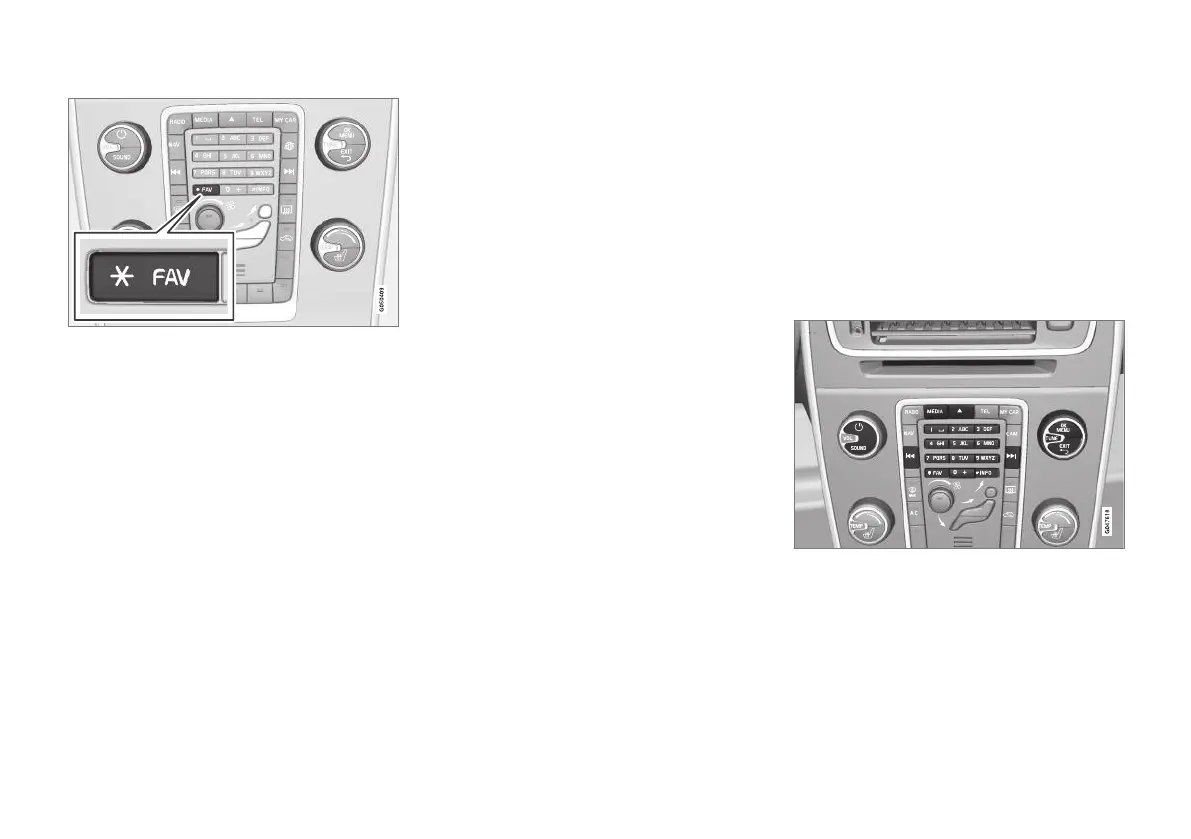
Location of the FAV button
1.
Scroll to
FAV key options and press the
thumb wheel on the steering wheel keypad
or OK/MENU on the center console.
2.
Scroll to:
No function, Toggle forecast or
Toggle presets and press the thumb wheel
on the steering wheel keypad or OK/MENU
on the center console to select.
3.
Press
EXIT to leave the menu.
•
If you have chosen
Toggle forecast, press-
ing the * FAV button repeatedly will change
the weather forecast displayed.
•
If you have chosen
Toggle presets pressing
the * FAV button repeatedly will display any
preset areas that have been stored.
Radio text
Some FM or SiriusXM™ satellite radio* stations
transmit information about program content,
artists, etc., which can be shown on the display.
–
To display this information, in FM/SiriusXM™
normal view, press OK/MENU and select
Show to activate (or deactivate) this func-
tion.
Media Player
The media player can play audio and video files
from CDs/DVDs and external devices connected
to the AUX/USB sockets. Audio files can also be
streamed from Bluetooth
®
-enabled devices. Cer-
tain media players can also communicate with
cell phones via Bluetooth
®
.
Connecting to the Internet may also make it pos-
sible to listen to web radio, audio books and to
use music services, see Applications (p. 78).
Media player controls
For more information about listening to music
and navigating in the menus, see Infotainment –
operating the system (p. 28).
Certain functions can be stored in the FAV but-
ton. A stored function can then be started easily
by pressing FAV, see Favorites (p. 33).



 To Next Page