INFOTAINMENT
62
Disconnecting a Bluetooth
®
device
When a Bluetooth
®
device is out of range, it is
automatically disconnected.
If a cell phone is moved out of range during a
call, the call will switch to the phone's speaker
and microphone.
The hands-free function is deactivated when the
ignition is switched off and the driver's door is
opened.
To remove (unpair) a Bluetooth
®
device, see
Deleting a Bluetooth
®
device (p. 62). The info-
tainment system will no longer search for the
unpaired device.
Related information
•
Infotainment – operating the system (p. 28)
•
Connecting and disconnecting a Bluetooth
®
device (p. 57)
•
Media Bluetooth
®
(p. 57)
•
Bluetooth
®
hands-free system (p. 62)
Deleting a Bluetooth
®
device
Paired Bluetooth
®
devices can be deleted
(unpaired) from the infotainment system, which
means that the system will no longer search for
these devices.
Deleting a media player
From the media Bluetooth
®
’s normal view, press
OK/MENU and select
Change device
Delete device.
Deleting a cell phone
From the telephone’s normal view, press OK/
MENU and select
Change phone Delete
device
.
Related information
•
Infotainment – operating the system (p. 28)
•
Connecting and disconnecting a Bluetooth
®
device (p. 57)
•
Media Bluetooth
®
(p. 57)
•
Bluetooth
®
hands-free system (p. 62)
Bluetooth
®
hands-free system
A Bluetooth
®
-enabled cell phone or other device
can be wirelessly connected to the infotainment
system.
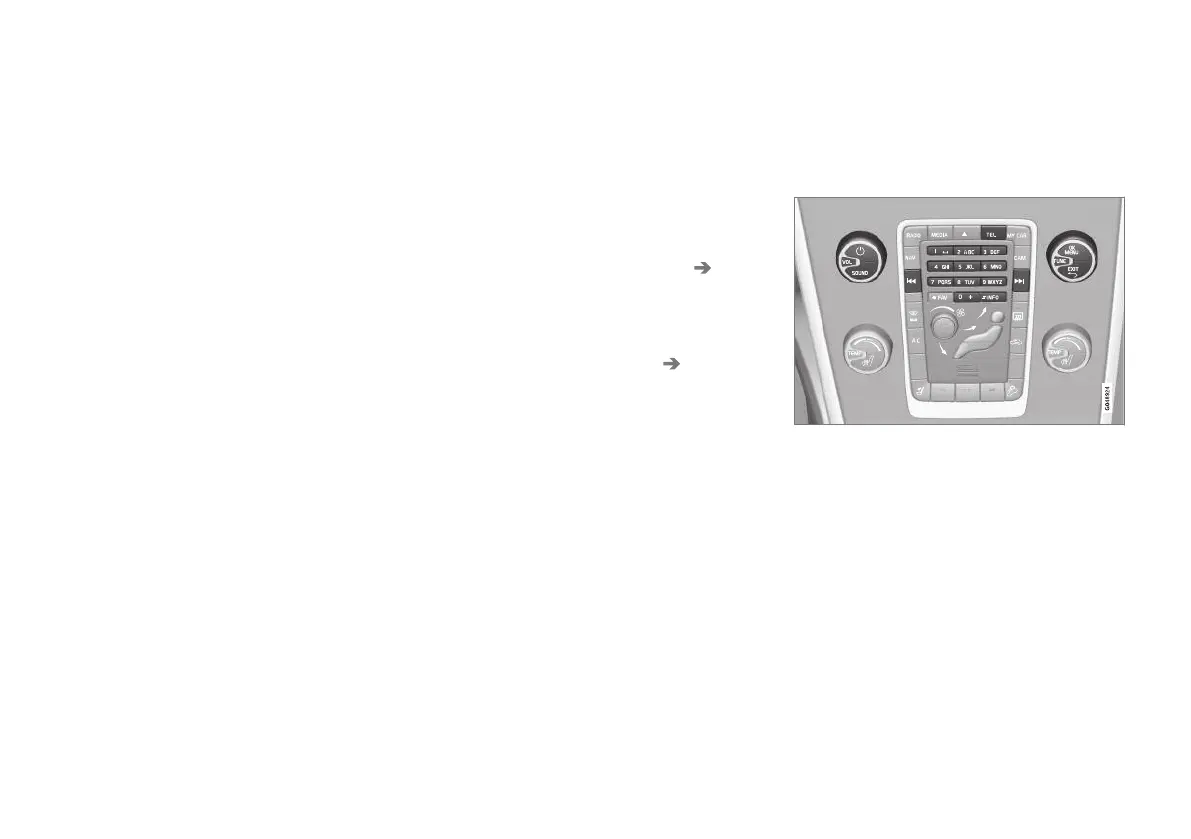
Overview of center console Bluetooth
®
controls
The device must first be paired and connected to
the infotainment system.
A hands-free connection to the infotainment sys-
tem makes it possible to remotely control many
of a cell phone's functions. The phone's controls
can also be used at any time, even it is con-
nected to the infotainment system.
When a cell phone or other device is connected,
audio can be streamed to the infotainment sys-
tem, see Media Bluetooth
®
(p. 57). Toggle
between the devices by pressing the TEL and



 To Next Page