INFOTAINMENT
64
Bluetooth
®
hands-free system –
overview
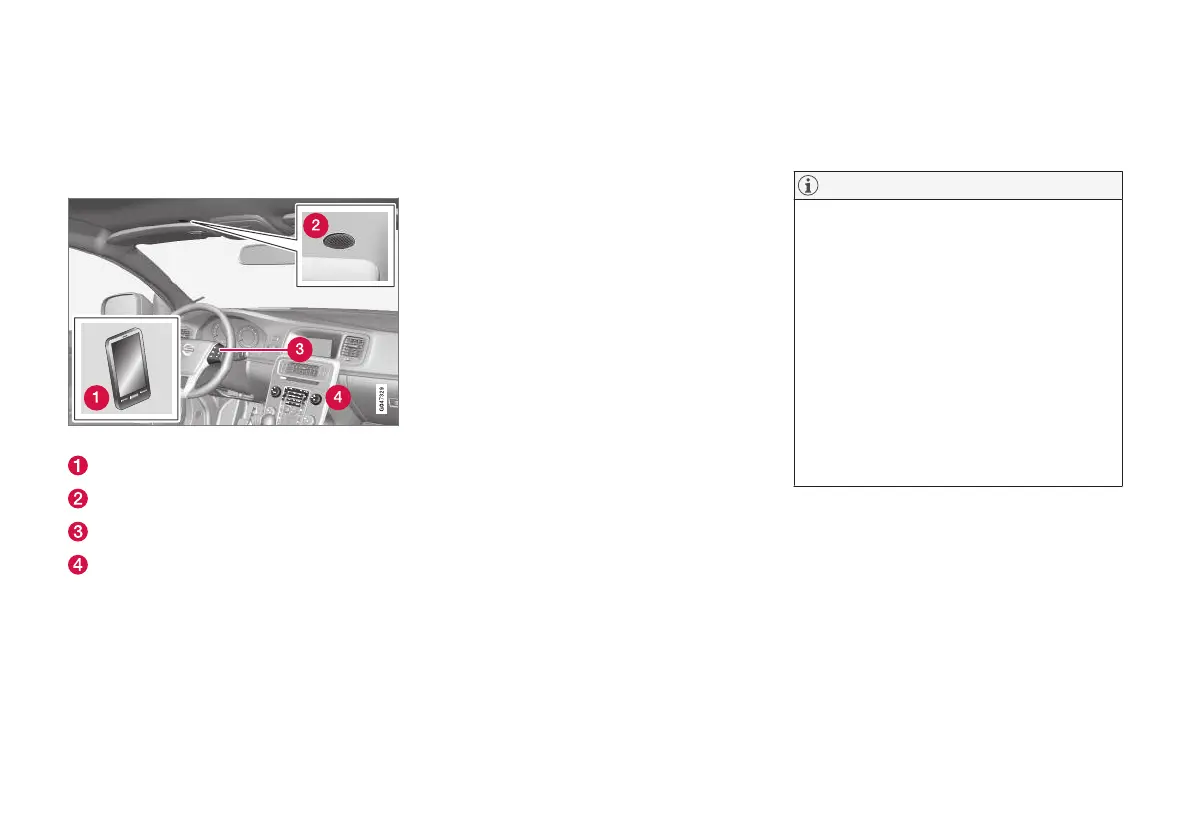
The illustration provides an overview of the
Bluetooth
®
hands-free system.
System overview
Cell phone
Microphone
Steering wheel keypad
Center console controls
Related information
•
Infotainment – operating the system (p. 28)
•
Connecting and disconnecting a Bluetooth
®
device (p. 57)
Call Management
These functions help to manage phone calls.
Incoming calls
–
Press OK/MENU (or the thumb wheel on
the steering wheel keypad) to answer a call,
even if the infotainment system is in e.g.,
RADIO or MEDIA mode.
Reject or end a call by pressing EXIT.
Call menu
From the telephone’s normal view, press OK/
MENU while a call is in progress to access the
following functions:
•
Mobile phone – the call is transferred from
the hand-free function to the cell phone. The
connection will be broken on certain phones,
which is normal. The hands-free will prompt
you to reconnect.
•
Mute microphone – Infotainment system
sound is muted.
•
Dial number – call a third party using the
number keys while another call is in progress
(the call in progress will be put on hold).
Call list
The call list is shared and updated with the
hands-free function each time a phone is con-
nected. From the telephone’s normal view, turn
TUNE counter-clockwise to display this list.
From the telephone’s normal view, press OK/
MENU and select
Call list to see the currently
connected phone's call list.
NOTE
In order to display the connected cell phone's
call list in the infotainment system, informa-
tion sharing must be accepted in the phone
when it is connected. Depending on the
phone, the following will occur:
•
A pop-up window or notification is dis-
played and accepted in the phone.
•
Accept information sharing in the phone's
settings for a Bluetooth
®
connection to
the infotainment system.
In certain cases, the phone must be discon-
nected and reconnected to the infotainment
system before information sharing is possible.
Related information
•
Infotainment – operating the system (p. 28)
•
Cell phone voice control (p. 71)
•
Bluetooth
®
hands-free system (p. 62)
•
Bluetooth
®
hands-free phones – audio set-
tings (p. 65)
•
Phone book (p. 65)



 To Next Page