||
INFOTAINMENT
66
Related information
•
Infotainment – operating the system (p. 28)
•
Bluetooth
®
hands-free system (p. 62)
Quick phonebook searches
From the telephone’s normal view, turn TUNE
clockwise to display the list of contacts (phone-
book).
Turn TUNE to scroll to a contact and press OK/
MENU to make a call.
The primary phone number will be displayed
below the contact's name. If there is a ▼ symbol
to the right of the contact's name, this indicates
that there are other phone numbers stored for
this contact. Press OK/MENU to display these
numbers. Turn TUNE to select one of the other
phone numbers and press OK/MENU to make a
call.
Search the phone book by entering the begin-
ning of the contact's name using the center con-
sole keypad, see also Phone book – character
table for the center console keypad (p. 66).
Related information
•
Infotainment – operating the system (p. 28)
•
Bluetooth
®
hands-free system (p. 62)
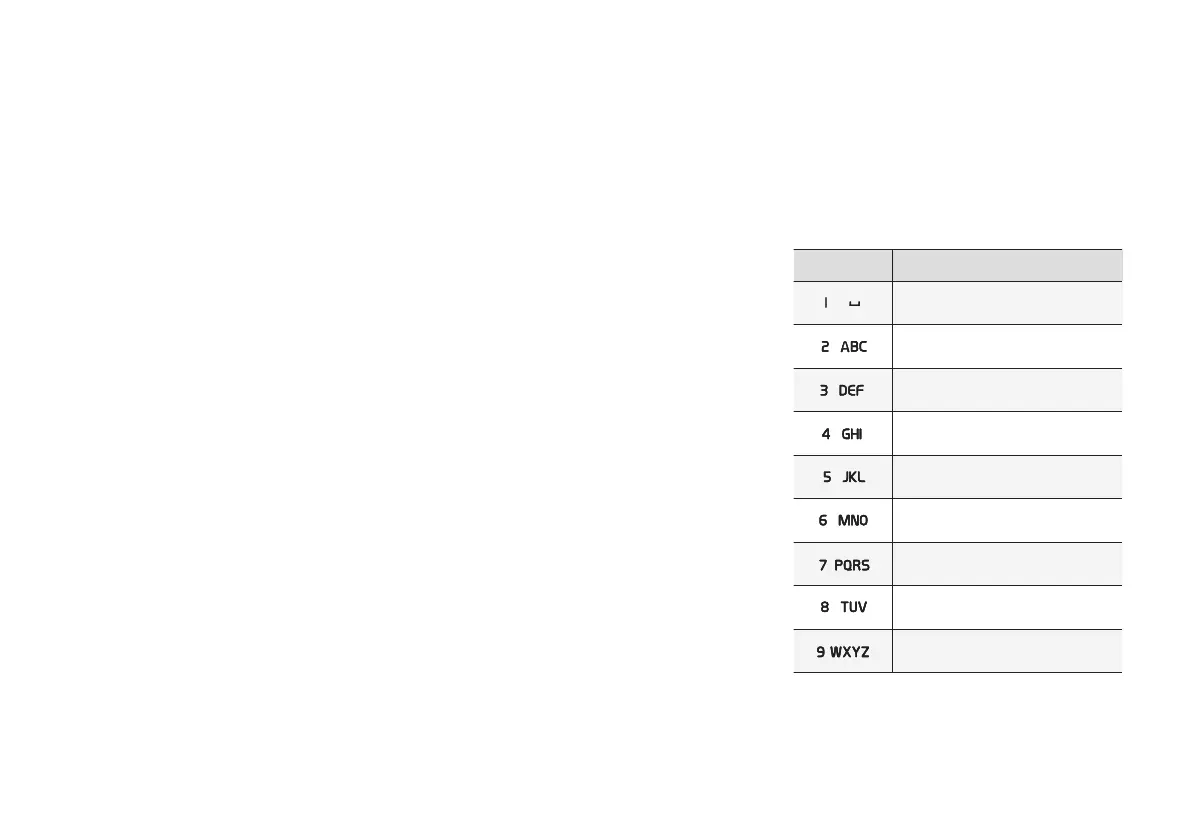
Phone book – character table for
the center console keypad
The following table shows the characters that
can be accessed by pressing the respective
keys on center console. Press once for the num-
ber on the key and continue pressing to reach
the desired letter on the key.
Button Function
Space . , - ? @ : ; / ( ) 1
A B C Å Ä Æ À Ç 2
D E F È É 3
G H I Ì 4
J K L 5
M N O Ö Ø Ñ Ò 6
P Q R S ß 7
T U V Ü Ù 8
W X Y Z 9



 To Next Page