||
INFOTAINMENT
80
For Bluetooth
®
Internet connections, the
Bluetooth
®
symbol will appear in the upper-right
corner of the display.
If no Internet connection is available, a message
indicating this will be displayed.
Searching for information
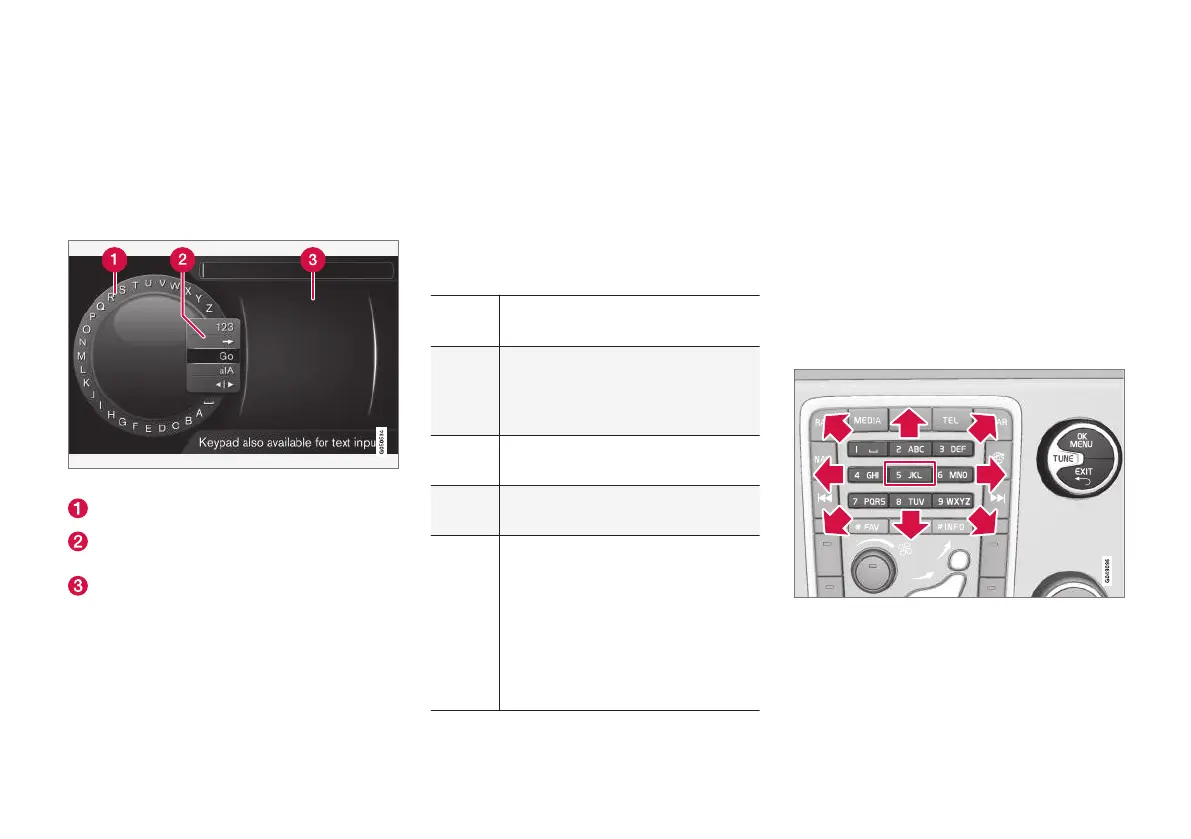
Searching using the text wheel
List of characters
Switching between character entry modes
(see the following table)
Surf history
Use the text wheel to enter a web address.
1.
Turn TUNE to the desired letter and press
OK/MENU to confirm. The number/letter
keys on the center console can also be used.
2. Continue to the next letter, etc. The results of
the search will be displayed in the phone
book.
3. To switch from letter entry mode to the entry
mode for numbers or special characters, or
to go view surf history, turn TUNE to one of
the selections (see the explanation in the fol-
lowing table) in the list for switching charac-
ter entry mode (2) and press OK/MENU.
123/A
BC
Toggle between letters and num-
bers by pressing OK/MENU.
=>
This leads to surf history. Turn
TUNE to select a web address and
press OK/MENU to go to the web-
site.
Go
Go to the website by pressing OK/
MENU.
a|A
Toggle between upper and lower
case letters by pressing OK/MENU.
| | }
Switch from the text wheel to the
Address: field. Use TUNE to move
the cursor and erase characters by
pressing EXIT. Press OK/MENU to
return to the text wheel.
The number/letter keys on the cen-
ter console can also be used to edit
the
Address: field.
Press EXIT briefly to erase a single character.
Press and hold EXIT to erase all characters.
Pressing a number key on the center console
while the text wheel is displayed (see the previ-
ous illustration) will display a list of characters.
Press the desired key repeatedly to enter the
desired letter and continue to the next letter, etc.
To enter a number, press and hold the button.
Navigating in the web browser
Turn TUNE to navigate among links or to scroll
on a web page. Press OK/MENU to activate the
selection/link.
Moving the cursor on a web page
The buttons on the center console can be used
to move the cursor on a web page. Press the
INFO button to switch to the menu bar at the top
of the page.



 To Next Page